85
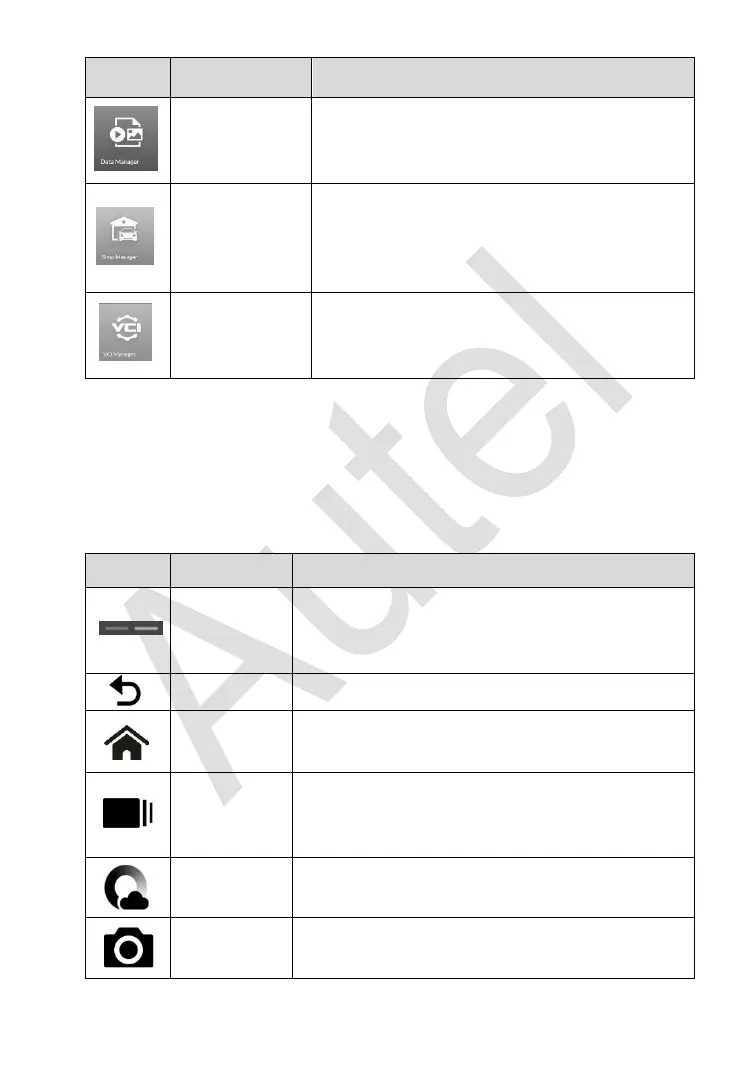
Accesses the organization system for saved
data files. See Data Manager on page 171 for
details.
Accesses Shop manager database to store
workshop, customer information and vehicle
test history. See Shop Manager on page 176
for details.
Establishes and manages BT connection with
the MaxiFlash. See VCI Manager on page
184 for details.
Locator and Navigation Buttons
Operations of the Navigation buttons at the bottom of the screen are
described in the table below:
Table 3-2 Locator and Navigation Buttons
Indicates the location of the screen. Swipe the
screen left or right to view the previous or next
screen.
Returns to the previous screen.
Returns to Android System’s Home screen.
Displays a list of applications that are currently
in use. Tap an app icon to launch. To remove an
app, swipe it to the top or bottom.
Launches the Android built-in browser.
Takes a screenshot with long press when you
want to save the displayed information.














 To Next Page