AutoStop Maxi User Manual Version 8.18 Page 14
9. Feed the edge of the paper into the printer, press the “P” key on the keypad (at
the Ready mode) to feed paper through the printer. Feed 50 to 75mm through the
printer.
10.Press any key to halt paper feed
11.Wind up any slack in the paper roll, replace the printer cover plate fitted with the
new paper roll and press the hold-down buttons home. Note: The buttons must be
correctly aligned before they will click home.
12.Press “Off” when complete.
13.It is important that the paper is of an approved type. Use of an unapproved paper
will damage the printer mechanism and void warranty.
9. CHANGING PRINTER RIBBON
1. It is recommended that a new printer ribbon be fitted for every three paper rolls
consumed.
2. Remove the printer cover plate by following steps 1-3 for changing the paper roll.
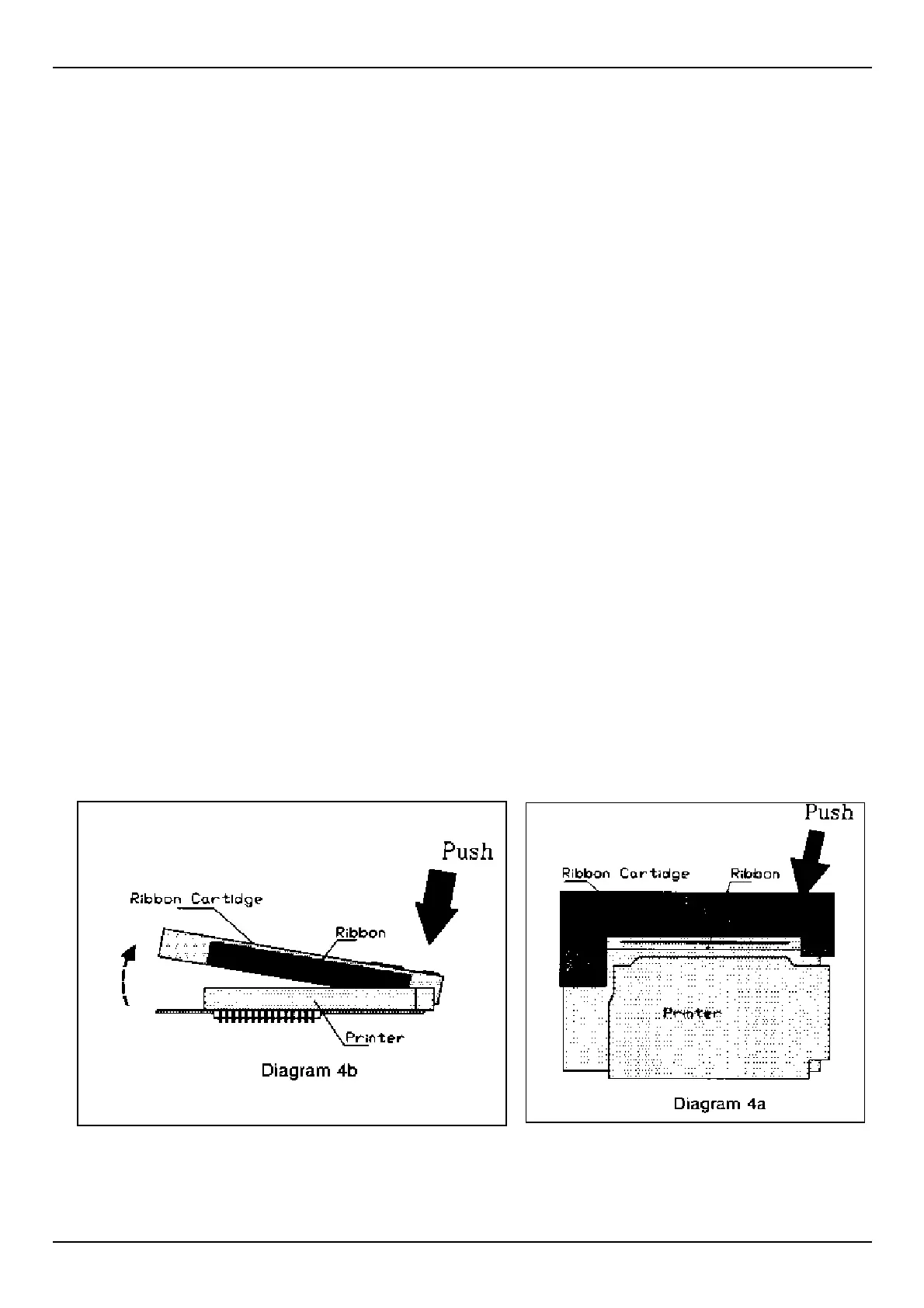
3. Gently push down on the right hand side of the printer ribbon (the word PUSH is
embossed on the ribbon cartridge. The left side will flip up and the ribbon may be
removed from the printer.
4. Replace the ribbon in the same orientation; with the ribbon facing towards the
keypad and the word “PUSH” and “EJECT” on the right hand side. Locate the left
hand side of the ribbon cartridge in position first; with the ribbon fitting between
the metal plate and paper feed guide.
5. Wind up any slack in the paper roll, replace the printer cover plate fitted with the
new paper roll and press the hold-down buttons home. Note: The buttons must be
correctly aligned before they will click home.
6. Press “Off” when complete.


 To Next Page