AutoStop Maxi User Manual Version 8.18 Page 16
11. QUICK GUIDE
After Unpacking
Charge the battery for 10 hours before initial use. The battery charger input is located to the right
of the printer. With proper care and use, the battery should last between two and five years. It is
recommended to recharge the battery nightly if the AutoStop Brake Tester is used regularly. Only
an approved battery charger with the correct voltage, waveform and terminal polarity should be
used. The battery must never be allowed to fully discharge as it will void the warranty.
Set-Up & Testing
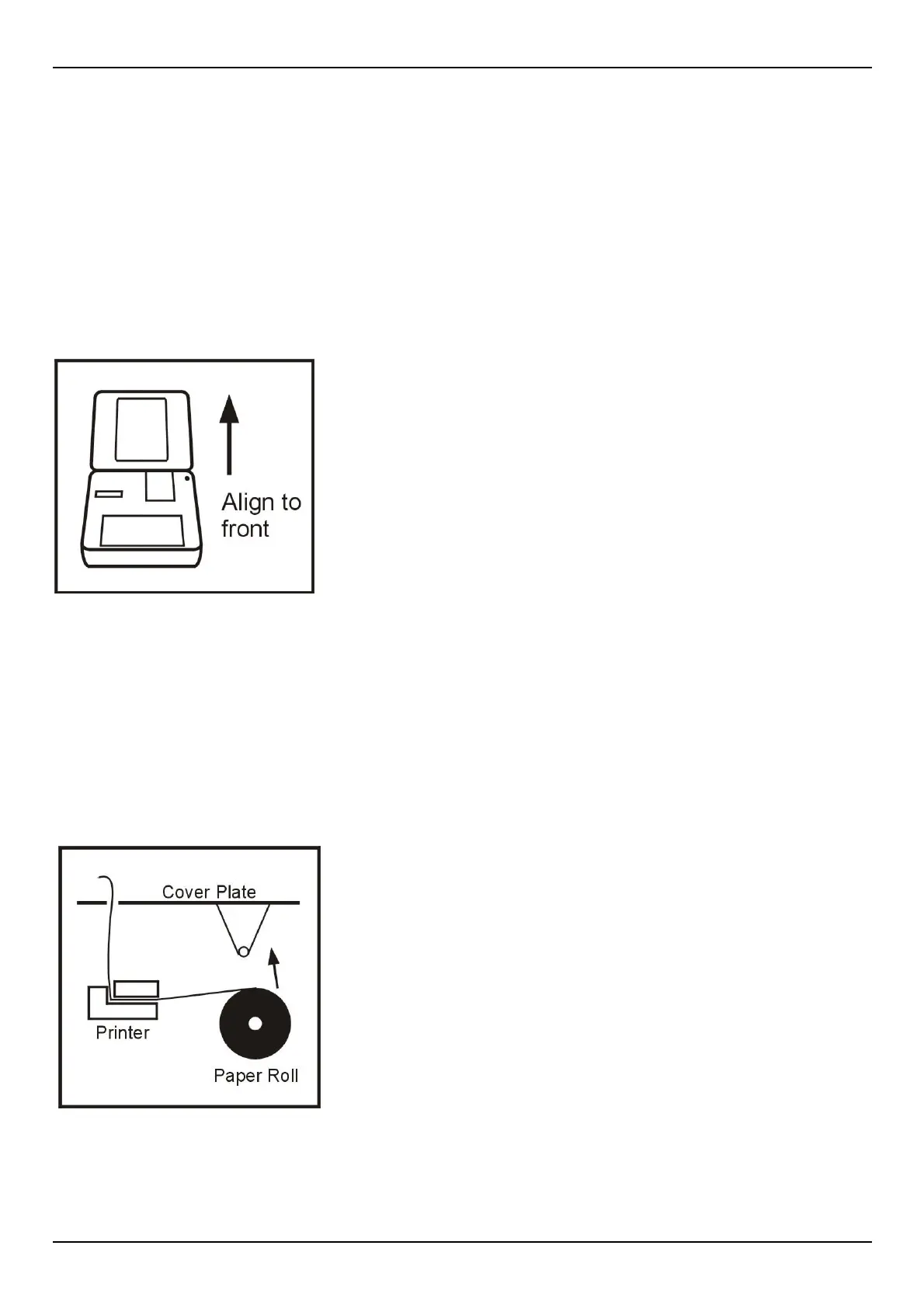
1. Secure AutoStop Maxi in vehicle and attach pedal sensor to
brake pedal. This will vary from vehicle to vehicle; a mounting
bracket or straps may be used.
2. Press “ON”.
3. Enter Examiner ID and press “Yes”.
4. Remove pressure from pedal sensor. Processor measures
zero level of the pedal sensor.
5. Press “Yes” again.
6. Mistakes may be corrected by using the “<” or backspace key.
7. At the “Ready>” prompt, press “R” to run test. Enter the
vehicle registration number (or VIN number) and press “Yes”.
8. Srvc/Emrg? S/E. Select Service (S) or Emergency (E) test.
9. Ensure it is safe to run the test.
10.Before starting or repeating the test, remove foot from pedal sensor and brake pedal.
11.Press “S” to start (or “A” to abort).
12.Accelerate to speed and stop when safe.
13.Press “Y” to save or “N” to not save the results (if Brake Tester has data logging option).
14.Press “Y” to print or “N” to skip printing a duplicate.
15.Press “Y” to repeat test, “N” to end test.
16.Press “OFF”.
Change Paper
1. Remove printer cover from panel.
2. Remove paper roll spindle from cradle.
3. Load new roll (see ‘Paper Specifications’ regarding special
paper).
4. Press “ON”.
5. Enter Examiner ID and press “Yes”.
6. Press “P” to feed paper through printer.
7. Press any key to halt paper feed
8.
Replace paper roll assembly and printer cover.
9. Press “OFF”.


 To Next Page