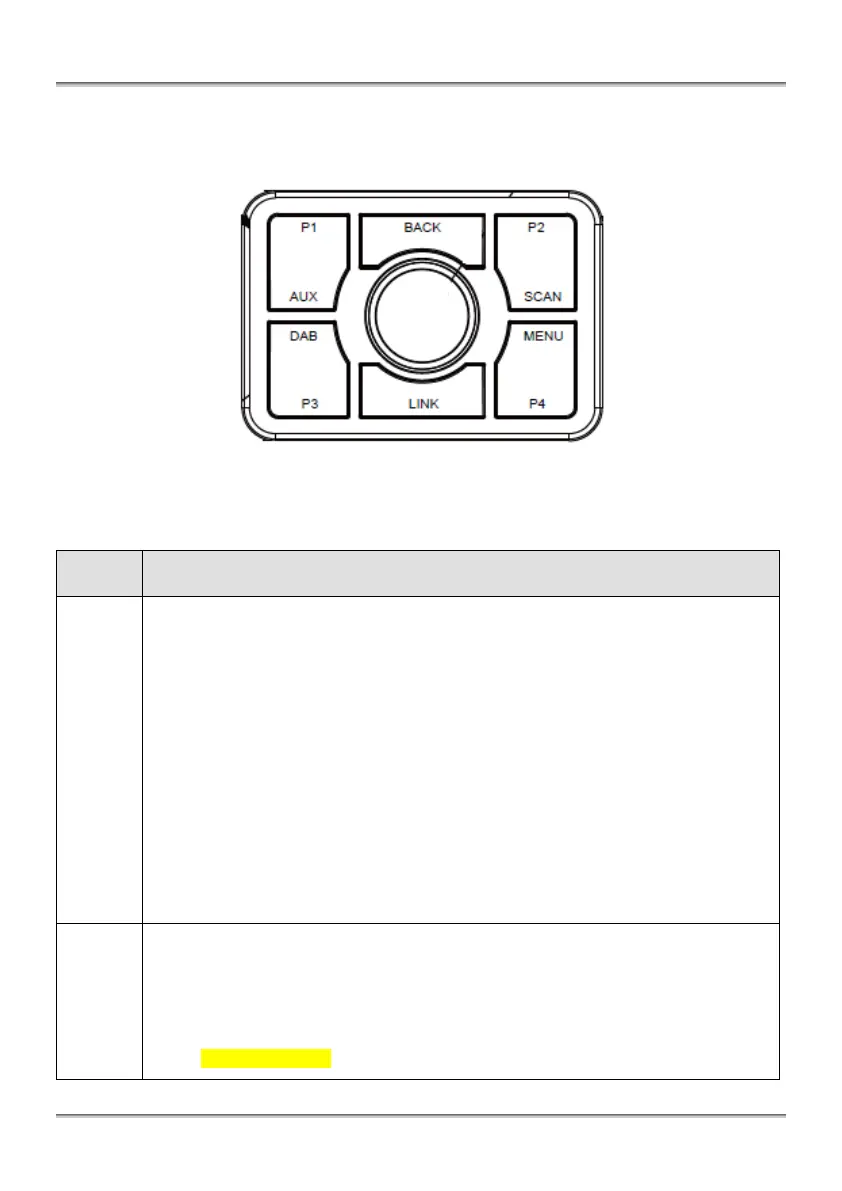
Press
Turn on AutoDAB Connect while it is off.
Confirm a selection.
Change station information while listening to a DAB station.
Press and followed by AUX, DAB, SCAN, or MENU to enter the selected function
mode.
Press and Hold
Turn off AutoDAB Connect while it is on.
Rotate [◄] [►]
Step tune to select a DAB station.
Navigate to items, sub items, and settings after MENU is pressed.
Adjust FM transmitting frequency by 100 KHz after LINK is pressed.
Accelerate Rotation [◄] [►]
Quick tune to select a DAB station.
Adjust FM transmitting frequency by 2MHz after LINK is pressed.
Press
Recall memory preset P1.
Press and Hold
Program memory preset P1 while listening to a DAB station.
Function AUX
Set AutoDAB Connect to AUX mode to listen to an external audio source.


 To Next Page