
 Need help?
Do you have a question about the AutoDab Connect and is the answer not in the manual?
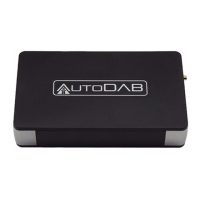
Describes the in-car DAB adapter and its purpose.
Explains the Automatic Frequency Change and AutoScan functions.
Notes the need for an RDS-equipped car radio.
Lists all items provided in the box.
General connection steps and device ports.
Step-by-step guide for installing the device.
Important notes regarding power connection.
Configuring antenna power and routing cables.
Detailed instructions for mounting the AutoDAB Connect.
Recommended practices and common mistakes.
Explains system messages shown on the car radio display.
Details operations of the remote and rotary knob.
Functions of P1-P4 and AUX buttons.
Functions of SCAN, MENU, DAB, LINK, and BACK buttons.
Steps to power on, configure AutoScan, and listen to DAB.
How to turn the unit on/off and scan for DAB stations.
Important considerations during station scanning.
Methods for tuning stations and viewing details.
How to set up, save, and manage DAB presets.
Retrieving saved stations and using external audio.
Checking current frequency and configuring AFC/AutoScan modes.
How AutoScan works and manual frequency adjustment.
Storing preferred FM frequencies.
Retrieving stored frequencies and triggering immediate changes.
Assigning a frequency to the F1 preset.
Restoring default frequency and configuring text display.
Activating and adjusting AFC sensitivity.
Factors affecting AFC and activating AutoScan.
Configuring beep tone and antenna power.
Resetting DAB, factory settings, and checking software version.
Instructions for updating the device software.
Solutions for finding stations and audio problems.
Troubleshooting no DAB on startup or forgotten frequencies.
Solutions for static, lost reception, and frequency sync issues.
Summary of technical details like frequency ranges and power.
Guidelines for disposing of electronic waste and batteries.
 General
| Product Type | DAB/DAB+ Car Adapter |
|---|---|
| DAB/DAB+ Frequency Range | 174-240 MHz |
| Bluetooth | Yes |
| Power Supply | 12V car socket |
| Audio Output | 3.5mm AUX Output |
| Supported Devices | Smartphones, Tablets |

 To Next Page