18 ST4000+ Wheel & Tiller Autopilots: Owner’s Handbook
2 Basic Operation
2.5 Adjusting display and keypad lighting
Note: When the display lighting is off, the control unit still illuminates
the keys at a courtesy level.
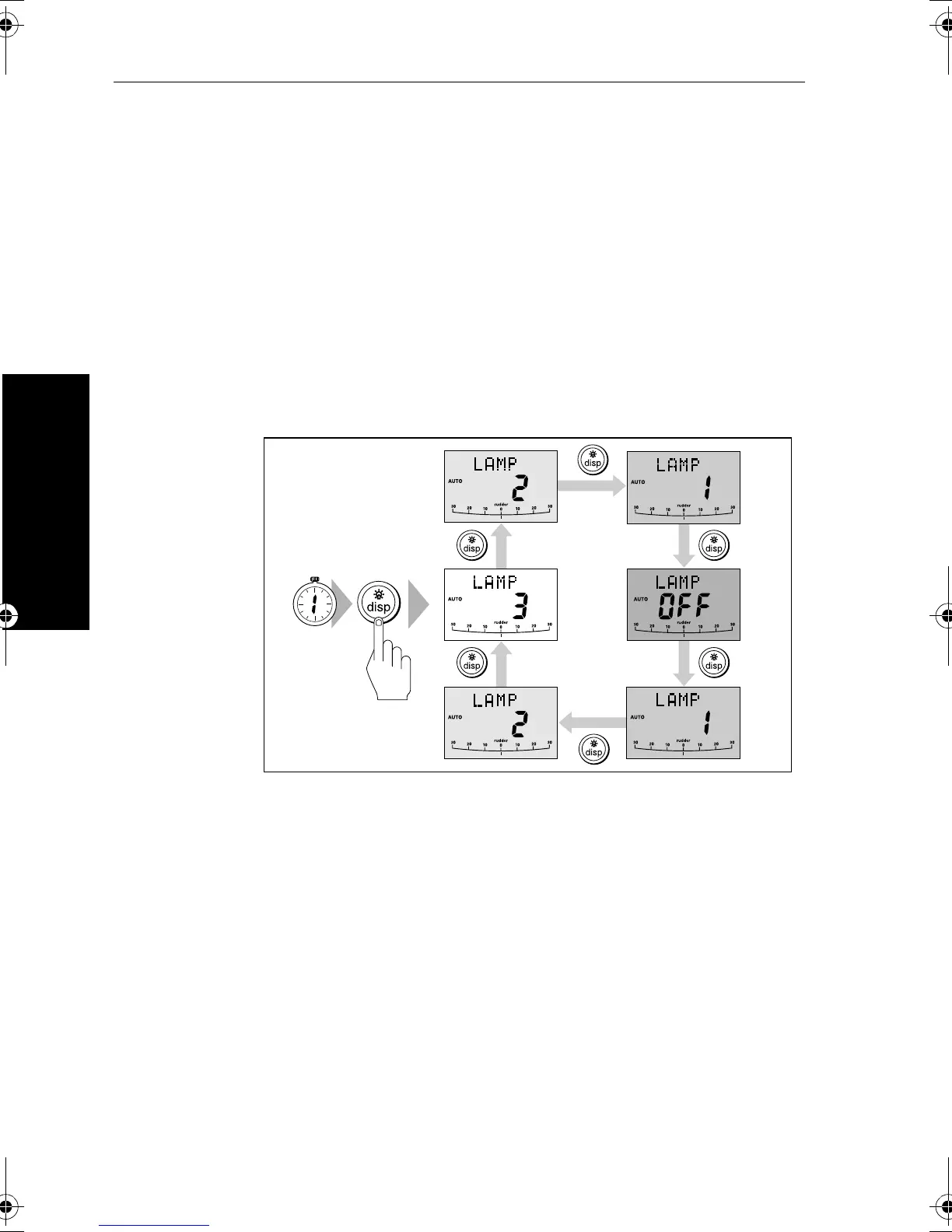
To adjust the display and keypad lighting:
1. Press
disp for 1 second from any mode to access the LAMP screen
and turn on the lights.
2. Press the
disp key to cycle through the possible illumination
settings:
LAMP 3, LAMP 2, LAMP 1, OFF, LAMP 1, LAMP 2, LAMP 3
and so on.
Note:
LAMP 3 is the brightest setting.
.
3. The display automatically returns to the previous mode if you do
not press a key for 7 seconds:
• if you press another mode key within 7 seconds you will select
the mode assigned to that key (for example:
auto selects Auto
mode,
standby selects Standby mode)
Note: You can also adjust the lighting level from any other SeaTalk
instrument or control unit connected to SeaTalk.
Note: When you switch off the unit you lose any changes you have
made to the lighting.
D3313-3
SECOND
81131_6.book Page 18 Wednesday, August 22, 2001 2:26 PM



 To Next Page