58 ST4000+ Wheel & Tiller Autopilots: Owner’s Handbook
5 Installing the ST4000+
4. Making sure the cable exits at the bottom of the compass, secure
the fluxgate compass using the self-tapping screws provided
(No 8 x
3
/
4
in, pan-head).
Note: Stick the supplied warning label near to the compass, where it
is clearly visible.
Connecting to the control unit
1. The compass is supplied with 8 m (26 ft) of cable. Route the cable
to the control unit, taking into account the EMC installation
guidelines (page 46).
Note: Make sure you leave some spare cable so, if necessary, you can
re-position the compass to reduce deviation. If the standard cable is
not long enough, your Raymarine dealer can supply a 10 m (30 ft)
extension cable (part number: D174).
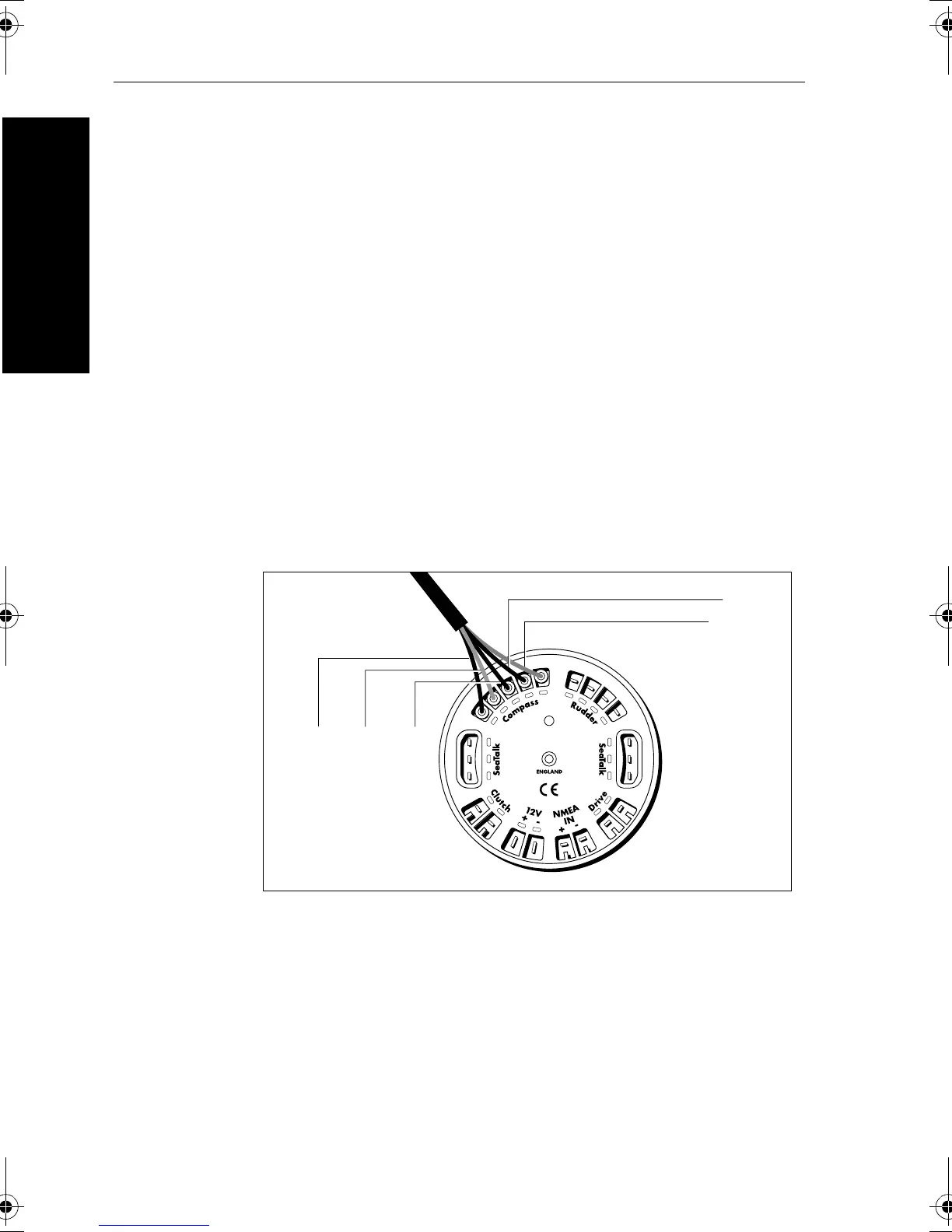
2. Connect the five cores of the cable as shown to the
Compass
terminals on the control unit.
D3282-2
Blue Yellow Green
Screen
Red
81131_6.book Page 58 Wednesday, August 22, 2001 2:26 PM



 To Next Page