Chapter 3: Advanced Operation 21
3 Advanced Operation
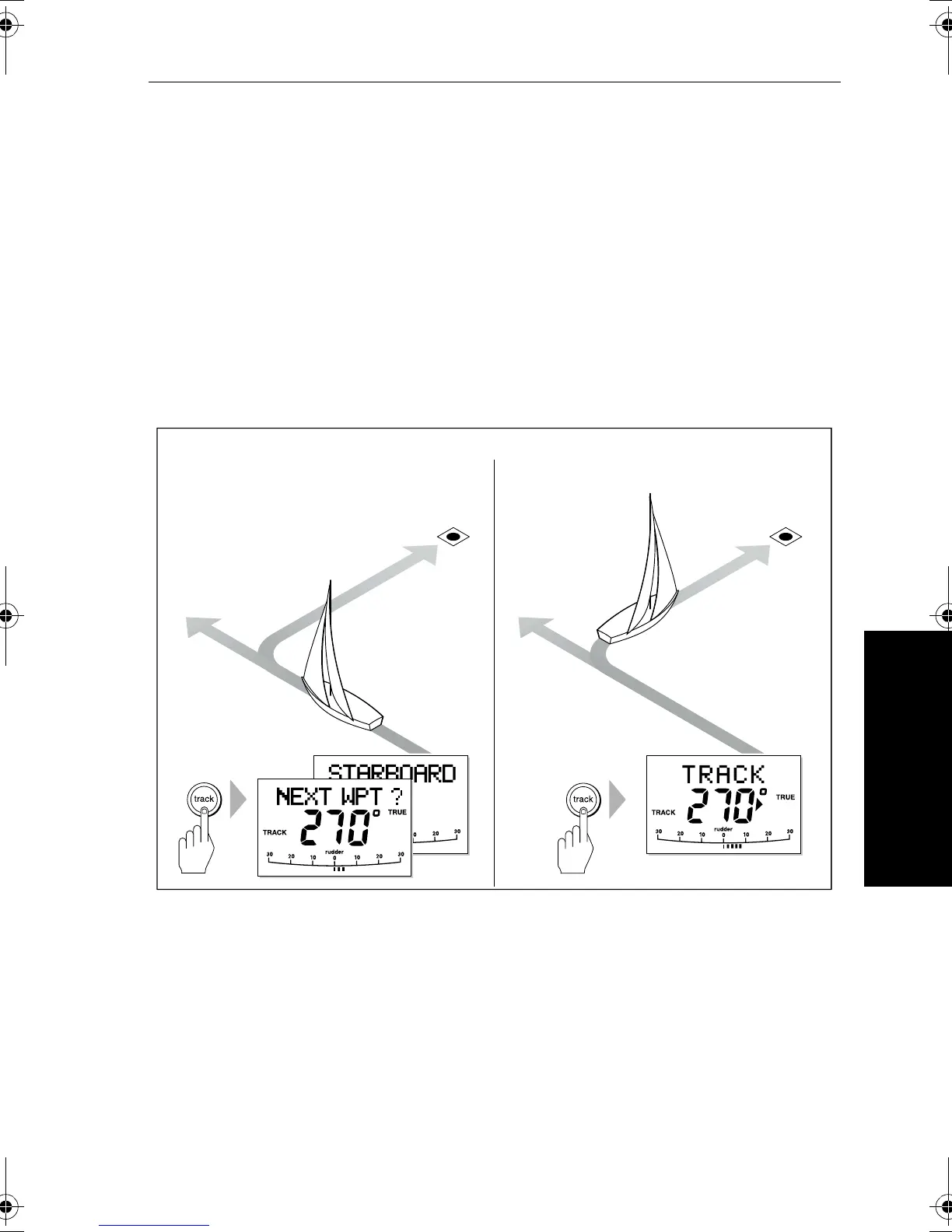
4. Wait for the Waypoint Advance alarm to sound. The display will
show the bearing to the next planned waypoint and the direction
the boat will turn to reach this waypoint.
Note: If the boat is more than 0.3 nm from the track, the Large Cross
Track Error alarm will sound (see page 22). Press
standby to
cancel the alarm, hand steer closer to the track, press
auto and then
press
track.
5. Check that it is safe to turn the boat onto the new course.
6. Press the
track key:
• the boat will turn onto the new course
• the display shows the new bearing to waypoint
Manual track acquisition
If your navigation system only provides cross track error information,
you must acquire the track manually:
1. Steer the boat to within 0.1 nm of track.
2. Bring the heading to within 5° of the bearing to the next waypoint.
3. Press
auto.
4. Press
track to enter Track mode. The display then shows the
locked pilot heading.
Automatic track acquisition
Current
heading
Previous
heading
Waypoint
at 270˚
D5414-1
Waypoint
at 270˚
From auto mode, press track to enter Track mode: Then press track again to turn boat to waypoint:
81131_6.book Page 21 Wednesday, August 22, 2001 2:26 PM



 To Next Page