Waypoints
There are three ways to create waypoints:
1. Teach by example
2. Manipulate existing waypoints
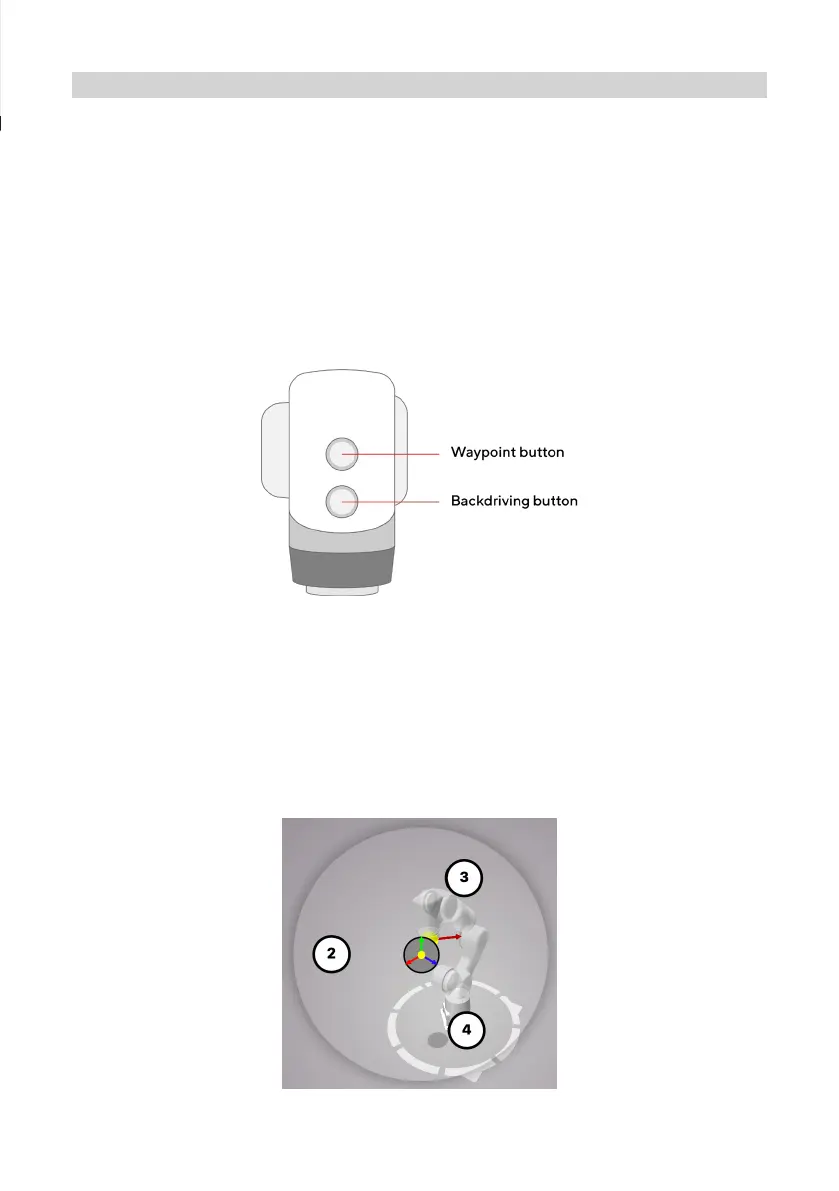
Press and hold the backdriving button on the head to release the brakes and
physically manipulate the robot into a desired position.
Release this button and press the waypoint button to create a waypoint. This
will be picked up by the device with robot ownership (see: Installing the
robot - Powering On and Connecting).
Click on a waypoint in the 3D Workspace of the Choreograph Viewer to select
it. If multiple waypoints, or the yellow gizmo sphere, are nearby, a wheel menu
will open. Use this menu to specify which waypoint you intend to select:
For instance, if a user has taken robot ownership with Choreograph, the new waypoint will appear
in the 3D workspace of the viewer, at the current robot position. The waypoint will become visible
when the robot moves to a new location.
9


 To Next Page