EasyManua.ls Logo

Automatic Technology CB-19 - Page 6

Automatic Technology CB-19
28 pages
Print Icon
To Next Page IconTo Next Page
To Previous Page IconTo Previous Page
Loading...
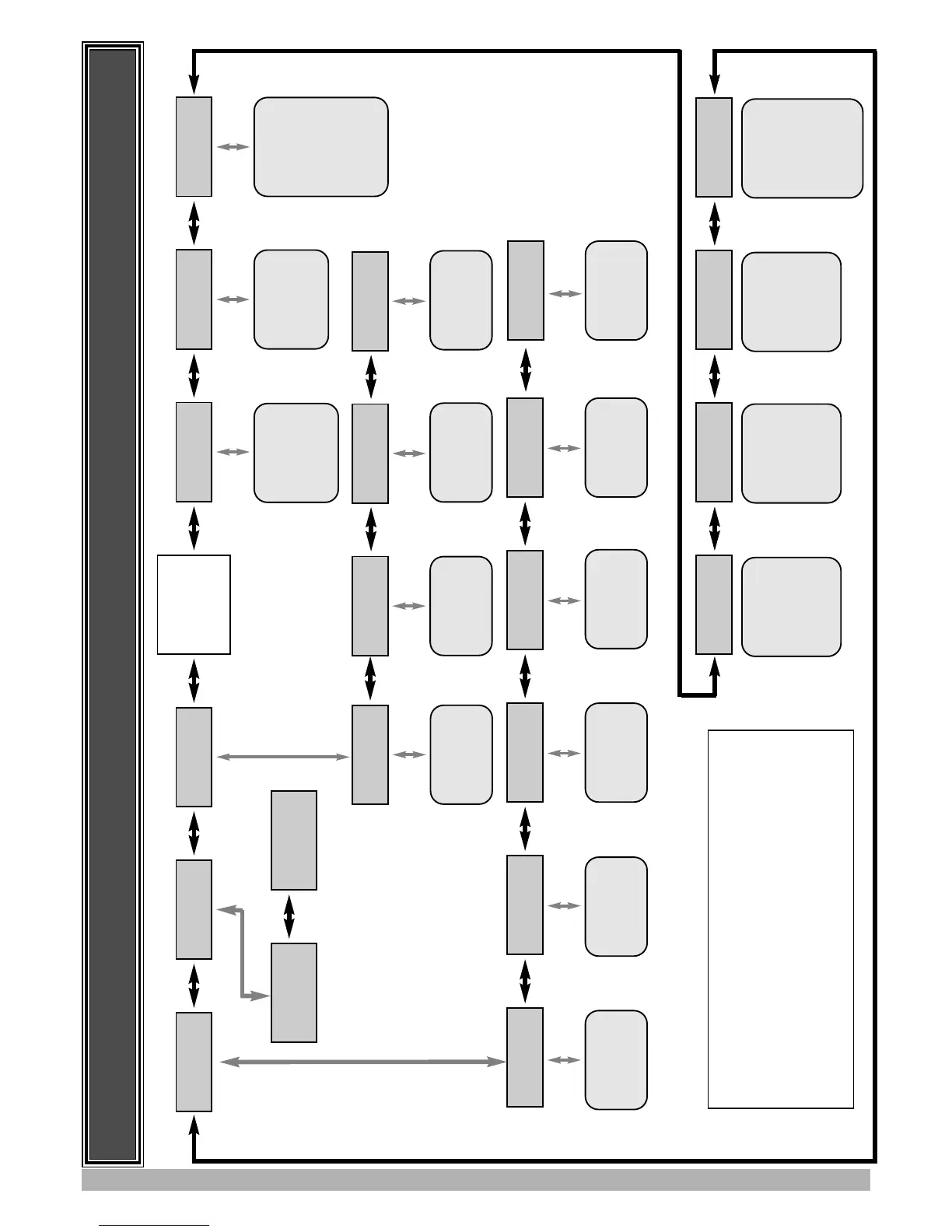
MENU STRUCTURE
5
MENU 8
Diagnostics
MENU 9
Memory Tools
MENU 10
Setup Travel
MENU 1
Code Transmitter
MENU 2
Current Trips
MENU 3
Auto-Close Times
MENU 10.2
Timed Travel
MENU 10.3
Reprofile Travel
MENU 9.1
CLR Control.
See Page 24
MENU 9.2
CLR Tx’ers.
See Page 24.
MENU 8.1
Test Inputs
MENU 8.2
Test Tx’ers
MENU 8.3
Display History
MENU 8.4
Memory Usage
MENU 8.5
Service Counter
MENU 4
Lock Times
MENU 5
Light Times
MENU 6
Motor Settings
MENU 7
Operating Modes
MAIN SCREEN
(Gate Status
& Information)
Code/Edit
Transmitter
Procedure.
See Page 18.
Parameter List
1. Margin 1
...etc
See Page 13.
Parameter List
1. STD Autoclose
2. P.E. Autoclose
3.
Ped’n Autoclose
4. P.E.
Ped’n
Autoclose
...etc
See Page 14.
Timed Travel
Setup Procedure.
See Page 10.
Travel Reprofile
See Page 9.
Control Input
Status Display.
See Page 23.
Transmitter
Testing
See Page 23.
Event History
Display.
See Page 23.
Memory Usage
See Page 23.
Periodic Service
Cycle Counter
See Page 24.
Parameter List
1. Open Lock Time
2. Close Lock Time
3. Pre-Opn Lock Time
4. Pre-Cls Lock Time.
See Page 14.
Parameter List
1. On After Cycle Time
2. On Before Opn Time
3. On Before Cls Time
See Page 15.
Parameter List
1. CLS Sync Delay
2. OPN Sync Delay
3. Open Speed
4. Close Speed
....
etc
See Page 15.
Parameter List
1. PE Input Response
2. Ped Input Response
3. Remote Code Enable
4. Activity Report
...etc
See Page 15.
Notes
1. Move Left/right using PREV/NEXT Buttons.
2. Move Up/Down using EXIT/SET Buttons.
3. System will automatically return to the main screen after 30
secs if a menu screen is displayed and no buttons are pressed.
4. Pressing EXIT when in MENU 1 - MENU 10 will return to
MAIN SCREEN.
MENU 8.6
Counters
Cycle and event
Counters
See Page 24.
MENU 10.1
Limit/Amp Travel
Travel Limit
Setup Procedure.
See Page 7.
MENU 10.4
Set Pedestrian
Ped’n Position
Setup Procedure
See Page 11.

Related product manuals