Autostacker™ Parking Lift 21 P/N 5900248 — Rev. B — May 2021
3. Remove the Power Unit from its packing material.
4. Stand up the Console, then attach the Power Unit to the Power Unit Plate using the supplied
hardware.
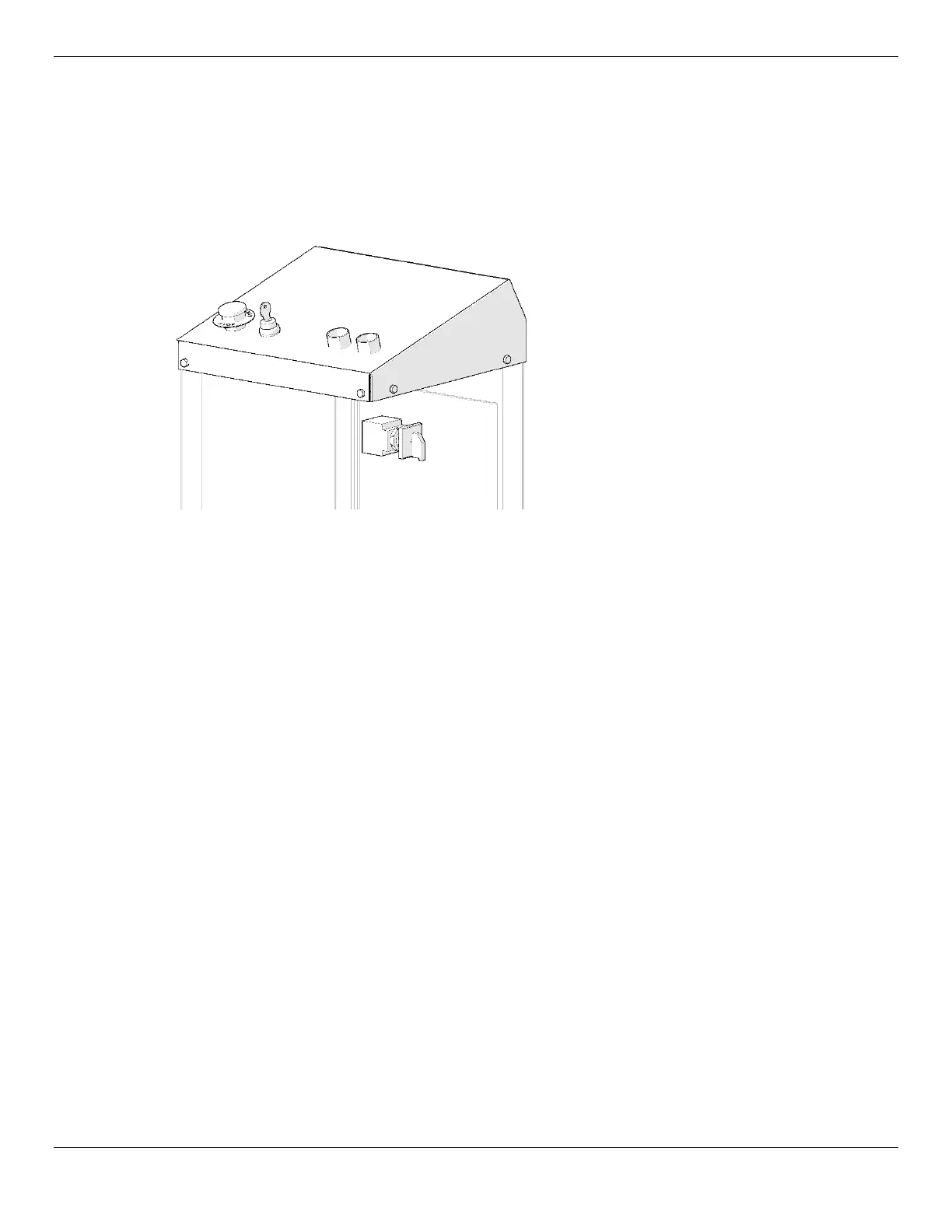
5. Attach the Power Disconnect Switch; one piece goes on the inside of the Right Side, the clear
piece goes on the outside of the Right Side; use four screws to connect the clear piece on the
outside to the inside piece, then add the red/yellow switch on the outside using a single screw.
Drawing shows the Power Disconnect
Switch on the right side of the Console.
Not all components shown.
Important: You are going to need to remove both the Top of the Console and the Front for Hose
and Cable routing. See Connect the Power Unit for more information.
⚠ WARNING When accessing the Power Unit inside the Console for maintenance, do
not
use
the Back Panel as the point of entrance; the Power Unit is mounted to the Back
Panel. If the Back Panel is removed, the weight of the Power Unit may cause it to
fall over and risk product damage and/or personal injury to anyone nearby.
6. Find the four holes in the bottom of the Console base (on the inside) and mark the locations.
7. Move the Console out of the way, then drill the holes 3/8" wide by 3" deep at the marked
locations.
Do not let the drill wobble. Use a carbide bit (conforming to the current ANSI B212.15).
⚠ WARNING You
must
wear OSHA-approved (publication 3151) personal protective equipment
at all times when installing, using, maintaining, or repairing the Autostacker: leather
gloves, steel-toed work boots, eye protection, back belts, and hearing protection
are
mandatory
.
8. Remove all dust from the Holes.
Use a wire brush, vacuum, hand pump, or compressed air. Do
not
ream the Hole. Do
not
make
the hole any wider than the drill bit made it.
9. Reposition the Console, insert an Anchor Bolt with Washer into each hold, then tap it into the hole.
10. Wrench the Anchor Bolt
clockwise
to the recommended installation torque, 25-30 pound feet,
using a Torque Wrench.



 To Next Page