14
4.1 ACCESSING THE CHARGER
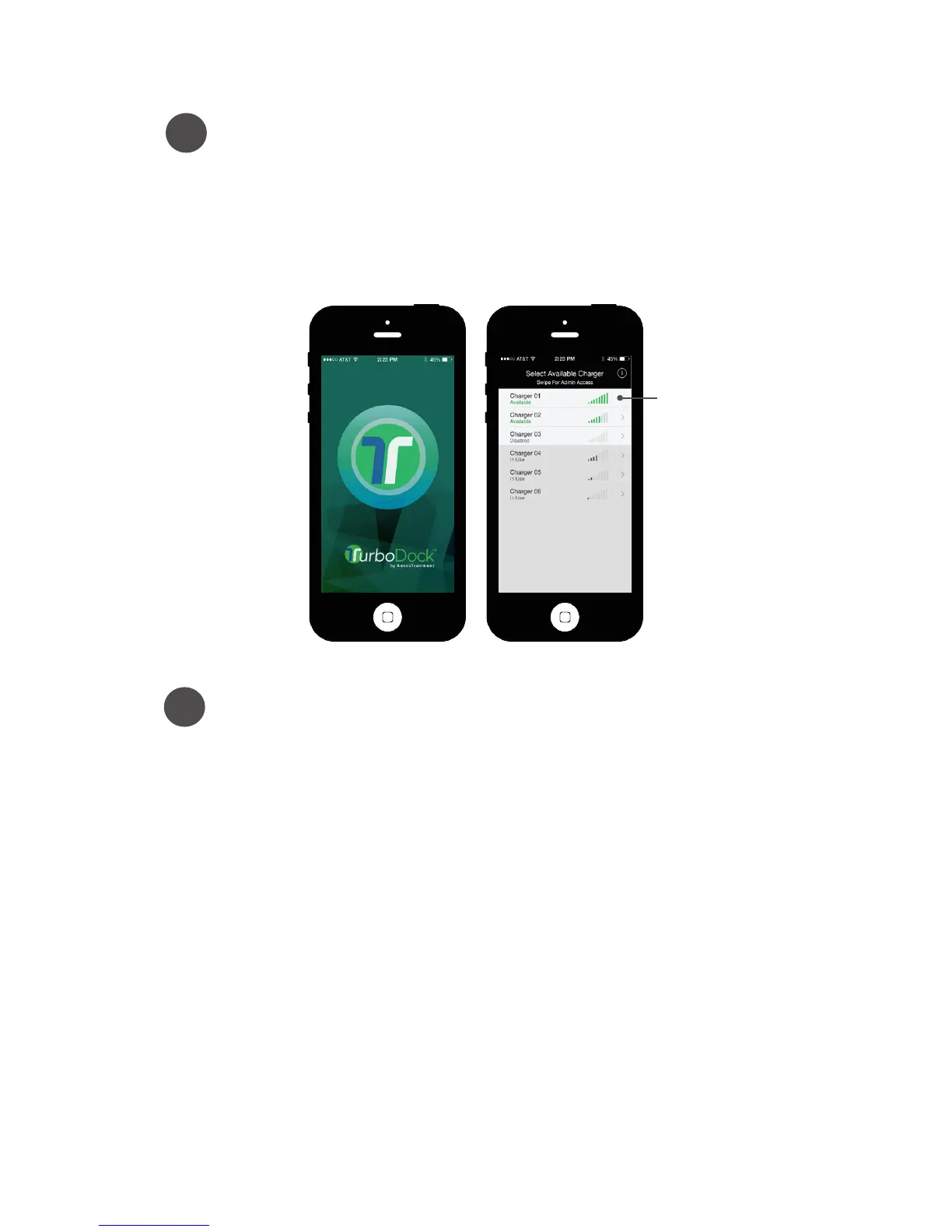
Launch the app on your smartphone.
It will scan for all nearby chargers and display them in the
“Select Available Charger” screen, in order of signal strength.
The strongest signal should be from the closest charger.
Since it’s the first time set up, they’ll all have the same default
name: [“AV TurboDock”]
1
Select an available charger by tapping it.
Chargers that are in use or disabled are not selectable.
You can connect to chargers within 30 feet of you, although others
may also appear on the list.
The coupler must be plugged in to the port.
When the connection is made:
The “Bluetooth” indicator lights (the ones on the front of the
Charge Module) will turn green.
If the Enter PIN screen appears, but the Status indicator light is still
blue, look at the lights on the nearby Charge Modules. You may be
connected to one of the other charge modules.
2
Tap Select charger


 To Next Page