22
5.4 ACCOUNT MANAGMENT
Changingyour Admin PIN
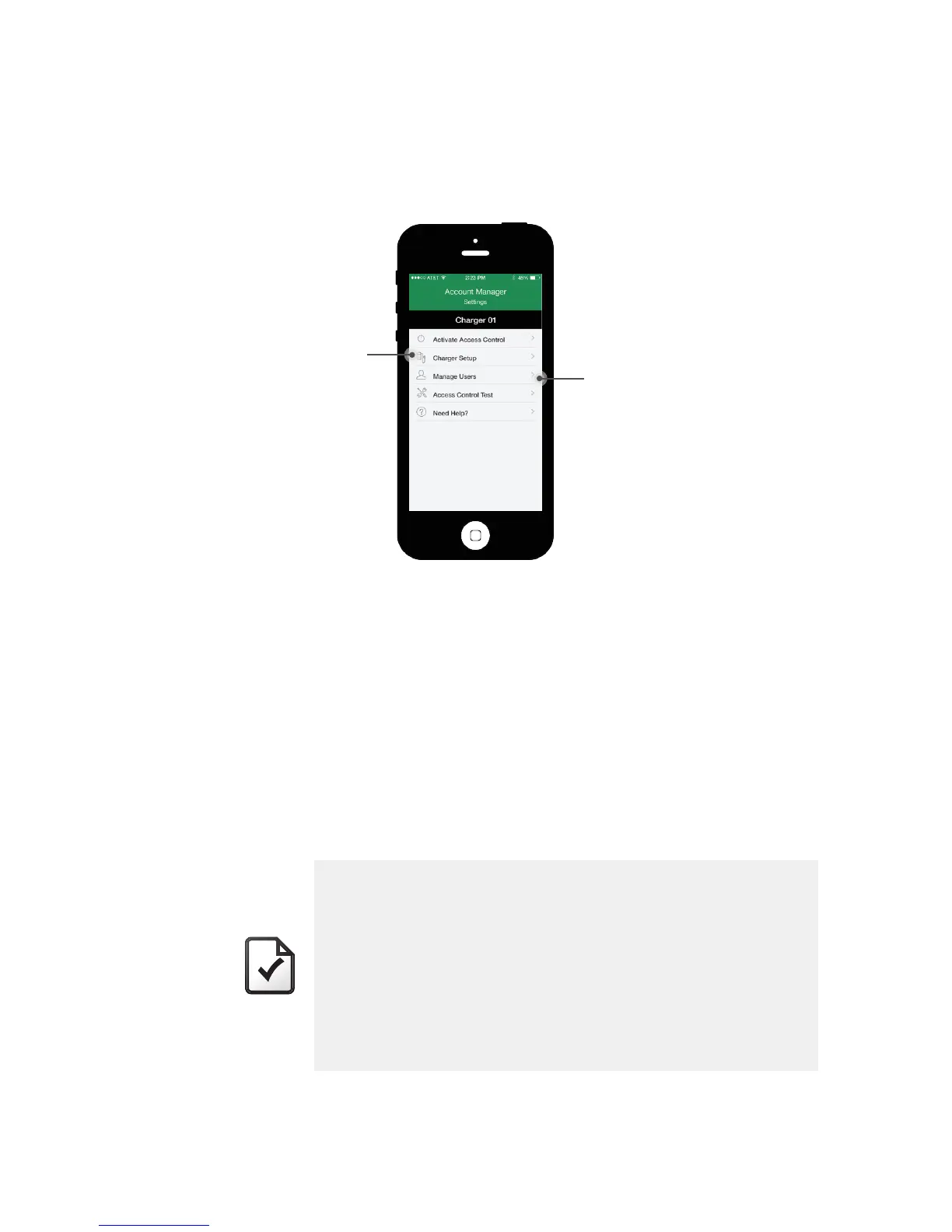
To change your Admin PIN, connect to the charger with your existing PIN, click
“Charger Setup”, and enter the new PIN code in the Admin PIN field.
For consistency, we recommend that you do this for every charger.
Recovering the PINs
If a User has forgotten his PIN, you access it by connecting to the charger with
your Admin PIN and going to “Manage Users”.
If you lose or forget the Admin PIN, contact AV Customer Service who will be
able to reset the PIN. You can find the Customer Service contact number at
Turbodock.com. You will also need your chargers’ Serial Number and Bluetooth
ID number.
Additional Account Managers
You can give more than one person Account Manager access simply by sharing
the Admin PIN.
NOTE
• Again, please remember to keep your new Admin PIN in a
safe place. Recovering each charger’s Admin PIN requires
that you first have each charger’s serial number registered
with AeroVironment, and that you contact Customer Service
for support. Instructions are provided on your Registration
Card included in the TurboDock packaging.
• By sharing the Admin PIN, any one of the Account Managers
can change the Admin PIN for a charger without the
knowledge or permission of the others.
“Charger Setup”
“Manage Users”


 To Next Page