18
NOTE
NOTE
This test also turns on Access Control for the charger.
Having the chargers registered is crucial if you ever need
assistance from AeroVironment Customer Service.
4.3 ACCESS CONTROL TEST
This optional function can help determine if a charger is installed properly.
It tests the various modes of the blue Status Indicator light on top (not to be
confused with the Bluetooth Indicator lights on the front).
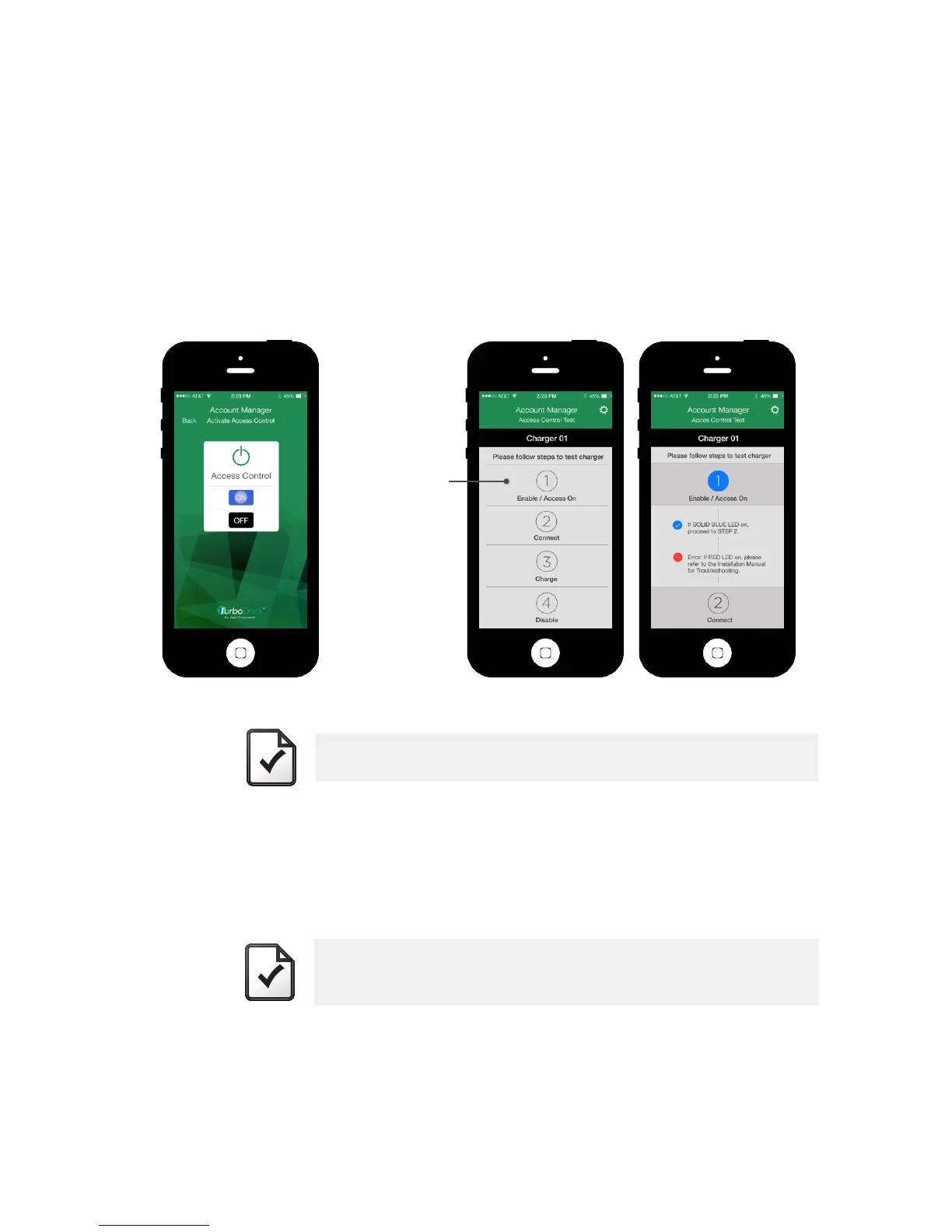
• “Access Control” should be turned on to run this test.
• From the “Account Manager: Settings” screen, select “Access Control
Test.”
• Press “1” and read the text on screen.
• Proceed to the following steps as indicated on the screen (1-4).
4.4 REGISTERING YOUR CHARGER
Register each TurboDock charger following the instructions on the Registration
Card included.
Press “1” to
start test.


 To Next Page