User Manual Opera plus
15
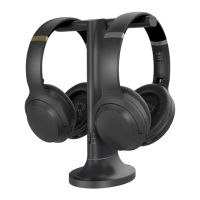
Adding Another Pair of Headphones
STEP 1
On your transmitter, slide and hold the power switch to the “PAIR” position until
the LED indicator ashes red & blue.
STEP 2
On your second pair of Opera Plus headphones, slide the power switch to the
“TV” position. When using for the 1st time, it will enter pairing mode
automatically, and the LED will ash red & blue alternately. If not, press and
hold the button to manually enter pairing mode.
STEP 3
Keep them close and wait for 2 seconds. Once connected, the headphones’ &
transmitter’s LED indicators will turn solid blue.
To purchase a 2nd Opera Plus headphones (AS90-K), scan the QR code below.
You can add a second pair of Opera Plus headphones (AS90-K) to your setup
while maintaining low latency.
Please note that ONLY Opera Plus headphones (AS90-K) are compatible due to
private protocal connections.


 To Next Page