User Manual
12
Opera plus
EN
Connecting the Headphones
Now that your transmitter is set up, all that’s left is to connect the headphones.
STEP 1
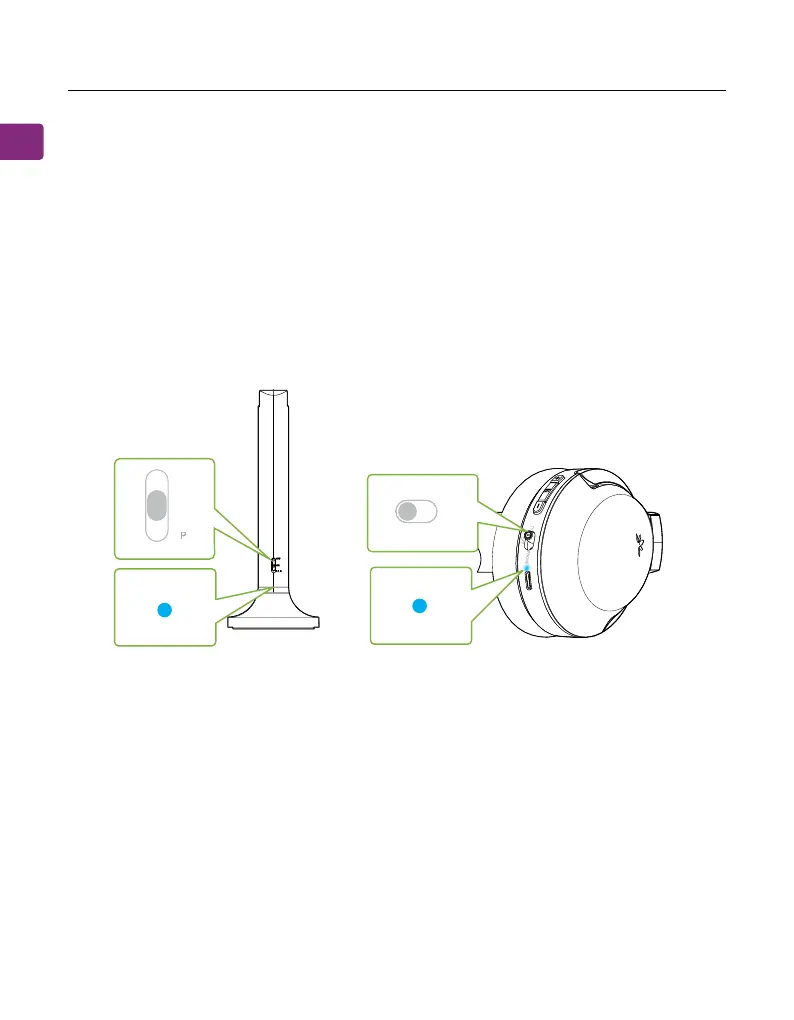
First, power on both the transmitter and headphones (slide to the TV postion).
STEP 2
The transmitter and headphones will auto-connect. Once connected, the
headphones’ & transmitter’s LEDs will turn solid blue.
F
ON
H
NE
TV
F


 To Next Page