EasyManua.ls Logo

Avaya ERS 3524GT-PWR+ - User Manual

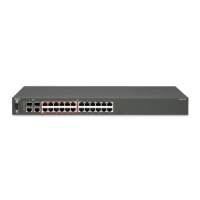
Avaya ERS 3524GT-PWR+
162 pages
Print Icon
To Next Page IconTo Next Page
Loading...
Getting Started with Avaya Ethernet
Routing Switch 3500 Series
Release 5.3
NN47203-301
Issue 04.AA
July 2015

Table of Contents

Other manuals for Avaya ERS 3524GT-PWR+

Question and Answer IconNeed help?

Do you have a question about the Avaya ERS 3524GT-PWR+ and is the answer not in the manual?

Summary

Chapter 3: Getting started fundamentals

ACLI Command Modes

Explains the different privilege levels and modes within the Avaya Command Line Interface (ACLI).

Quick Start Configuration

Guides users through the initial switch setup using the install command in ACLI.

BootP Configuration

Details how the switch uses BootP for automatic IP address assignment and management.

Auto Unit Replacement (AUR)

Explains the AUR feature for retaining configuration during unit replacement in a stack.

Chapter 4: Connecting to the switch

Connecting a Terminal to the Switch

Provides steps to connect a terminal or PC to the switch's console port using a serial cable.

Chapter 5: Configuring the management IP address

Setting the IP Address and Subnet Mask

Procedure to set the IP address and subnet mask for the switch or stack.

Clearing IP Address Configuration

Details how to remove existing IP address and subnet mask configurations.

Chapter 7: Configuring the switch using ACLI

Basic ACLI Operations

Covers resetting configuration, managing files, and displaying current settings.

IP Office Script Configuration

Automates switch configuration for Converged IP Telephony solutions.

Advanced Switch Features Configuration

Covers BootP, stacking, AUR, and AES configurations.

Chapter 9: Managing Ethernet ports using ACLI

Autosensing and Autonegotiation

Explains port autosensing, autonegotiation protocol (IEEE 802.3u), and negotiation process.

Port Speed and Duplex Configuration

Covers setting port speed (10/100/1000/auto) and duplex mode (full/half/auto).

Chapter 10: Managing Power Over Ethernet (PoE)

PoE Switch Parameter Configuration

Covers setting power detection methods, usage thresholds, and PoE traps.

Configuring PoE Power Mode

Details setting the PoE budget mode to Low (Fanless) or High (Normal) power budget.

Chapter 11: Upgrading switch software

Upgrading Switch Software via ACLI

Provides steps to download and upgrade switch software images using ACLI.

Chapter 12: Shutting down and resetting a switch

Shutting Down the Switch Safely

Procedure to safely shut down the switch without corrupting the software image.

Chapter 13: Configuring the switch using EDM

EDM Quick Start Configuration

Guides through initial switch setup using the EDM Quick Start feature.

EDM IP Office Script Configuration

Automates switch configuration for IP Office solutions using EDM run scripts.

Chapter 14: Managing Power over Ethernet (PoE) using EDM

Managing Switch PoE using EDM

Provides an overview of PoE management, including power thresholds and detection types.

Configuring PoE Power Mode using EDM

Details setting the PoE budget mode to Low (Fanless) or High (Normal) via EDM.

Summary

Chapter 3: Getting started fundamentals

ACLI Command Modes

Explains the different privilege levels and modes within the Avaya Command Line Interface (ACLI).

Quick Start Configuration

Guides users through the initial switch setup using the install command in ACLI.

BootP Configuration

Details how the switch uses BootP for automatic IP address assignment and management.

Auto Unit Replacement (AUR)

Explains the AUR feature for retaining configuration during unit replacement in a stack.

Chapter 4: Connecting to the switch

Connecting a Terminal to the Switch

Provides steps to connect a terminal or PC to the switch's console port using a serial cable.

Chapter 5: Configuring the management IP address

Setting the IP Address and Subnet Mask

Procedure to set the IP address and subnet mask for the switch or stack.

Clearing IP Address Configuration

Details how to remove existing IP address and subnet mask configurations.

Chapter 7: Configuring the switch using ACLI

Basic ACLI Operations

Covers resetting configuration, managing files, and displaying current settings.

IP Office Script Configuration

Automates switch configuration for Converged IP Telephony solutions.

Advanced Switch Features Configuration

Covers BootP, stacking, AUR, and AES configurations.

Chapter 9: Managing Ethernet ports using ACLI

Autosensing and Autonegotiation

Explains port autosensing, autonegotiation protocol (IEEE 802.3u), and negotiation process.

Port Speed and Duplex Configuration

Covers setting port speed (10/100/1000/auto) and duplex mode (full/half/auto).

Chapter 10: Managing Power Over Ethernet (PoE)

PoE Switch Parameter Configuration

Covers setting power detection methods, usage thresholds, and PoE traps.

Configuring PoE Power Mode

Details setting the PoE budget mode to Low (Fanless) or High (Normal) power budget.

Chapter 11: Upgrading switch software

Upgrading Switch Software via ACLI

Provides steps to download and upgrade switch software images using ACLI.

Chapter 12: Shutting down and resetting a switch

Shutting Down the Switch Safely

Procedure to safely shut down the switch without corrupting the software image.

Chapter 13: Configuring the switch using EDM

EDM Quick Start Configuration

Guides through initial switch setup using the EDM Quick Start feature.

EDM IP Office Script Configuration

Automates switch configuration for IP Office solutions using EDM run scripts.

Chapter 14: Managing Power over Ethernet (PoE) using EDM

Managing Switch PoE using EDM

Provides an overview of PoE management, including power thresholds and detection types.

Configuring PoE Power Mode using EDM

Details setting the PoE budget mode to Low (Fanless) or High (Normal) via EDM.

Avaya ERS 3524GT-PWR+ Specifications

General IconGeneral
ModelERS 3524GT-PWR+
Ports24 x 10/100/1000Base-T, 4 x SFP
Power over EthernetYes
PoE Budget370W
Switching Capacity56 Gbps
Forwarding Rate41.7 Mpps
MAC Address Table Size16K
Jumbo Frame SupportYes
Power SupplyInternal
StackableYes (up to 8 units)
Operating Temperature0 to 50 °C
Operating Humidity10% to 90% (non-condensing)

Related product manuals