
EasyManua.ls Logo

Avenger JHS-A018-10KR - User Manual

Avenger JHS-A018-10KR
15 pages
Print Icon
To Next Page IconTo Next Page
Loading...
WARNING: Read and follow all warnings and instructions
in this manual to avoid personal injury or property damage.
INSTALLER: Leave this manual with the appliance.
CONSUMER: Leave these instructions with the product
and retain for future reference.
OWNER’S MANUAL
ASSEMBLY AND OPERATING INSTRUCTIONS
Questions, problems, missing parts? Before returning to your retailer, call our
customer service department at 1-855-607-6557, 8:00 am - 4:30 pm EST, Monday
through Friday or email info@factorybuysdirect.com
MODELS:
JHS-A018-10KR
SKU#: 130004
JHS-A018-12KRH
SKU#: 130005
Providing Factory Direct Pricing
and Exceptional Products
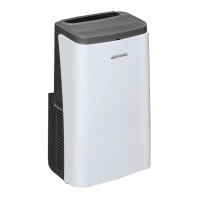
PORTABLE AIR CONDITIONER

Questions and Answers

  • R
    Rhonda BrownAug 1, 2025
    What to do if my Avenger JHS-A018-10KR Air Conditioner does not work?
    • J
      jessehenryAug 1, 2025
      If your Avenger Air Conditioner isn't working, several issues could be the cause. First, ensure the unit is properly connected to a functioning power socket. If the overflow indicator displays "FL", discharge the water inside. Also, the unit should be used in temperatures between 7-35°C (44-95°F). In cooling mode, the room temperature should not be lower than the set temperature; in heating mode, it should not be higher. Adjust the set temperature accordingly. Finally, in dehumidification mode, ensure the room temperature is greater than 17°C (62°F).
  • K
    kristina41Aug 16, 2025
    Why is the cooling or heating effect not good in my Avenger JHS-A018-10KR?
    • T
      Tammy CarlsonAug 16, 2025
      If your Avenger Air Conditioner's cooling or heating isn't effective, consider these factors: direct sunlight can impact performance, so pull the curtains. Open doors or windows, a crowded room, or other heat sources in cooling mode can also reduce effectiveness; close doors and windows. Clean or replace the filter screen if it's dirty. Make sure the air inlet and outlet are free from obstructions. Finally, ensure the air conditioner is placed on a flat, hard surface to minimize noise and ensure proper operation.

Summary

Safety Information

General Safety Precautions

Read and understand all warnings before assembly, operation, or installation.

Installation Guide

Heat Pipe Assembly Installation

Instructions on how to attach the heat pipe assembly to the exhaust port.

Window Sealing Plate Assembly

Steps for installing the window sealing plate to seal the window opening.

Appliance Placement and Heat Pipe Connection

Positioning the unit near the window and connecting the heat pipe to the sealing plate.

Control Panel Operation

Remote Control Operation

Detailed instructions for using the remote control to operate the unit functions.

Protection Functions

Frost and Overflow Protection

Explains how the unit protects against frost and water overflow with indicator displays.

Drainage Instructions

Maintenance and Cleaning

Troubleshooting Common Issues

Unit Not Working

Solutions for issues like no electricity, overflow indicator, or ambient temperature problems.

Cooling;Heating Effect and Noise

Addresses poor cooling/heating and loud noise issues, including filter and placement checks.

Compressor and Remote Control Issues

Fixes for compressor not working, remote control issues, and error codes like "E1"/"E2".

Product Warranty Information

Avenger JHS-A018-10KR Specifications

General IconGeneral
BrandAvenger
ModelJHS-A018-10KR
CategoryAir Conditioner
LanguageEnglish