20
Hardware Connection
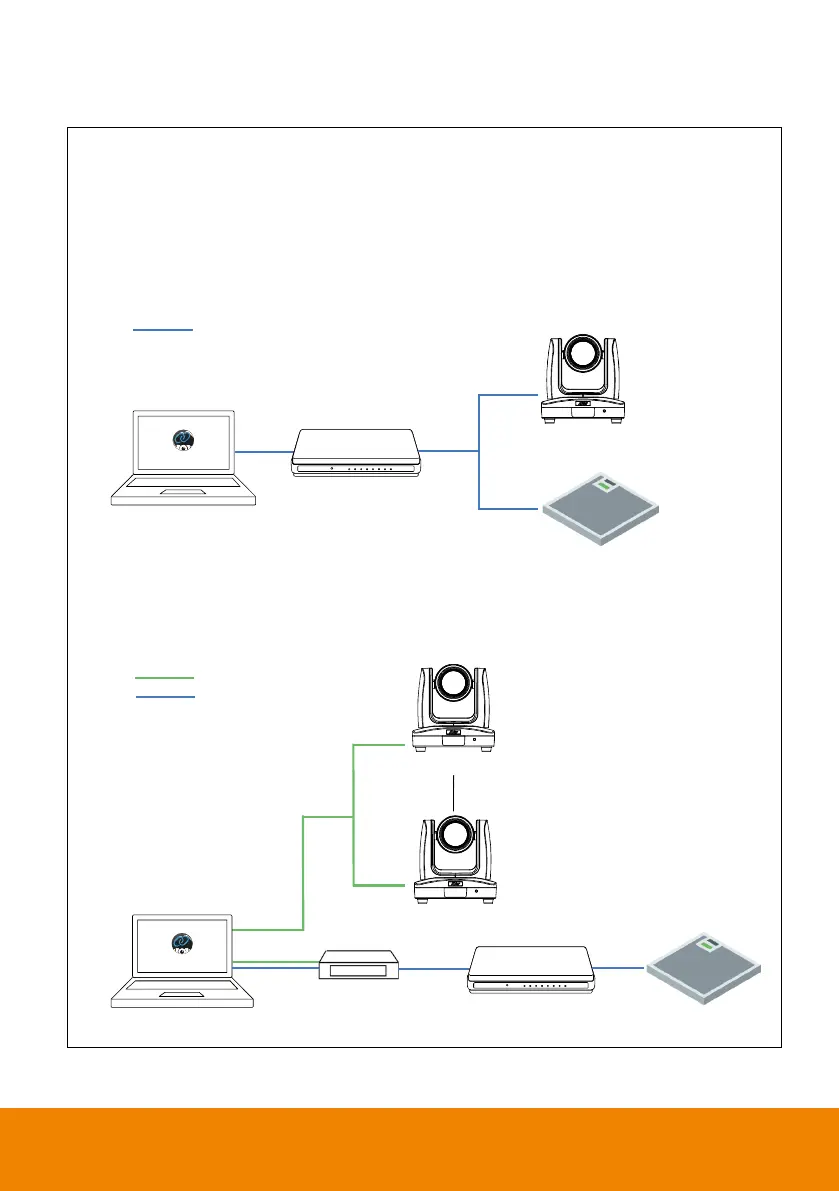
Please make sure all devices are well-connected and power on.
Needs to install AVer PTZ Link application on the server site.
For IP Camera connection (free version), all devices are suggested to be
connected on the same LAN, or UDP port-52381 & TCP port-2202 must be
available between devices.
For Virtual Camera connection (premium version), connect the camera to
the USB port on the server site.
A
Ver camera
Router/PoE Switch
(LAN )
Server Site
AVer
PTZ Link
Microphone
Ethernet
Digital Signal Processor
Server Site
AVer PTZ Link
AVer camera 1
Ethernet
USB
AVer camera N
Router/PoE Switch (LAN )
Microphone



 To Next Page
 Loading...










