21
Get Started
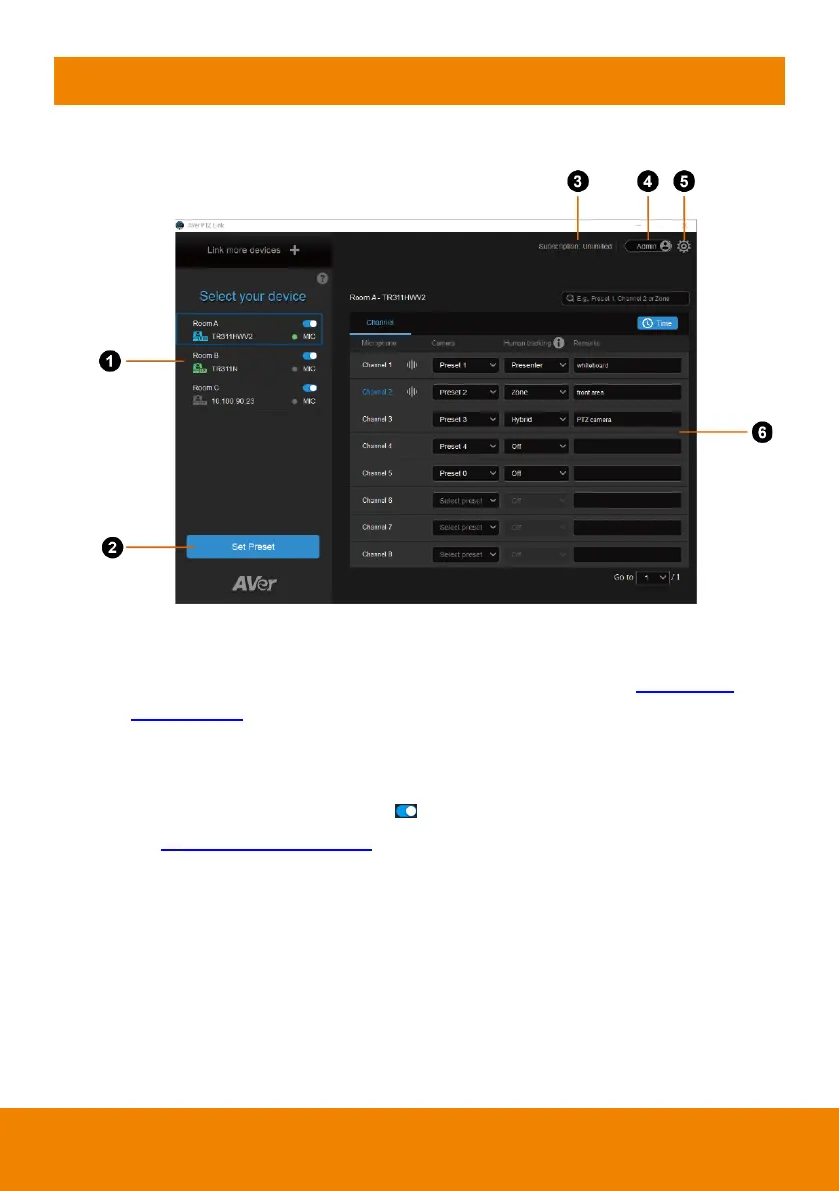
PTZ Link Main page
1. Device List:
Add/delete/edit or enable/disable the devices. Please refer to <Device List>
and <Add Devices>.
2. Set Preset:
Click to set up preset positions. This button will only be available when the
selected device has been enabled ( toggle the switch to enable). Please
refer to <Set Up Preset Positions
> f
or more details.
3. Expiration Date:
Show the expiration date of your premium license or the free trial subscription.
4. Account Name:
Display your account type.
Admin: Log in with an administrator account to have full access to all
functions.



 To Next Page
 Loading...










