46
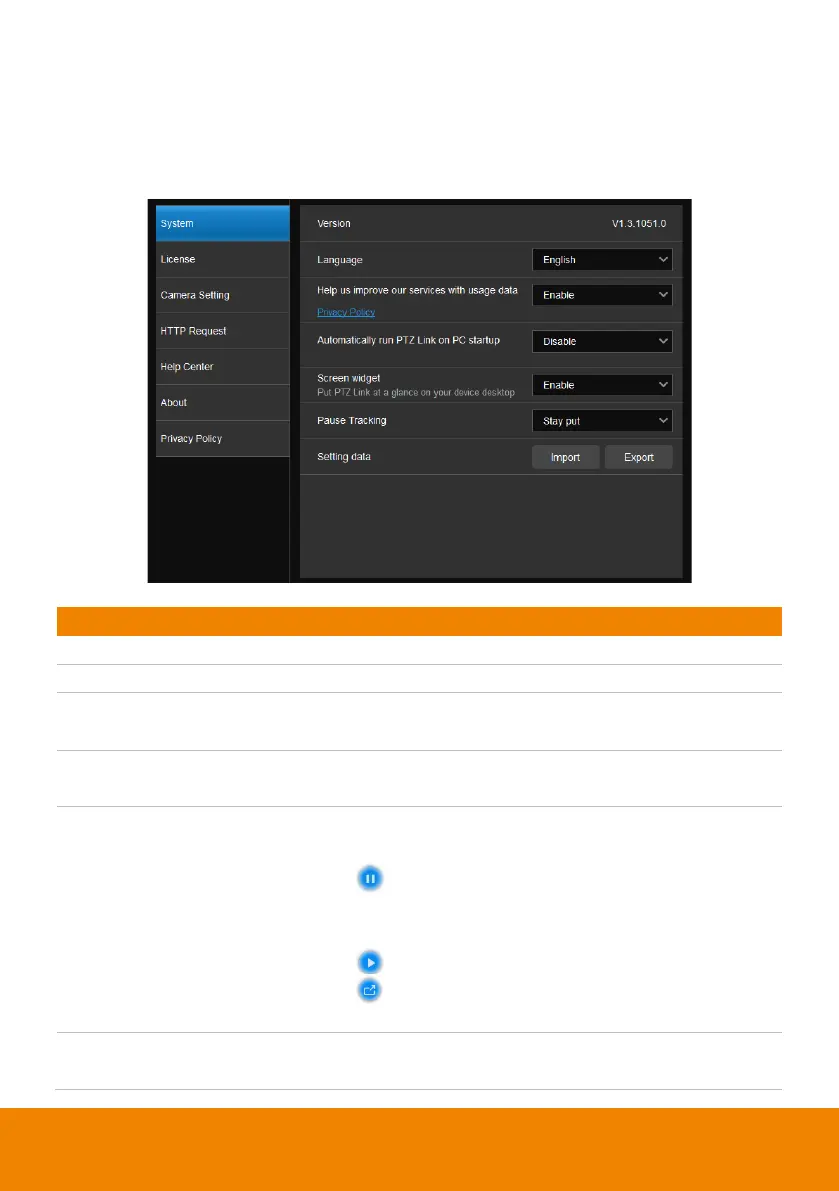
System
View system version, change system language, disable usage data or set up PTZ
Link to automatically run at startup, as well as import or export PTZ Link data, and
enable screen widget to quickly enable or disable groups on the device list.
Select a preferred language.
services with usage data
Opt-in to or Opt-out of providing usage data.
Automatically run PTZ Link
on PC startup
Add PTZ Link to run at startup.
Enable or disable a floating window when
minimizing PTZ Link.
Disable all devices on the device list.
Set the camera’s pause position in
Pause
Tracking
.
Resume all devices on the device list.
Maximize PTZ Link.
The screen widget also works in Zoom.
Pause tracking
Select if a camera stays at the last position or
return to Preset 0 when tracking is paused.



 To Next Page
 Loading...










