Chapter 3 Using the AVerKey3 Plus
11
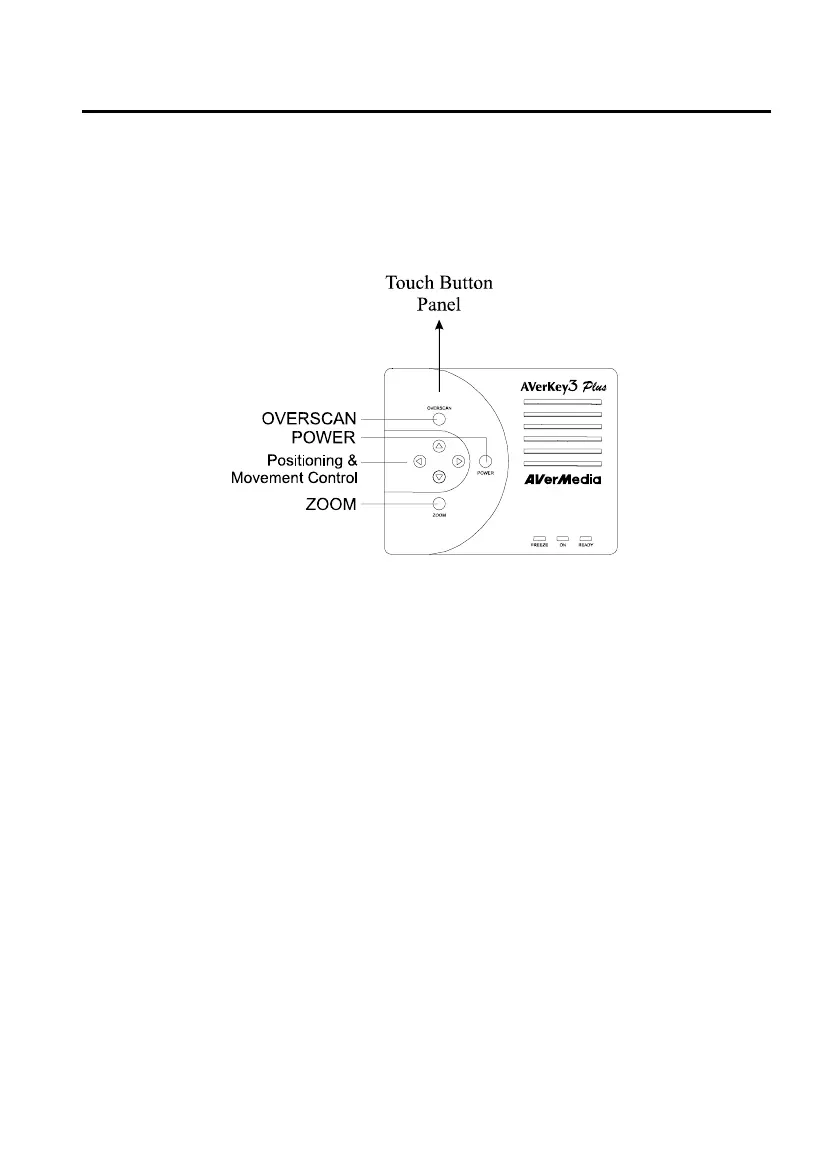
Touch Button Panel
The figure and descriptions below show you how to use the Touch Button Panel
on the hardware case.
POWER : Switches the AVerKey3 Plus on/off.
OVERSCAN : Toggles between Underscan and Overscan. (Refer to the
section, Using the Remote Control, for more details on
this function.)
ZOOM : Press this button to zoom in or out of the computer image
on TV.
Positioning & : Use these buttons to PAN around the computer image on
Movement TV or adjust the POSition of the image.
Control
The LED Panel
Aside from the touch button panel, you will also find an LED Panel on the
AVerKey3 Plus unit. The figure and descriptions below show what each LED
indicator in this panel represents.



 To Next Page