Chapter 2 Hardware Installation and Setup
7
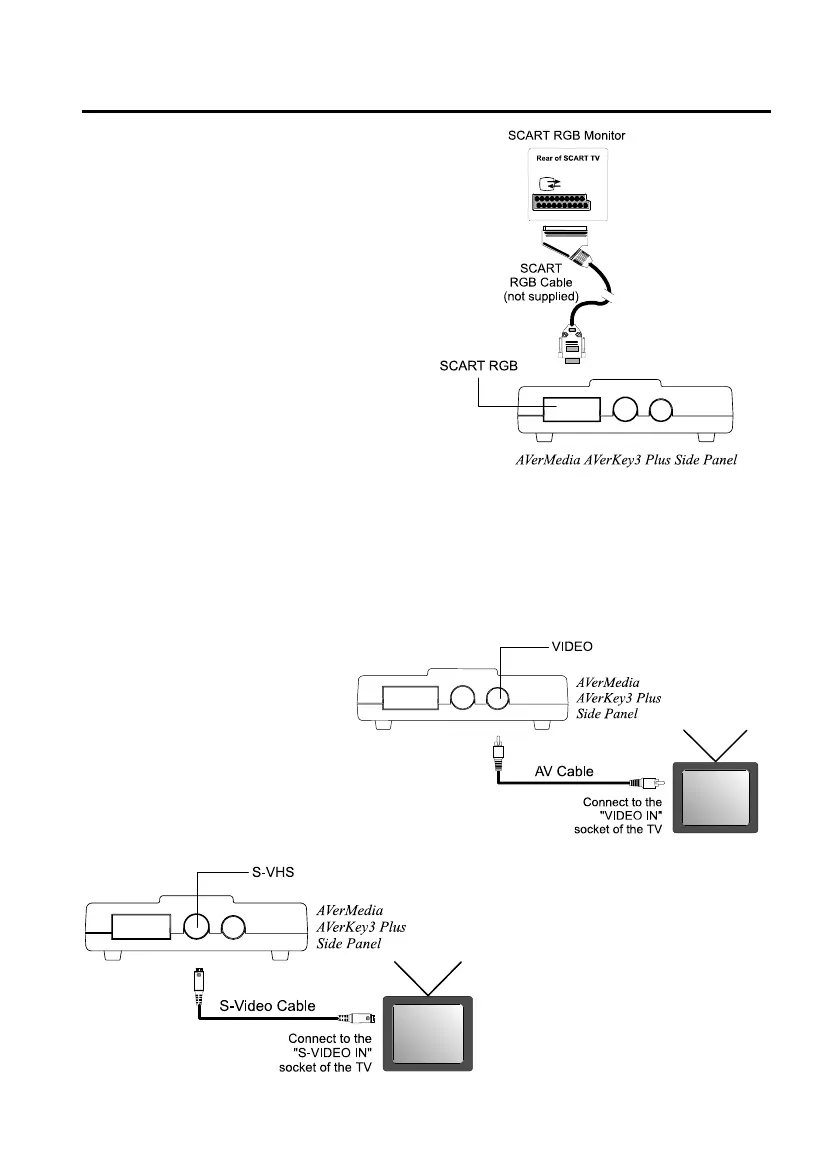
Connecting to a SCART
RGB Monitor
If you are using a SCART RGB
monitor, you can connect it to the
SCART RGB port at the side panel
of the AVerKey3 Plus using a SCART
RGB Cable. (Refer to the setup
diagram at the right.)
Connecting the TV
To display the computer screen on TV (or any video monitor), you will need to
connect the TV to one of the ports at the AVerKey3 Plus side panel.
If the TV set uses the
composite video standard,
connect the TV to the
AVerKey3 Plus “VIDEO” port
using the supplied AV Cable.
If the TV set uses the S-
video standard, connect the
TV to the AVerKey3 Plus
“S-VHS” port using the
supplied S-Video Cable.



 To Next Page