4
Chapter 2 Hardware
Installation and
Setup
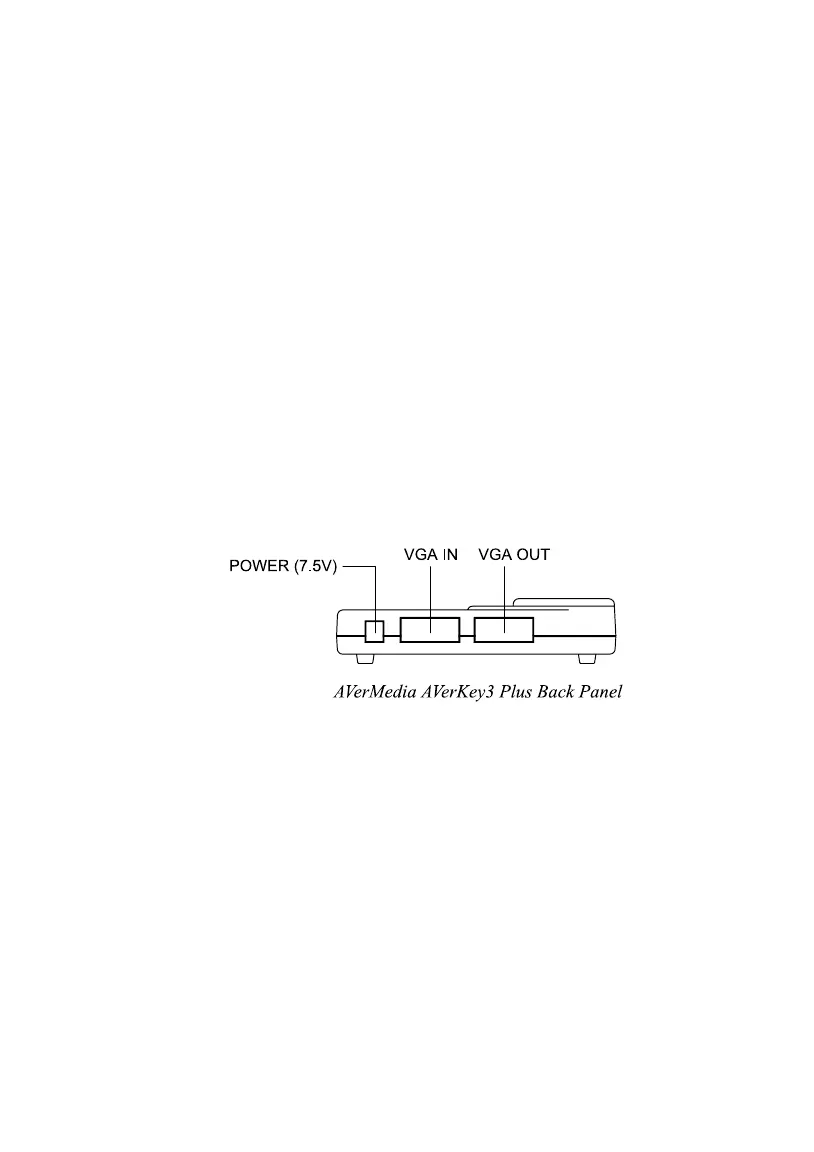
The AVerKey3 Plus Back Panel
The ports on the back panel of the AVerKey3 Plus are for connecting the
converter to the system unit and graphics display monitor. The figure and
descriptions below specify what device should go into each port. (Text
describing each port are printed at the bottom side of the converter.)
POWER (7.5V) : Plug the AC Power Adapter to this port.
VGA IN : For IBM PC or compatible :
This port connects the AVerKey3 Plus to the IBM
compatible PC’s VGA port via the supplied VGA Cable.
For Macintosh :
This port connects the AVerKey3 Plus to the Macintosh
computer's monitor port. Use the supplied VGA Cable
and Mac VGA Adapter to connect.
VGA OUT : The computer monitor should be connected to this port.
You need to use the supplied Mac Monitor Adapter to
connect the Macintosh monitor.



 To Next Page