Chapter 3 Using the AVerKey3 Plus
13
Left, and Right Arrows, which are the Positioning and Movement
Control buttons, to move around the zoomed image.
AVerMedia Area Zoom
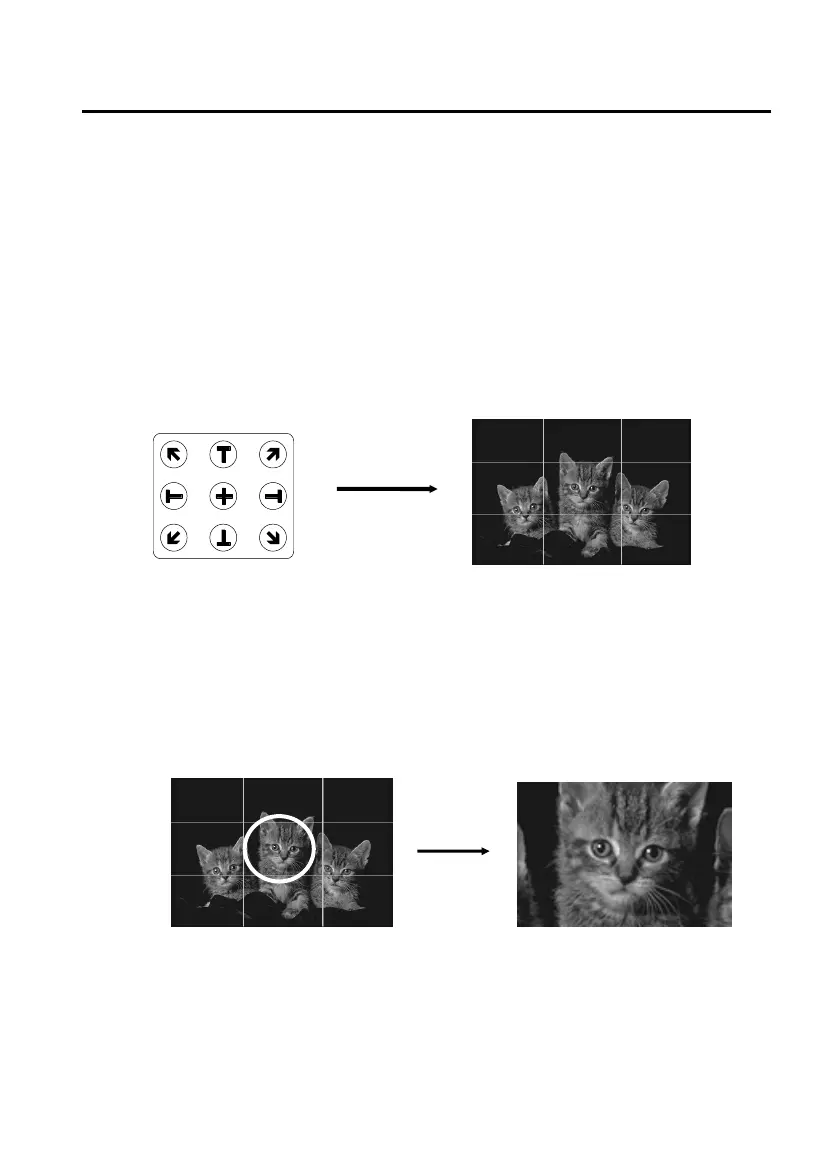
This function divides your screen into 9 parts and allows you to select the
desired part to zoom through the available buttons on the remote control.
The directional buttons on the remote corresponds to 9 parts of your screen
:
Directional Buttons 9 Parts of the Screen
on the Remote Control
Choose which part you want to zoom, and then press one of the 9
directional buttons on the remote that corresponds to that area.
Example :
To pan around the zoomed area, press the PAN/POS button to change
to PAN mode. Then, press the Up, Down, Left, and Right Arrows,
which are the Positioning and Movement Control buttons, to move
around the zoomed area.



 To Next Page