Chapter 2 Hardware Installation and Setup
5
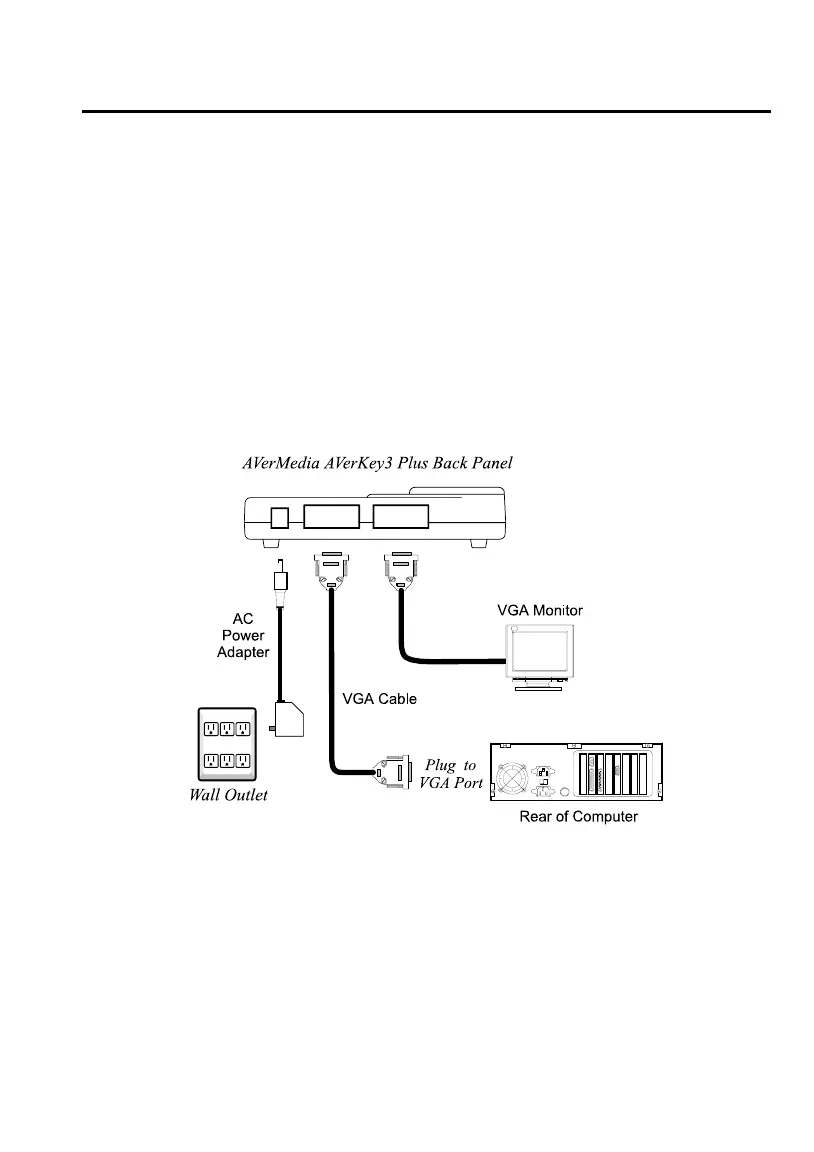
Connecting to an IBM PC and VGA
Monitor
1. Connect the AVerKey3 Plus to the PC.
Plug one end of the supplied VGA Cable to the AVerKey3 Plus “VGA IN” port
and the other end to the PC’s VGA port.
2. Connect the VGA monitor to AVerKey3 Plus.
Plug the VGA monitor cable to the AVerKey3 Plus “VGA OUT” port.
3. Plug the supplied AC Power Adapter into the AVerKey3 Plus “POWER” port.
Connecting to a Macintosh Computer
and Display Monitor
1. Use the supplied VGA Cable and the Mac VGA Adapter to connect AVerKey3
Plus to the Macintosh computer.
• Plug one end of the VGA Cable to the AVerKey3 Plus “VGA IN” port.
• Attach the Mac VGA Adapter to the other end of the VGA Cable.



 To Next Page