9
Adding and Deleting Channel Group
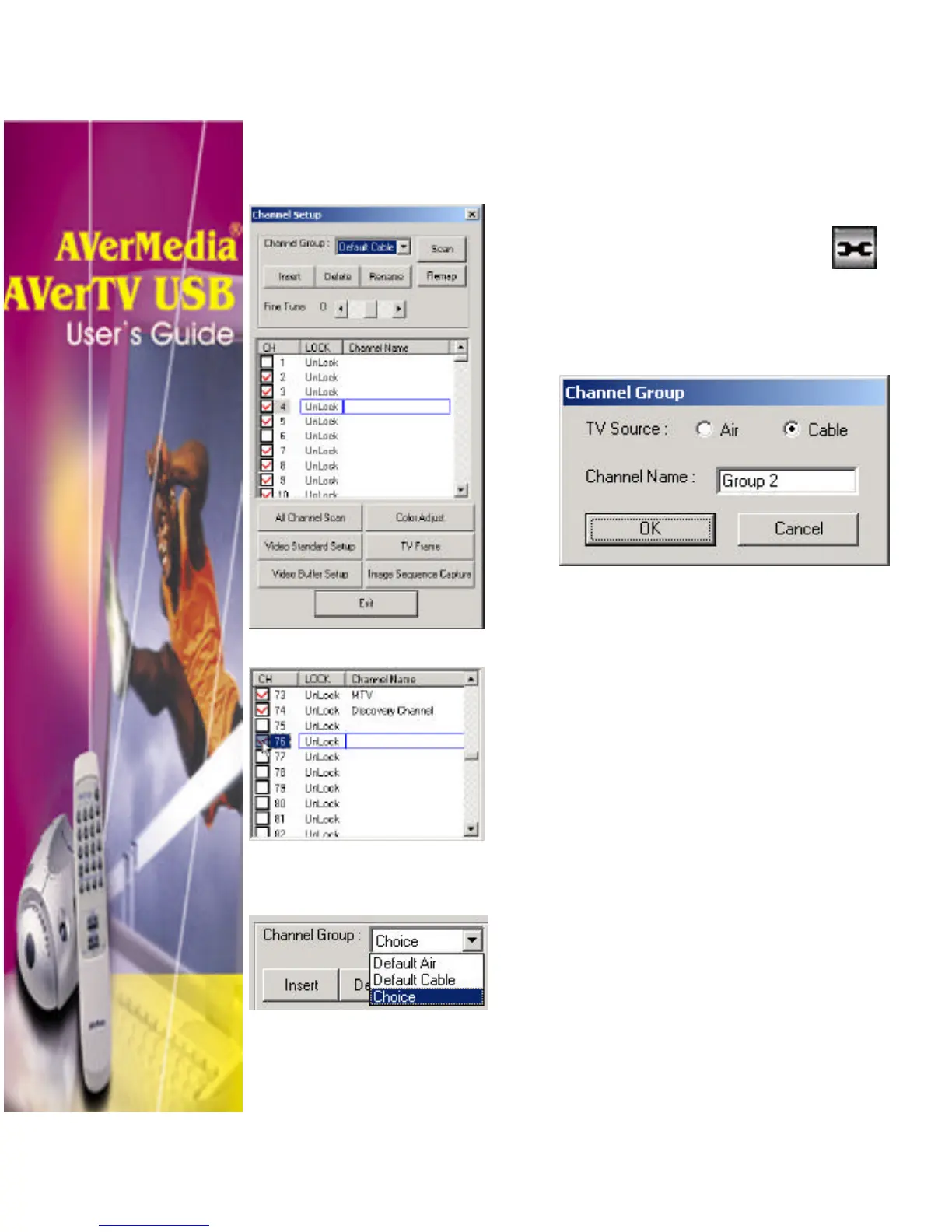
If you want to add or delete channel group, do the following:
To add new channel group:
1. Click the Video Configuration
button.
2. In the Channel Setup dialog box, click the
Insert button. The Channel Group dialog
box will then appear:
3. Select TV Source between Air or Cable.
4. In the Channel Name text box, you can
change the default name and type in the
new name, then click OK.
5. In the Channel Setup dialog box, CH
column, double-click the check box beside
the channel number to select your own
channel line up. A check mark indicates
that the channel is selected.
To delete channel group:
1. Click the Video Configuration button.
2. In the Channel Group drop-down list,
select the name of the group you want to
remove (e.g. Choice).
3. Click Delete to remove the selected
group.












 To Next Page