6
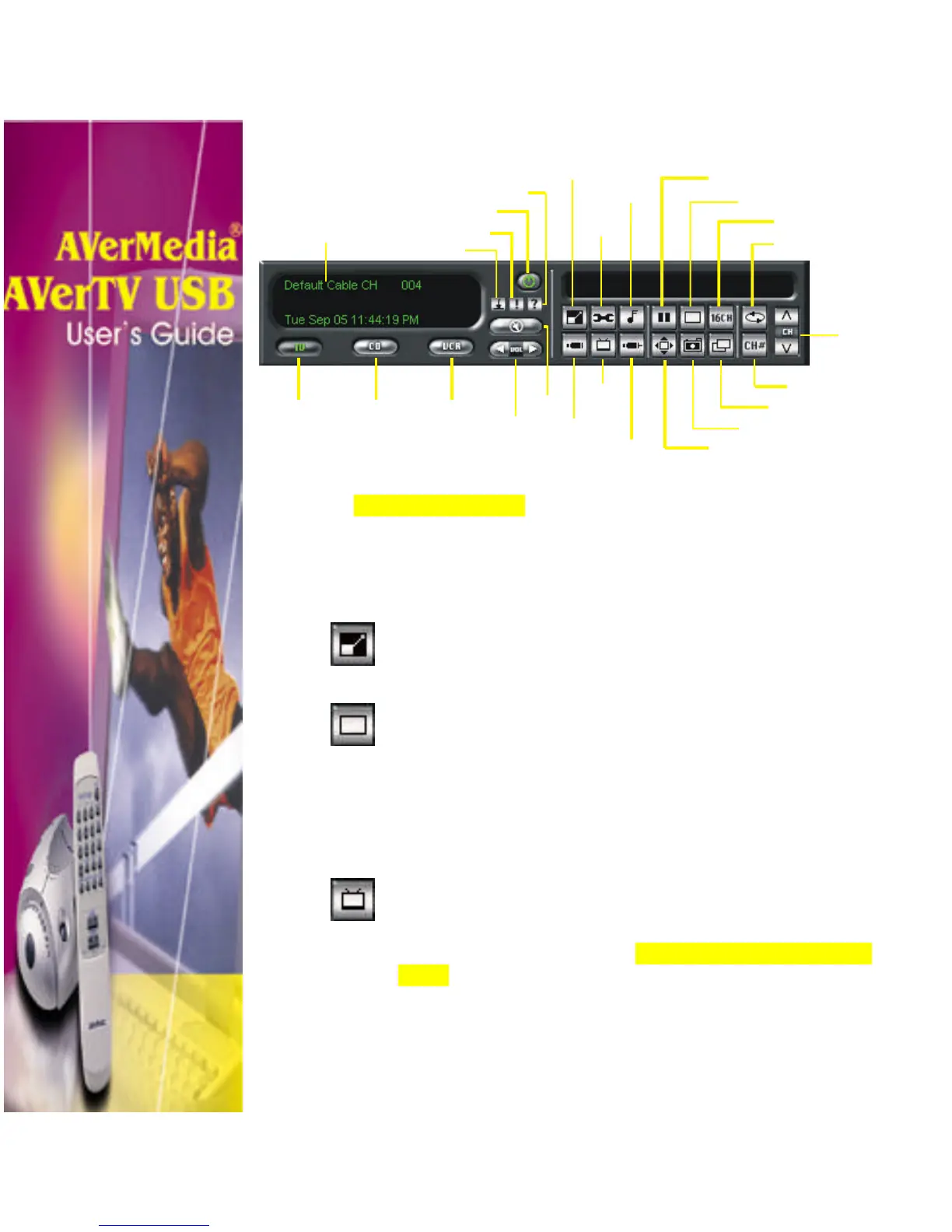
TV Control Panel
The table on the next page describes the button controls on the TV
Control Panel are used for.
Resizing the TV Screen
Click the Resize TV Screen button to change the size
of the TV screen. Or you can simply click and drag the
tip of the TV screen to any size you want.
Click the Full Screen button to display TV or video in
full screen. To display or hide the control panel bar,
simply use the left mouse button and click anywhere on
the screen.
Selecting Between TV Signals
(air/cable) or Channel Group
Click the TV Source button to choose whether to watch
TV using the default air or cable signals. If you have added
channel group, you can also choose to select the added
group. (Refer to section titled, Adding and Deleting Channel
Group, for more details.).
Panel Display
Power off
Minimize Panel
Information
Help
Channel Loop
Full Screen
Freeze/ Unfreeze
Video Configuration
Audio Configuration
TV
Mode
CD
Player
VCR
Mode
Mute
Volume
(−+)/()
Number Pad
Always on Top
Snapshot
Display Style
Channel
Up/Down
External
TV
Source
S-Video
Source












 To Next Page