30
Chapter 8 VCR
Click the VCR button to change to the VCR Control
Panel. You can record your favorite TV program or
video to your hard disk and save it as an AVI
(audio/video interleaved) file.
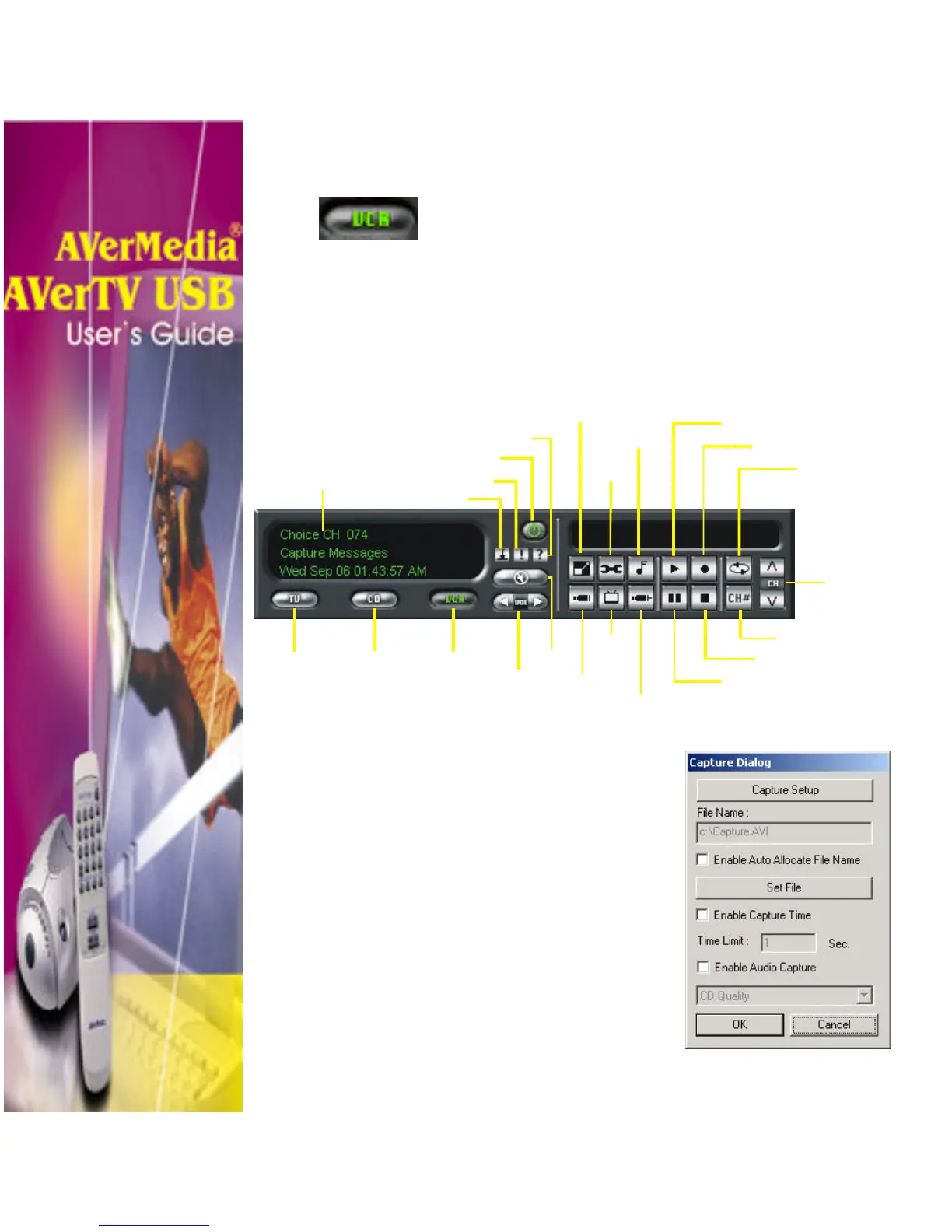
The VCR Control Panel
The VCR Control Panel provides button controls for recording
and playback AVI format, adjusting volume and more.
Capture Setting
Before recording TV programs, click
the Video Configuration button to
specify capture settings. The Capture
dialog box will then appear (see figure
at the right):
Panel Display
Power off
Minimize Panel
Information
Help
Channel Loop
Record
Video Configuration
Audio Configuration
TV
Mode
CD
Player
VCR
Mode
Mute
Volume
(−+)/()
Number Pad
Stop
Pause
Channel
Up/Down
External
TV
Source
S-Video
Source












 To Next Page