macOS Audio Routing Settings
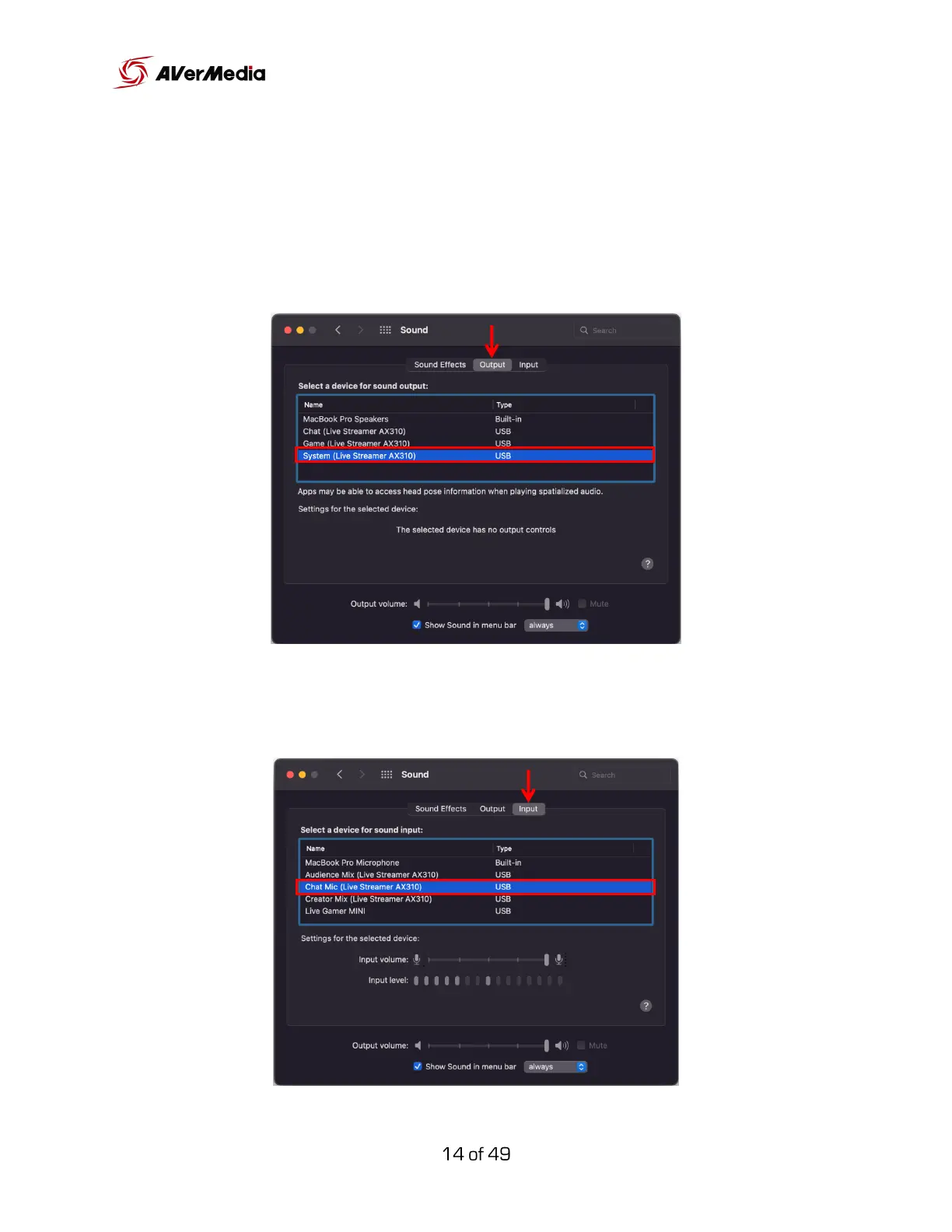
Go to system preferences > Sound > Output tab, and make sure that “System
(Live Streamer AX310)” is selected. This will route all system audio to the
“System” digital track on your Creator Central.
Now, go to the Input tab and make sure that “Chat Mic (Live Streamer AX310)”
is selected.



 To Next Page