Hotkey & Widget Profiles
You can add various control center profiles for different situations. These
profiles will store your touch panel and function buttons' hotkey and widget
settings.
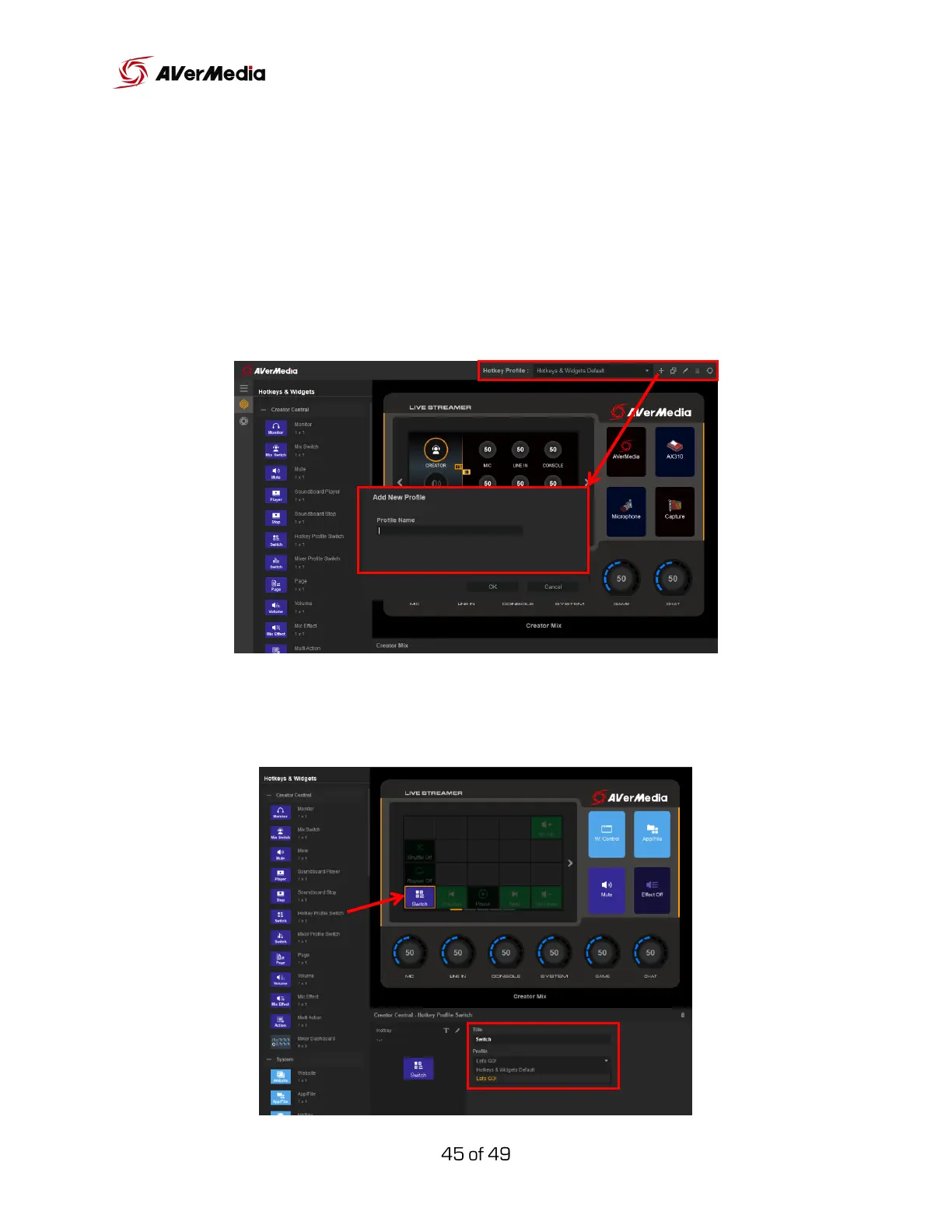
To create a new profile, click the “+” icon, type the name of this new profile
and select “OK”.
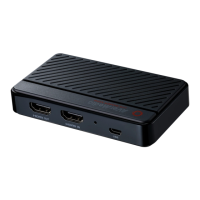
To quickly switch between profiles add a “Hotkey Profile Switch”. And at the
bottom, you will have a dropdown menu where you can choose which profile
you want to switch to.



 To Next Page