Dual Mix
3
Settings
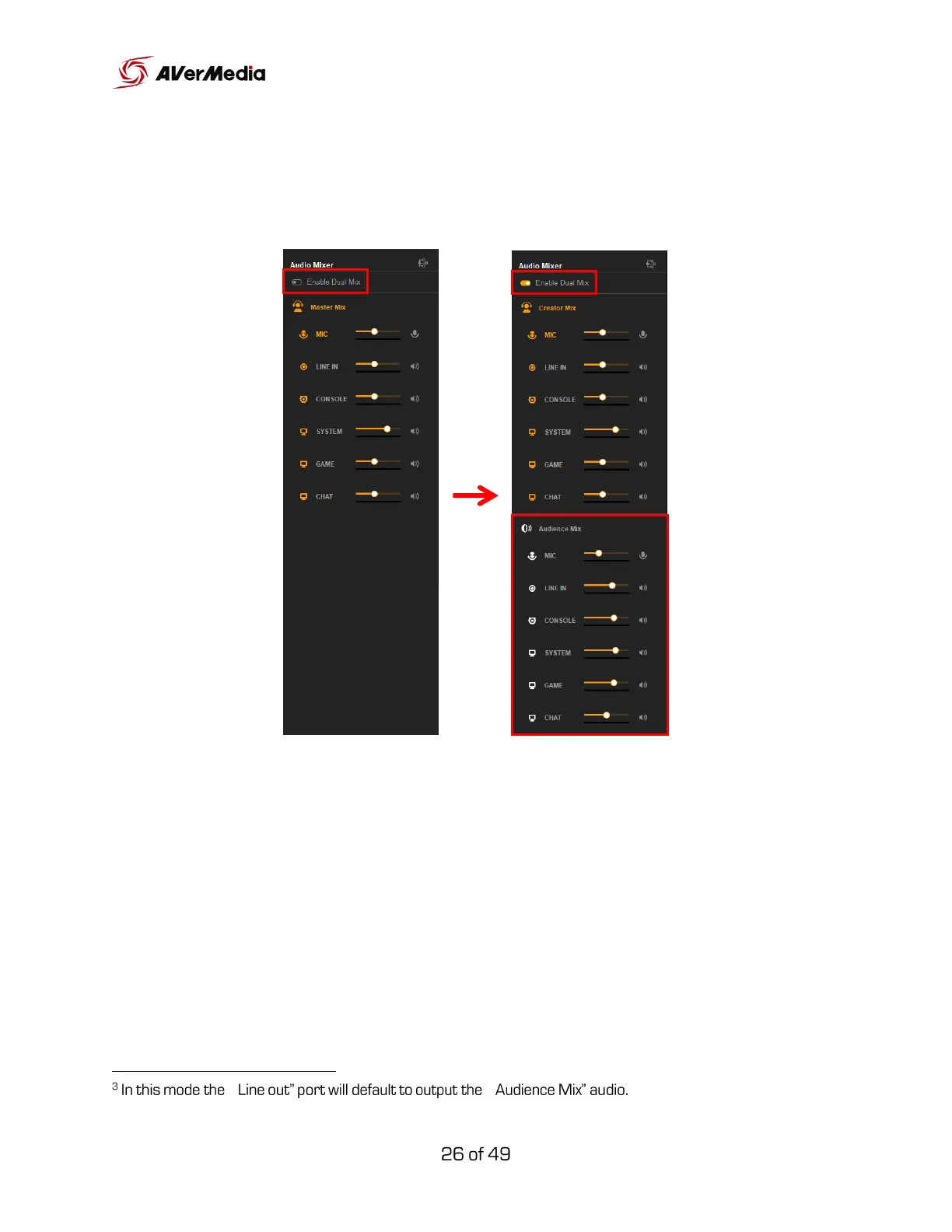
To switch to “Dual Mix”, click “Enable Dual Mix” right under the title Audio
Mixer.
You now have two independent mixes, Creator Mix and Audience Mix, both
with different audio levels of the 6 tracks.
Creator Mix: Mix of the 6 tracks heard in the headset.
Audience Mix: Mix of the 6 tracks heard by the audience (live stream).
“ “



 To Next Page