Voicemod Plugin & Setup
Creator Central now supports Voicemod with a handy plugin so streamers
can have real-time voice-changing features and sound effects right on their
fingertips using AX310. Follow the instructions below to install the Voicemod
plugin and set up your Creator Central and OBS.
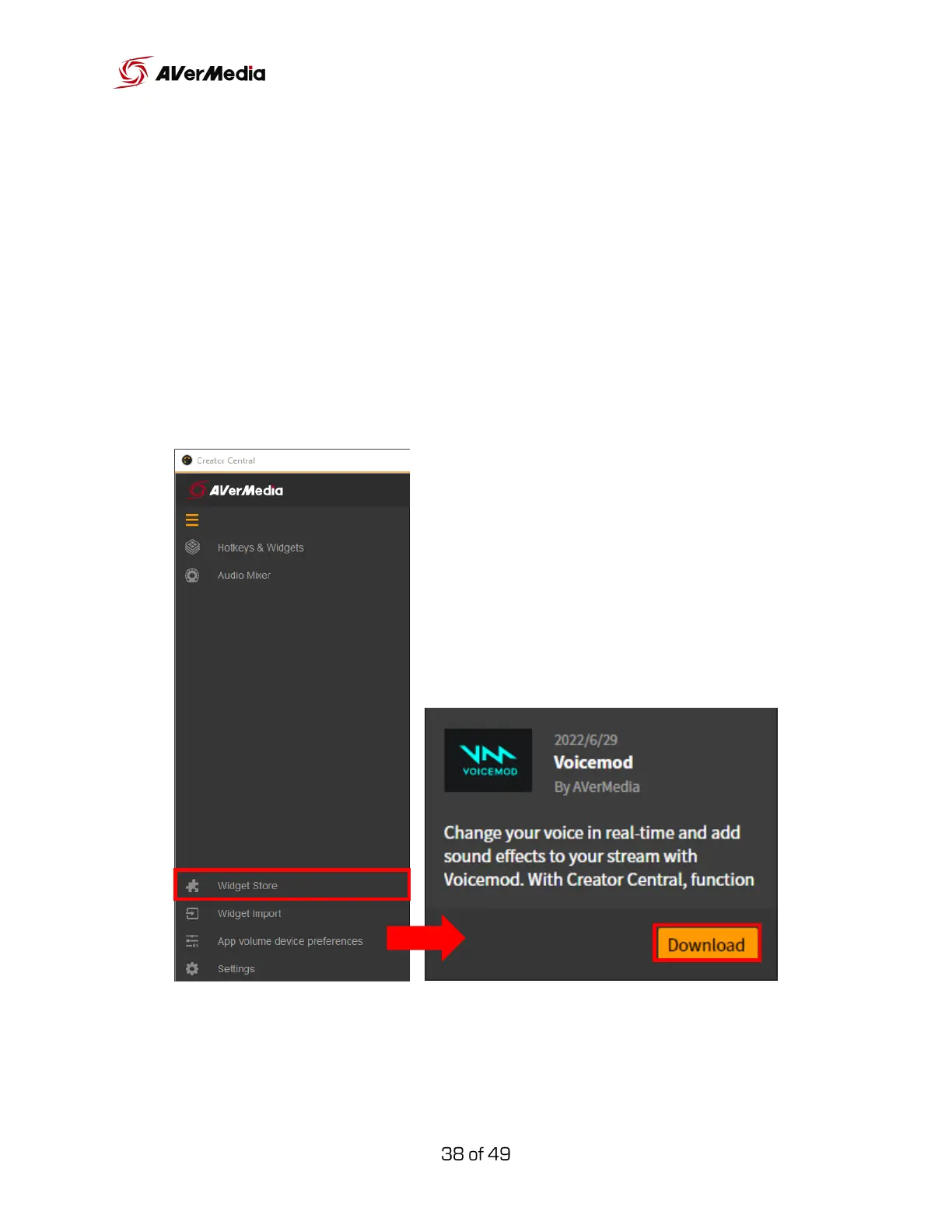
Go to Creator Central > Widget Store > Voicemod, and download the
Voicemod plugin file to your computer.



 To Next Page