Overall, you have five pages for your hotkeys and widgets (4x5 canvas per
page). You can swipe left or right to move through the pages. If you want to
return to your home screen, simply swipe up.
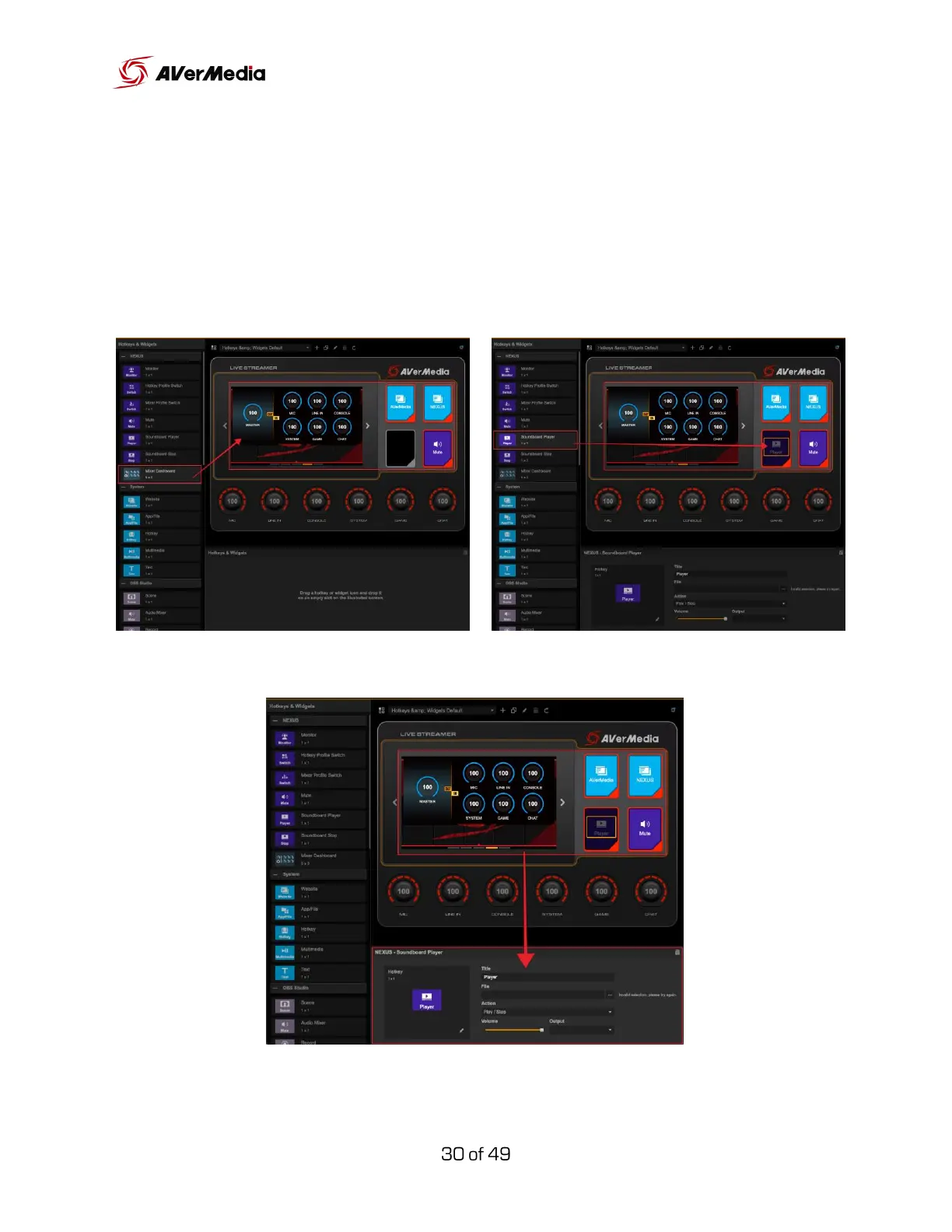
Widgets and hotkeys can be added by dragging them over to the control
panel.
Hotkeys and widgets can be modified in the settings section below.



 To Next Page