Now to the Voicemod app itself. Download Voicemod from their official
website here if you haven’t already done so.
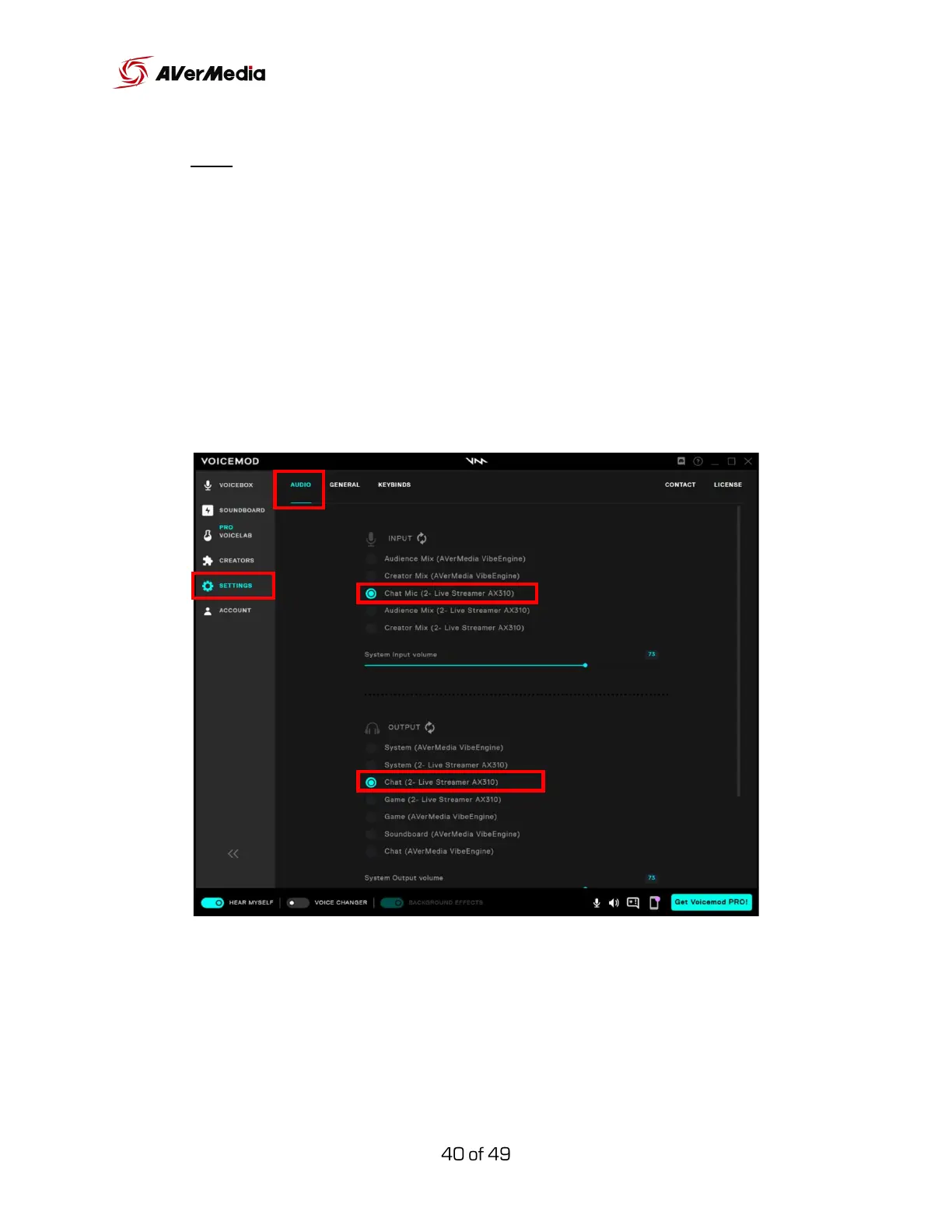
After the installation is complete, run it, and go to Settings > Audio > Input.
Then select Chat Mic (Live Streamer AX310).
Go down to Output and select Chat (Live Streamer AX310).
Note: The output here is for monitoring only. Mute this channel in the
Audience Mix of Creator Central.



 To Next Page