- 12 -
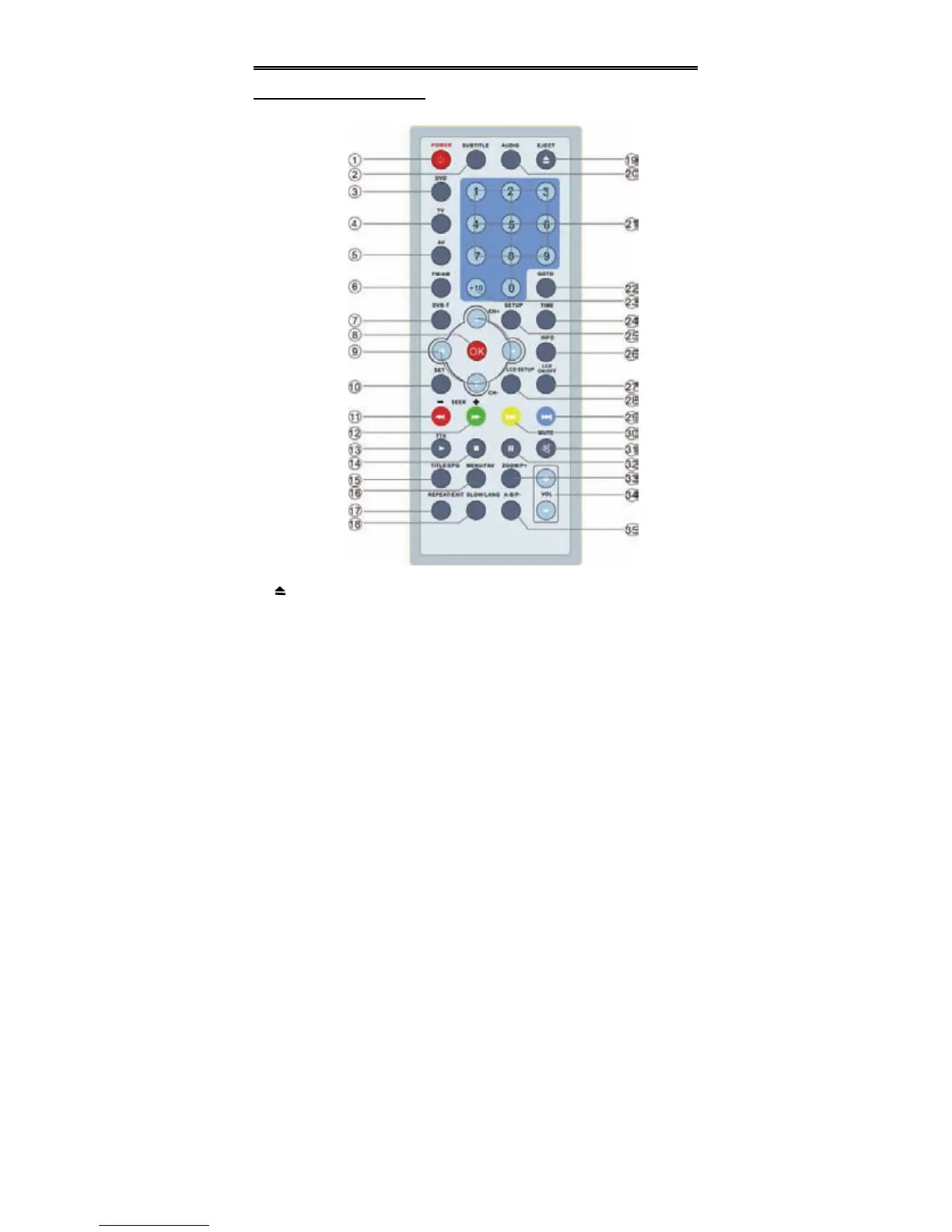
Remote Control
Remote Control Drawing
19. EJECT Button
Press to open or close the disc tray.
20. AUDIO Button
Press to shift between the different
audio tracks under DVD and DVB
modes.
21. 0-9 number Buttons
Select numbers by pressing these
buttons.
22. GOTO Button
Press to select the desired disc
starting Time, Track or Title under
DVD mode.


 To Next Page