- 16 -
System Connections
Connecting To the Power Adapter
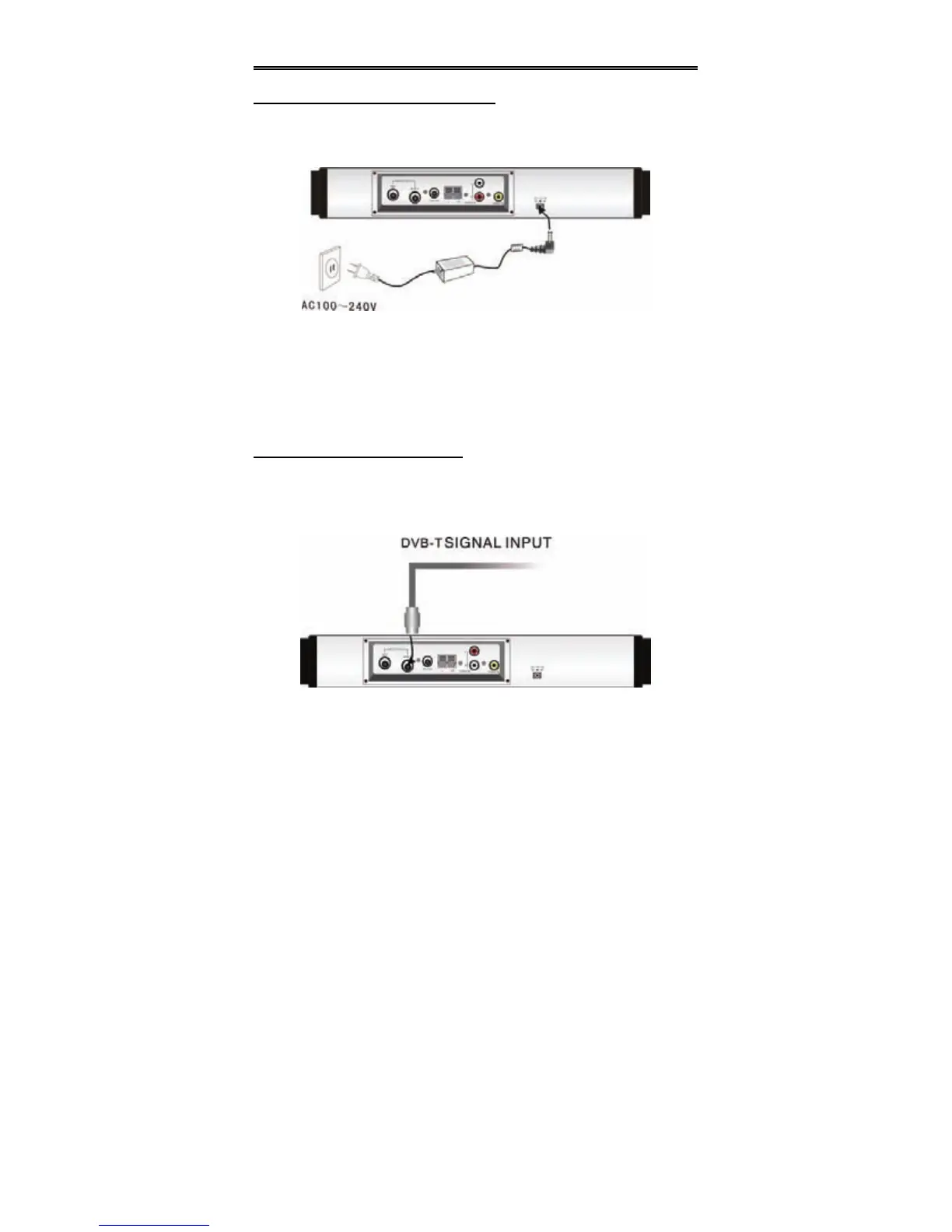
This unit is powered through the switching power adapter (supplied). See the below
figure for connection:
1. Connect the AC adapter to jack marked with “DC 12V IN” on the rear panel of
the unit.
2. Plug the two-prong end of the power cord to the grounded electrical socket.
3. When not using the unit, turn off the power of the unit first, and then unplug the
power supply to prevent malfunctions.
Connecting to DVB-T Antenna
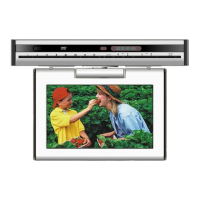
The unit is designed with an antenna input jack. Plug the DVB-T antenna into the
DVB-T jack on the rear panel of the unit to receive TV signal, then press DVB-T
button on the remote control to switch to the DVB mode, see the below figure:


 To Next Page