x Do not connect the power cord until all other connections have been made.
x Each time you restart the unit, it remembers the last function used.
x Please make all the connections before installing the unit in the kitchen.
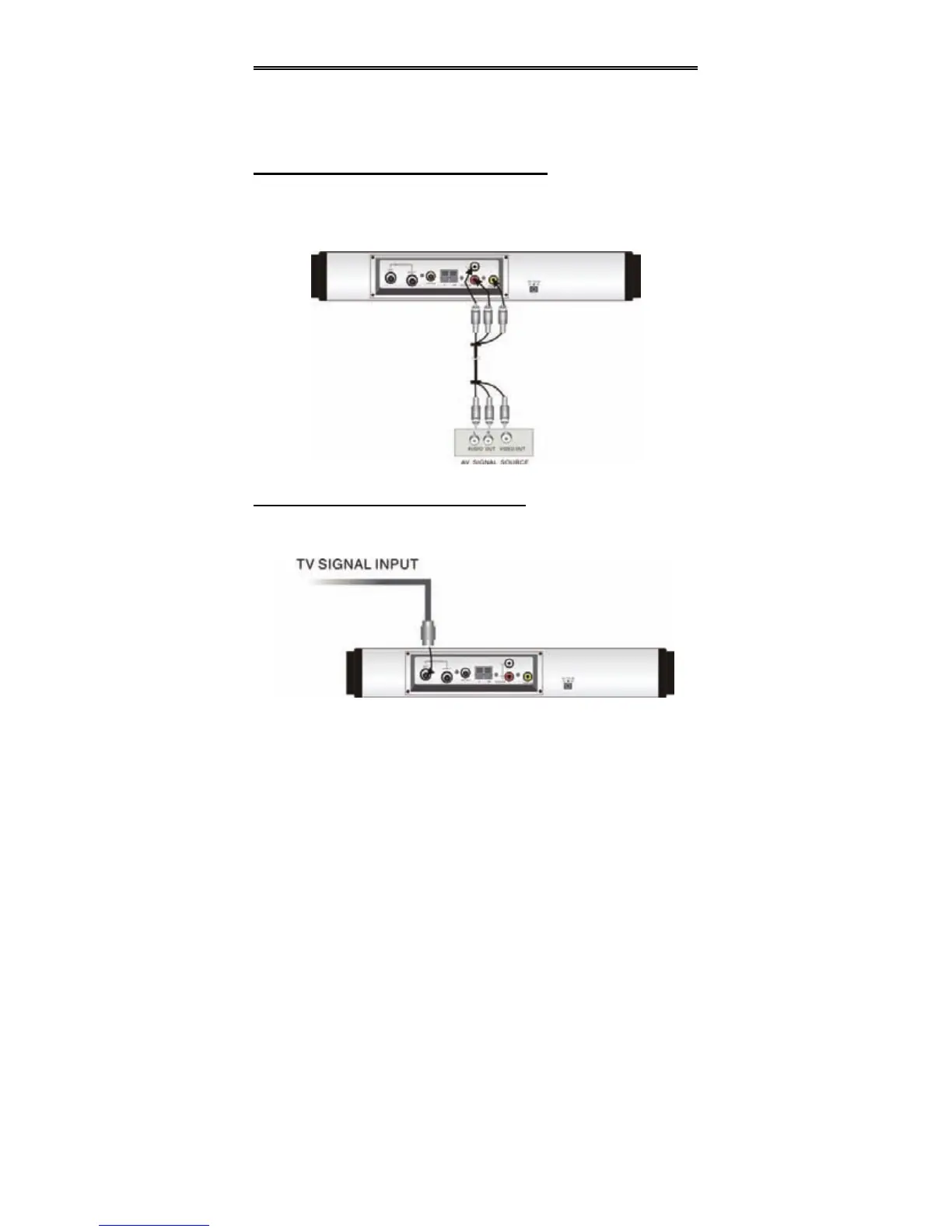
Connecting To External AV Signal Source
Connections should be made as follows:
Connect the L/R audio cables according to the marks on the rear panel of the unit:
Left audio cable is plugged into the upper jack; the right audio cable is plugged into
the lower jack.
Connecting To TV Signal Input Source
Connect the TV aerial via the ANT jack on the rear panel.
After connection, turn on the power of the unit. Then press the TV button to shift to TV
mode.


 To Next Page