Chapter 3: Installing HD Native Hardware 13
Connecting Loop Sync
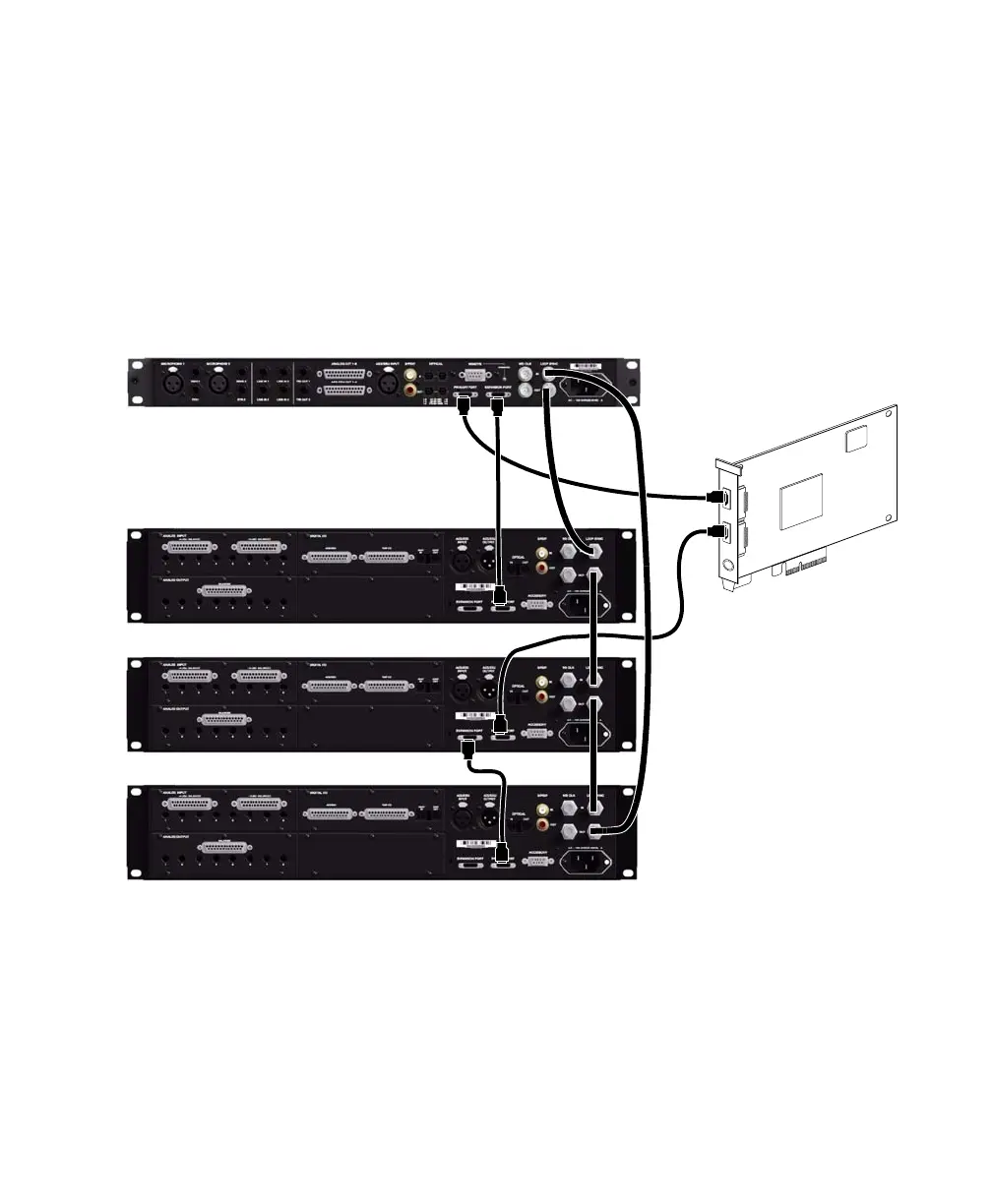
If you are using two (or more) Avid HD audio interfaces or a SYNC peripheral, Loop Sync must be
connected to maintain proper clock among the devices.
To make Loop Sync connections:
1 Connect the Loop Sync Out of each interface to the Loop Sync In of the next interface with the BNC
cables included in your I/O packaging.
2 Connect the Loop Sync Out of the last interface to the Loop Sync In of the primary interface or SYNC
peripheral.
Making DigiLink Mini and Loop Sync connections
HD Native card
HD OMNI
HD I/O
HD I/O
HD I/O
12-foot DigiLink
Mini cable
18-inch DigiLink
Mini cable
Loop Sync
cables



 To Next Page