Chapter 6: Low Latency Monitoring with Pro Tools 25
Chapter 6: Low Latency Monitoring with
Pro Tools
Using Low Latency
Monitoring
HD Native systems with Pro Tools can use the
Low Latency Monitoring option to record with an
extremely small amount of monitoring latency,
to as many tracks as the system supports. Only
tracks with input from an audio interface (not an
internal mix bus) use Low Latency Monitoring.
To use Low Latency Monitoring:
1 From the Output Path selector, assign each
track to the selected Low Latency Monitoring
Path (as set in the I/O Setup Output page). Only
tracks assigned to these outputs use Low Latency
Monitoring.
2 Record enable audio tracks by clicking their
Record Enable buttons.
3 Select Options > Low Latency Monitoring.
When
Low Latency Monitoring is enabled, any
plug-ins and sends assigned to record-enabled
tracks (routed to the selected Low Latency
Monitoring Path) are automatically bypassed,
and must remain bypassed. Also, these tracks do
not register on meters for Master Faders.
Configuring Low Latency
Monitoring in the I/O Setup
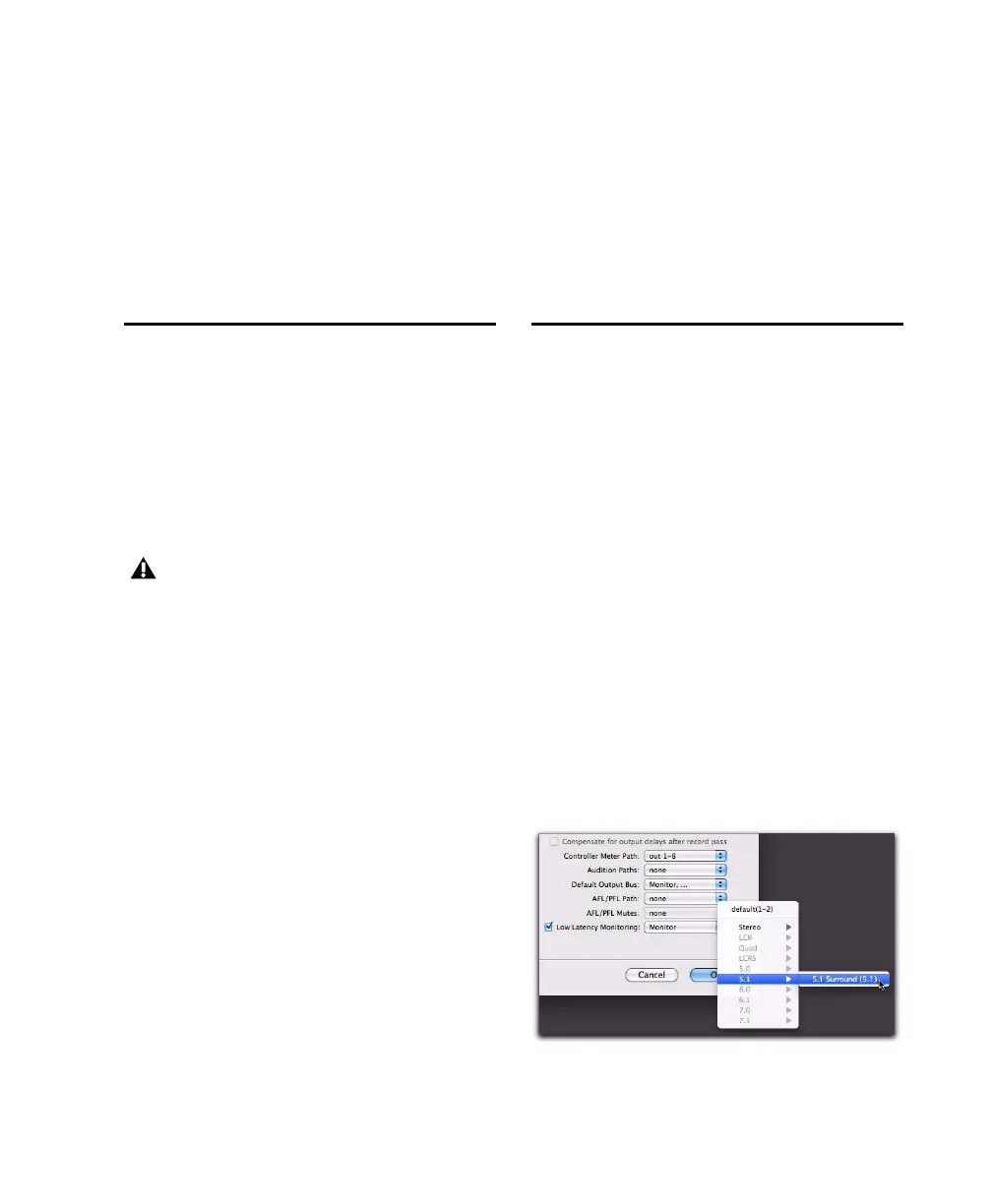
The Output page of the I/O Setup lets you enable
(or disable) Low Latency Monitoring. It also lets
you specify any available Output path for Low
Latency Monitoring. The Output path for Low
Latency Monitoring can be of any channel width
(from Mono to 7.1). Low Latency Monitoring
uses Outputs 1–2 by default.
To configure Low Latency Monitoring in the I/O
Setup:
1 Open the I/O Setup dialog (Setup > I/O).
2 Click the Output tab.
3 Enable the Low Latency Monitoring option.
4 From the Low Latency Monitoring pop-up
menu, select the Output path you want to use for
Low Latency Monitoring.
5 Click OK to save changes and close I/O Setup.
Low Latency Monitoring is not available with
Core Audio or ASIO–compatible software.
Selecting the Output path for Low Latency Monitoring



 To Next Page