S6L Control Surface RAM Expansion 2
Prepare the S6L Control Surface
Prepare the S6L control surface by removing the lower and upper back covers.
The steps required to remove the back cover vary depending on the model of S6L control surface.
S6L-24D, S6L-32D
To remove the lower back cover from S6L-24D or 32D:
1 Make sure you have shut down the system and that all components are powered off.
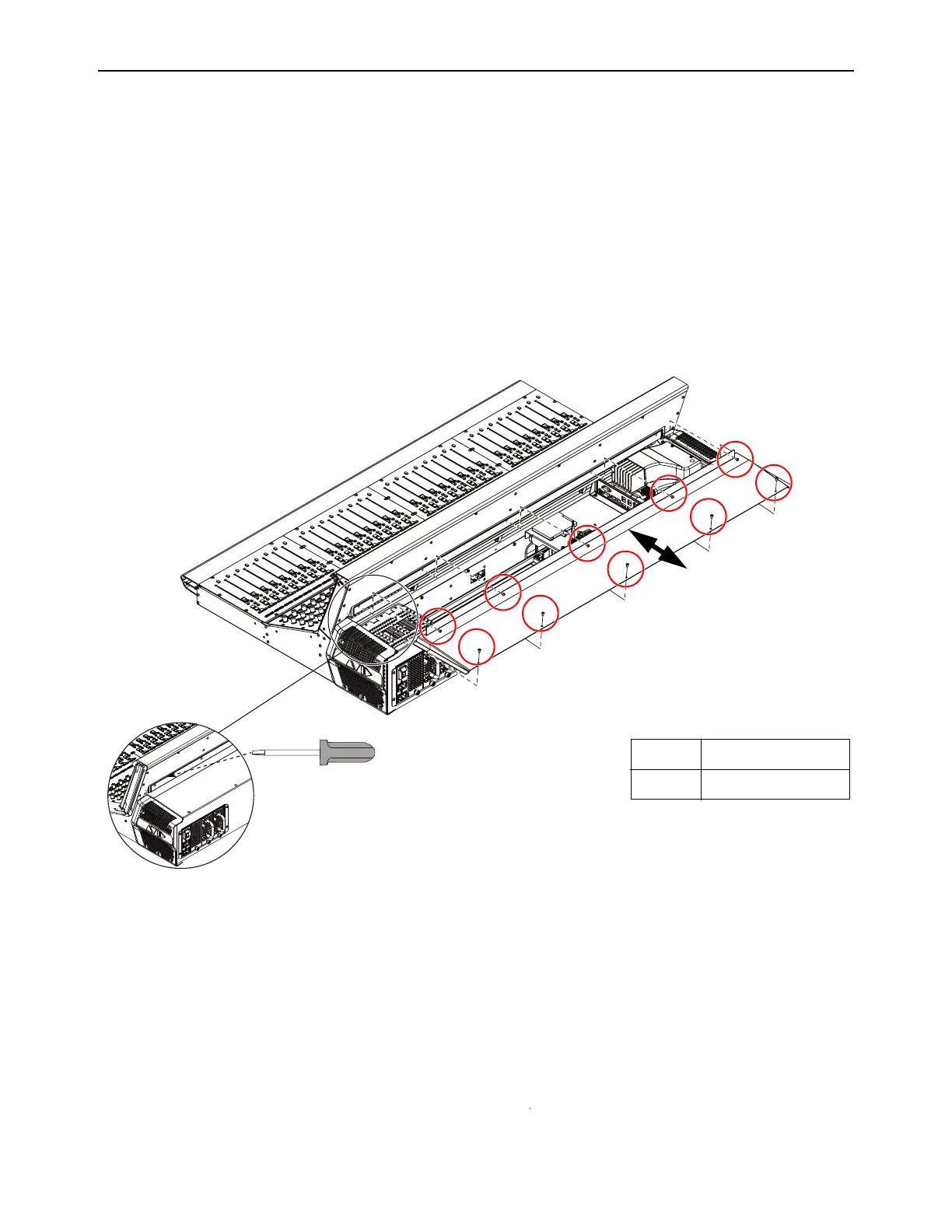
2 Using a 2.5mm Hex driver, remove the fasteners that secure the back cover to the S6L chassis and set the screws aside.
• S6L-24D uses 8 fasteners
• S6L-32D uses 10 fasteners
• S6L-48D uses 12 fasteners
Figure 1. Removing the S6L back cover (S6L-32D shown)
Fasteners:
Tool:
M4x8mm BHCS
2.5mm Hex driver



 To Next Page