S6L Control Surface RAM Expansion 14
Install RAM
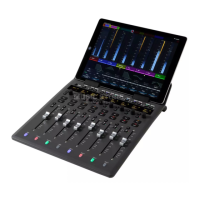
The RAM modules clip into two slots mounted on the control surface SBC motherboard, below the purple shroud.
To remove the old RAM:
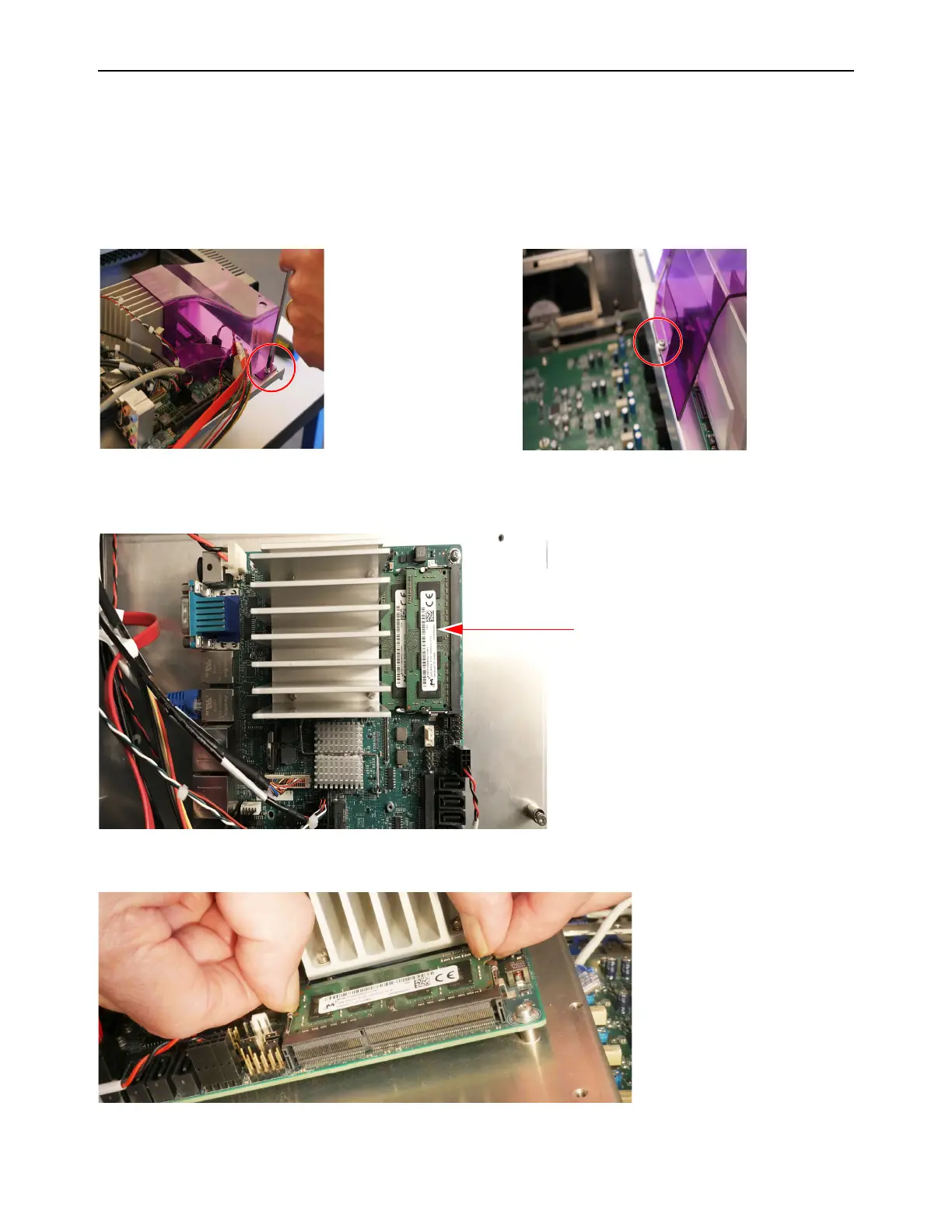
1 Using a #2 Phillips screwdriver, remove the purple shroud by doing the following:
• Remove the screw that secures the front edge of the shroud to the Tray.
• Remove the two screws that secure the back edge of the shroud to the Tray, then set the shroud aside.
2 Locate the RAM modules in their slots along the right rear edge of the SBC motherboard (when viewing from the back of the
control surface).
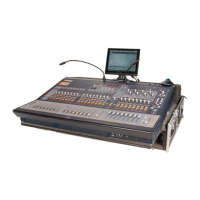
3 Push the retaining clips outward to free the upper RAM module from its connector and mount.
Figure 29. Removing screws that secure the front of the shroud (shown at left) and back of the shroud (one shown, at right)
Figure 30. RAM modules on an original (Emerson) SBC
Figure 31. Side view of opening the RAM retention clips



 To Next Page