6
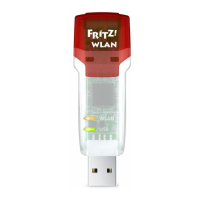
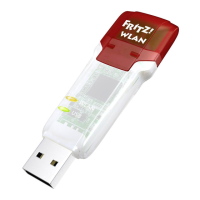
FRITZ!WLAN USB Stick N at a Glance
2 FRITZ!WLAN USB Stick N at a Glance
The FRITZ!WLAN USB Stick connects your computer easily and
safely with your FRITZ!Box WLAN and other compatible WLAN
access points: This grants the computer wireless access to
the Internet.
The FRITZ!WLAN USB Stick can also connect your computer
directly with other computers (ad-hoc network). Then the
computers can exchange data with each other without a wire-
less access point.
Thanks to Stick & Surf technology, you can connect to a
FRITZ!Box quickly and conveniently without making any set-
tings on your computer.
2.1 Package Contents
• FRITZ!WLAN USB Stick N v2
• USB docking station
• printed quick guide
2.2 Operation Requirements
In order to operate the FRITZ!WLAN USB Stick N, your comput-
er must fulfill the following requirements:
• a free USB port (USB 2.0 or higher)
• Microsoft Windows 8/7 (32- or 64-bit edition),
Windows Vista (32-bit edition) or Windows XP Service
Pack 3 or higher (32-bit edition) operating system
Installation of the latest service packs and updates is
recommended.
• Pentium-class computer or notebook (500 MHz CPU or
better)
• at least 64 MB RAM and 5 MB free memory on the hard
drive
N_man_en.fm Seite 6 Freitag, 27. Mai 2016 2:21 14







 To Next Page