EasyManua.ls Logo

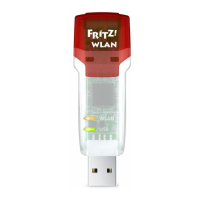
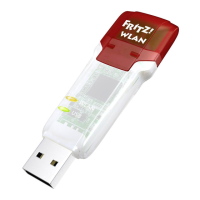
AVM FRITZ!WLAN USB Stick N 2.4 - User Manual

AVM FRITZ!WLAN USB Stick N 2.4
56 pages
Print Icon
To Next Page IconTo Next Page
Loading...
Installation,
Configuration
and Operation
FRITZ!WLAN
USB Stick N 2.4

Questions and Answers

  • J
    Jonathan KennedyAug 17, 2025
    How to fix could not register at the WLAN remote site AVM Adapter?
    • C
      Candace ThompsonAug 18, 2025
      This can happen if the settings of the WLAN remote site and the entries in the “WLAN Remote Site” area of the FRITZ!WLAN control software do not match. Check that the correct WLAN access point has been selected from the list of WLAN devices and ensure that the WLAN key and the name (SSID) of the WLAN remote site have been entered correctly, paying special attention to capitalization.
  • D
    Dwayne JonesAug 20, 2025
    How to fix the issue when FRITZ!WLAN USB Stick N and WLAN access point cannot exchange data?
    • M
      Mark WilsonAug 20, 2025
      The WLAN access point might not be connected correctly or could be switched off. Check whether the WLAN access point is connected correctly and make sure that the device and the WLAN function are switched on.
  • J
    Janice MayAug 22, 2025
    Why could not register at the WLAN remote site on AVM adapter?
    • J
      Jonathan FitzgeraldAug 23, 2025
      The WLAN remote station may be transmitting in the 5-GHz frequency band (802.11n/a mode). Switch the WLAN remote station to 2.4-GHz transmission (802.11n/g/b mode, channel 1 - 13).
  • T
    Tyler FranklinAug 26, 2025
    Why does my computer recognize the network and router but cannot access the Internet with AVM Adapter?
    • R
      Richard JohnsonAug 26, 2025
      This issue might occur if the WLAN key is incorrect or if the IP address was not automatically assigned by Windows. To resolve this, verify the WLAN key and ensure that automatic IP address assignment is enabled in your operating system.
  • R
    Robert RogersAug 27, 2025
    What to do if the computer does not detect the AVM FRITZ!WLAN USB Stick N?
    • P
      Peter WrightAug 27, 2025
      The FRITZ!WLAN USB Stick N may not be correctly inserted into the USB port, or the chipset drivers of your computer might be outdated. Ensure the stick is firmly inserted. If it isn't, remove it and reinsert it. Also, install the latest chipset drivers; consult your mainboard documentation for the required drivers.
  • J
    Julie HumphreyAug 30, 2025
    What to do if FRITZ!WLAN icon does not appear in the notification area of the Windows task bar?
    • V
      Vincent KellyAug 30, 2025
      This problem occurs if the FRITZ!WLAN software or drivers for the FRITZ!WLAN USB Stick N were not installed correctly, or the device is disabled in the “Device Manager”. Check the “Device Manager” in the “Control Panel” to see whether the device is listed and disabled, and then enable the device. If it is not listed, uninstall the FRITZ!WLAN USB Stick N and repeat the installation as described in the manual.
  • Z
    znolanSep 2, 2025
    Why AVM FRITZ!WLAN software is installed, but every time Windows is restarted, the Microsoft WLAN control is applied?
    • E
      Eric VincentSep 2, 2025
      This issue occurs when the FRITZ!WLAN USB Stick N is used in the notebook along with an Intel Pro Wireless Adapter. To fix it, remove the Intel Pro Wireless Software (not the driver).
  • D
    danielle91Sep 4, 2025
    What to do if AVM FRITZ!WLAN USB Stick N is detected automatically in Windows XP but is not fully functional?
    • E
      Edward BellSep 4, 2025
      The device may not be fully functional if the necessary service packs have not been installed. Install the current service packs and updates using the Windows Update function to ensure full operation.
  • J
    Jared MooreSep 7, 2025
    What to do if no WLAN remote sites are found for AVM Adapter?
    • I
      isaiahyangSep 7, 2025
      This issue can occur if the WLAN remote site has not been turned on or is located too far away from the FRITZ!WLAN USB Stick N. Ensure that the power supply of the WLAN remote site is secure and that the device is switched on. Also, verify that the WLAN remote site is within transmission range of the FRITZ!WLAN USB Stick N.
  • J
    Jared GutierrezSep 9, 2025
    How to solve malfunction occurs on AVM Adapter?
    • E
      Eric PerrySep 9, 2025
      Radio traffic is subjected to interference by strong irradiation. Switch the WLAN channel setting on the access point.

Summary

Safety Instructions

FRITZ!WLAN USB Stick N 2.4

Technical Specifications

Details the technical specifications including dimensions, weight, power, and data rates.

AVM Stick & Surf Technology

Installation

Installation in Windows 7; Windows Vista 32-bit Edition

Step-by-step guide for installing the device on 32-bit Windows 7 or Vista.

Installation in Windows 7; Windows Vista 64-bit Edition

Step-by-step guide for installing the device on 64-bit Windows 7 or Vista.

Installation in Windows XP 32-bit Edition

Step-by-step guide for installing the device on 32-bit Windows XP.

Installation in Windows XP 64-bit Edition

Step-by-step guide for installing the device on 64-bit Windows XP.

The FRITZ!WLAN Control Software

Establishing a WLAN Connection

Outlines the process for establishing WLAN connections.

Connecting to the Internet

Describes two methods for connecting the device to the Internet.

Microsoft WLAN Service

Establishing a WLAN Connection (Windows 7)

Step-by-step guide for establishing a WLAN connection using Windows 7's service.

Establishing a WLAN Connection (Windows Vista)

Step-by-step guide for establishing a WLAN connection using Windows Vista's service.

Establishing a WLAN Connection (Windows XP from Service Pack 2)

Step-by-step guide for establishing a WLAN connection using Windows XP's service.

Uninstallation

Removing Software and Program Entries

Instructions for uninstalling the FRITZ!WLAN USB Stick N driver and control software.

Troubleshooting

Errors During Installation

Addresses common error messages and causes during the installation process.

Checking the Installation

Provides steps to check if the software/drivers were installed correctly.

WLAN Connection Is Not Established

Provides settings to verify for establishing a WLAN connection.

Checking the IP Settings

Explains how to check and obtain IP addresses automatically.

Obtaining an IP Address Automatically in Windows 7

Step-by-step guide for automatic IP configuration in Windows 7.

Obtaining an IP Address Automatically in Windows Vista

Step-by-step guide for automatic IP configuration in Windows Vista.

Obtaining an IP Address Automatically in Windows XP

Step-by-step guide for automatic IP configuration in Windows XP.

AVM FRITZ!WLAN USB Stick N 2.4 Specifications

General IconGeneral
Maximum data transfer rate150 Mbit/s
Connectivity technologyWireless

Related product manuals