EasyManua.ls Logo

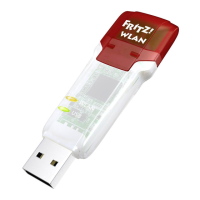
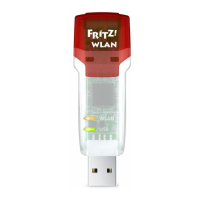
AVM FRITZ!WLAN USB Stick - User Manual

AVM FRITZ!WLAN USB Stick
62 pages
Print Icon
To Next Page IconTo Next Page
Loading...
FRITZ!WLAN
USB Stick
© AVM GmbH · Alt-Moabit 95 · 10559 Berlin · Telefon 030 39976-0 · info@avm.de
www.avm.de
Installation
and Operation

Other manuals for AVM FRITZ!WLAN USB Stick

Questions and Answers

  • Q
    qcaldwellSep 23, 2025
    What causes undefined malfunction in AVM Modem?
    • J
      jamescarterSep 23, 2025
      If an undefined malfunction occurs with your AVM Modem, it might be due to radio traffic being subjected to interference by strong irradiation. Try switching the WLAN channel setting on the access point.
  • J
    Jennifer HoganAug 25, 2025
    What to do if AVM Adapter and WLAN access point cannot exchange data?
    • F
      fowleramyAug 25, 2025
      If the FRITZ!WLAN USB Stick and the WLAN access point cannot exchange any data with each other, the WLAN access point is not connected correctly or not switched on. Check whether the WLAN access point is connected correctly and make sure that the device and the WLAN function are switched on.
  • J
    jademolinaAug 25, 2025
    What to do if AVM FRITZ!WLAN USB Stick USB Stick is detected but not fully functional in Windows XP?
    • K
      Katherine ClarkAug 26, 2025
      If the FRITZ!WLAN USB Stick is detected automatically in the Windows XP operating system, but the device is not fully functional, the necessary service packs have not been installed. To ensure full operation capability, install the current service packs and updates using the Windows Update function. We recommend at least Service Pack 2 for Windows XP.
  • S
    Sarah SuttonAug 26, 2025
    Why does my AVM FRITZ!WLAN USB Stick computer recognize the network but cannot access the Internet?
    • Q
      qthomasAug 27, 2025
      If your computer recognizes the network and the router, but you cannot access the Internet, this may be due to a wrong WLAN key or the IP address not being assigned automatically by Windows. Therefore, check the WLAN key entry and make sure that the automatic assignment of IP addresses is enabled in your operating system.
  • M
    montgomerychristopherAug 27, 2025
    What to do if the AVM Adapter computer does not detect the FRITZ!WLAN USB Stick?
    • J
      josephreynoldsAug 27, 2025
      If your computer does not detect the FRITZ!WLAN USB Stick, it might not be correctly inserted into the USB port, or the chipset drivers of your computer might be outdated. Ensure the FRITZ!WLAN USB Stick is firmly inserted. If it's not positioned correctly, pull it out and reinsert it. You may also need to install the latest chipset drivers.
  • J
    Jimmy IngramSep 15, 2025
    What to do if AVM Modem FRITZ!WLAN USB Stick and WLAN access point cannot exchange data?
    • C
      Casey ClarkSep 15, 2025
      If the FRITZ!WLAN USB Stick and the WLAN access point are unable to exchange data with each other for your AVM Modem, the WLAN access point may not be connected correctly or may not be switched on. Check whether the WLAN access point is connected correctly and make sure that the device and the WLAN function are switched on.
  • D
    Dawn DanielsSep 12, 2025
    How to fix 'Could not register at the WLAN remote site' AVM Modem error?
    • J
      jenniferbarkerSep 12, 2025
      If you cannot register at the WLAN remote site using your AVM Modem, the settings of the WLAN remote site and the entries in the “WLAN Remote Site” window of the FRITZ!WLAN control software may not match. Check whether the correct WLAN access point has been selected from the list of WLAN devices and make sure that the WLAN key and the name (SSID) of the WLAN remote site have been entered correctly.
  • J
    Jamie EdwardsSep 14, 2025
    Why FRITZ!WLAN icon does not appear for AVM Modem?
    • S
      smullinsSep 14, 2025
      If the FRITZ!WLAN icon for your AVM Modem doesn't appear in the Windows taskbar, the FRITZ!WLAN software or drivers for the FRITZ!WLAN USB Stick might not be installed correctly, or the device is disabled in the Device Manager. First, check the Device Manager in the Control Panel to see if the device is listed and disabled; if so, enable it. If it's not listed, uninstall the FRITZ!WLAN USB Stick and repeat the installation as described in the manual.
  • A
    Aaron MoranSep 5, 2025
    What to do if AVM FRITZ!WLAN USB Stick no WLAN remote sites are found?
    • E
      ejamesSep 5, 2025
      If no WLAN remote sites are found, the WLAN remote site has not been turned on or is located too far away from the FRITZ!WLAN USB Stick. Make sure that the power supply of the WLAN remote site is secure and that the device is switched on. Check whether the WLAN remote site is within transmission range of the FRITZ!WLAN USB Stick.
  • M
    Madison SmithSep 2, 2025
    Why AVM FRITZ!WLAN USB Stick and another WLAN adapter cannot exchange data?
    • R
      Robert FryeSep 2, 2025
      If the FRITZ!WLAN USB Stick and a further WLAN adapter are connected directly via WLAN, but cannot exchange any data with each other, the IP address was not assigned by Windows automatically, or the network key, workgroup or ad-hoc network names do not match. Make sure that the ad-hoc network name of your connection and the network key match, and that automatic assignment of IP addresses is enabled in your operating system.

Summary

Legal Notice

Safety Instructions

Disposal

Symbols and Highlighting

FRITZ!WLAN USB Stick Overview

Package Contents

Lists all items included in the FRITZ!WLAN USB Stick package.

Operation Requirements

Specifies the system requirements needed to operate the FRITZ!WLAN USB Stick.

LEDs

Explains the function and meaning of the LEDs on the FRITZ!WLAN USB Stick.

Technical Specifications

Details the technical specifications of the FRITZ!WLAN USB Stick hardware.

AVM Stick & Surf Technology

Connecting Securely with FRITZ!Box

Describes the process of establishing a secure WLAN connection using Stick & Surf technology.

Installation Guide

Installation in Windows 8

Step-by-step instructions for installing the FRITZ!WLAN USB Stick on Windows 8.

Installation in Windows 7 and Vista (32-bit)

Instructions for installing the FRITZ!WLAN USB Stick on Windows 7 and Vista (32-bit).

Installation in Windows 7 and Vista (64-bit)

Instructions for installing the FRITZ!WLAN USB Stick on Windows 7 and Vista (64-bit).

Installation in Windows XP (32-bit)

Step-by-step guide for installing the FRITZ!WLAN USB Stick on Windows XP (32-bit).

Installation in Windows XP (64-bit)

Instructions for installing the FRITZ!WLAN USB Stick on Windows XP (64-bit).

Information on WLAN Connections

Provides information on establishing WLAN connections after installation.

FRITZ!WLAN Control Software

Operating FRITZ!WLAN

How to open and use the FRITZ!WLAN control software interface.

Context Menus and Connection Status

Explains the context menus and how to interpret connection status icons.

Establishing a WLAN Connection

Guides on how to establish different types of WLAN connections.

Connecting with a WLAN Access Point

Steps to establish a connection with a WLAN access point using the software.

Connecting Two WLAN Users Directly (Ad-hoc)

Instructions for creating and joining ad-hoc WLAN networks directly between devices.

How to Join an Ad-hoc Network

Detailed steps for a device to join an existing ad-hoc WLAN network.

Connecting to the Internet

Connecting via WLAN Access Point

How to connect to the Internet using a WLAN access point.

Establishing Connections via Computer

How the computer itself establishes Internet connections.

Microsoft WLAN Service

Information on WLAN Control Software

Explains the default WLAN software and how to switch to Microsoft WLAN Service.

Establishing WLAN Connection (Windows 8)

Steps to establish a WLAN connection using Microsoft WLAN Service in Windows 8.

Establishing WLAN Connection (Windows 7)

Instructions for establishing a WLAN connection via Microsoft WLAN Service in Windows 7.

Establishing WLAN Connection (Windows Vista)

Steps for establishing a WLAN connection using Microsoft WLAN Service in Windows Vista.

Establishing WLAN Connection (Windows XP)

Guide to establishing a WLAN connection via Microsoft WLAN Service in Windows XP.

More about WLAN

WLAN Standards Overview

Discusses different WLAN standards like 802.11a, b, g, n, and i.

Standards for Throughput Rate

Details the throughput rates for various WLAN standards.

Range Factors

Explains factors affecting WLAN range and signal strength.

Security Standards

Covers security standards like WPA, WPA2, and their encryption mechanisms.

Encryption Methods

Details security encryption mechanisms such as WEP, WPA, and WPA2.

Frequency Range and Channels

Explains the 2.4 GHz frequency band, channels, and potential interference.

WPS (Wi-Fi Protected Setup)

Describes the WPS procedure for establishing secure WLAN connections.

Establishing WLAN Connections Using WPS

Step-by-step guide for establishing a WLAN connection using the WPS method.

Uninstallation

Removing Software and Program Entries

Instructions for removing the FRITZ!WLAN USB Stick software and entries.

Troubleshooting

Errors During Installation

Details common causes and remedies for errors encountered during software installation.

WLAN Connection Is Not Established

Provides guidance on troubleshooting issues where a WLAN connection cannot be established.

Errors During Data Exchange

Addresses problems related to data exchange errors between devices in a network.

Checking the IP Settings

Explains how to check and adjust IP settings for network connectivity troubleshooting.

Customer Service Guide

MS Service Pack Information

Information on using Microsoft Service Packs to resolve operational problems.

Documentation Resources

Lists available documentation like FRITZ!WLAN Help, Readme, and Manual.

Information in the Internet

Details on accessing FAQs and other information on the AVM website.

Software Updates

How to download and install software updates for the FRITZ!WLAN USB Stick.

Support from AVM Service Team

Guidance on contacting the AVM support team for assistance.

Declaration of CE Conformity

AVM FRITZ!WLAN USB Stick Specifications

General IconGeneral
Wi-FiYes
Wi-Fi bandSingle-band (2.4 GHz)
Data link protocolsIEEE 802.11b, IEEE 802.11g, IEEE 802.11g++
Security algorithmsWPA, WPA2
Maximum data transfer rate125 Mbit/s
Dimensions (WxDxH)132 x 138 x 35 mm
Compliance industry standardsIEEE 802.11b, IEEE 802.11g, IEEE 802.11i
Supported data transfer rates11 Mbit/s, 54 Mbit/s, 125 Mbit/s
Compatible operating systemsWindows Vista x64 Edition, Windows Vista, XP Professional x64 Edition, Windows XP/2000
Connectivity technologyWireless
Component forPC/Laptop
Weight and Dimensions IconWeight and Dimensions
Weight125 g

Related product manuals