www.avmatrix.net
10
4.2 T-Bar Calibration
The T-Bar of the video switcher may happen to misalignment, when the origin of the coordinates offset the
T-Bar calibration is necessary before using.
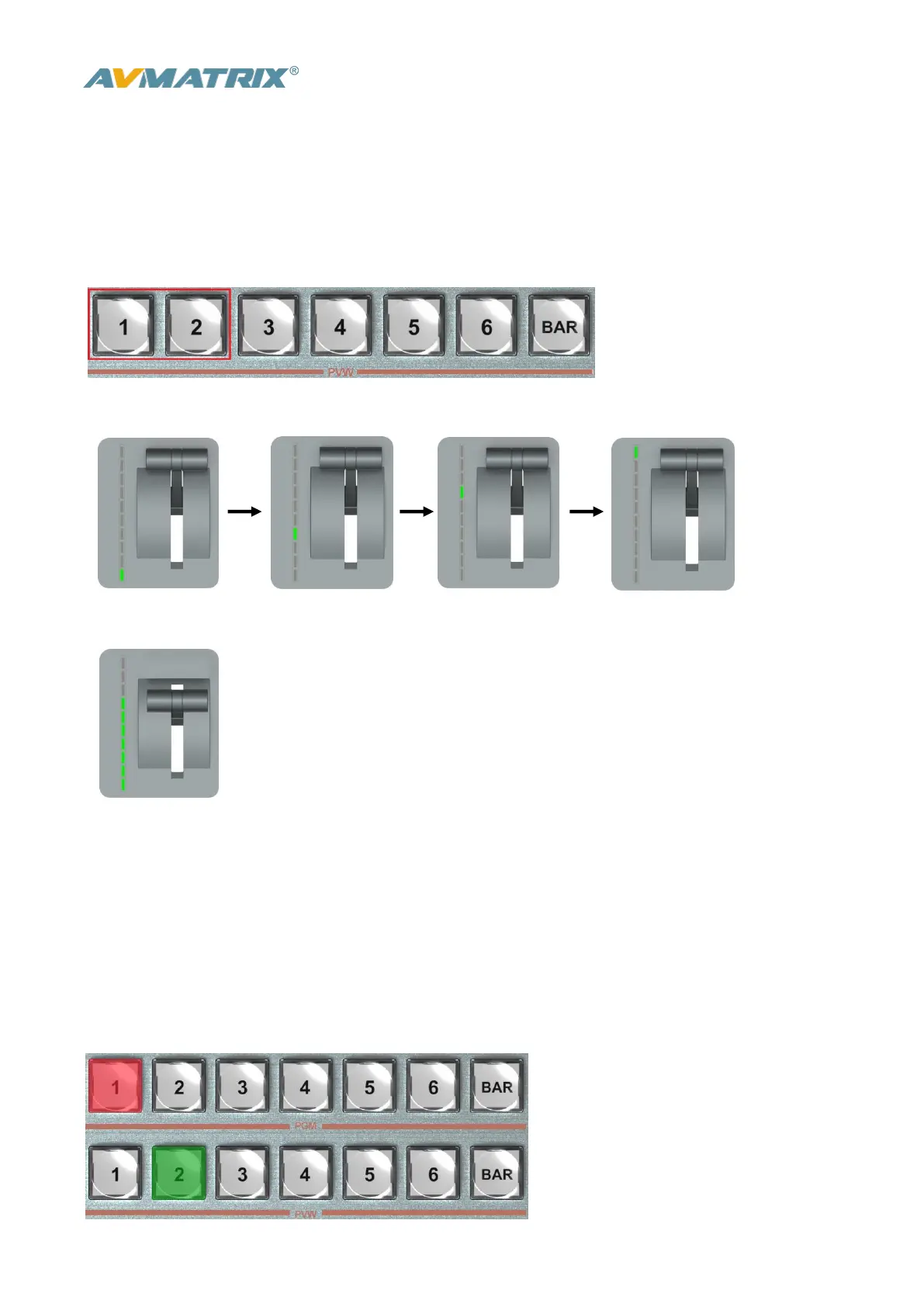
1) Power off the video switcher and press button 1 and 2 of PVW at same time. KEEP pressing the
buttons until all calibration process finish.
2) Turn on the video switcher, then the LED indicators will be turn on from bottom to top.
3) Adjust the T-Bar to A-BUS or B-BUS until all LED indicators turn on. Below image is an example of the
LED indicators status when switching the T-Bar from B-BUS to A-BUS.
4) Then the T-Bar calibration is finished, and you can release the button 1 and 2.
4.3 PGM PVW Switching
4.3.1 PGM, PVW Channel Selection
Below 1-6 buttons from PGM and PVW are corresponding with the 6 windows in the below of the
multiview layout. The selected button from PGM turns on to red LED, and the selected button from PVW
turns on to green LED.



 To Next Page