Connecting a Control System or PC:
RS232 Connection
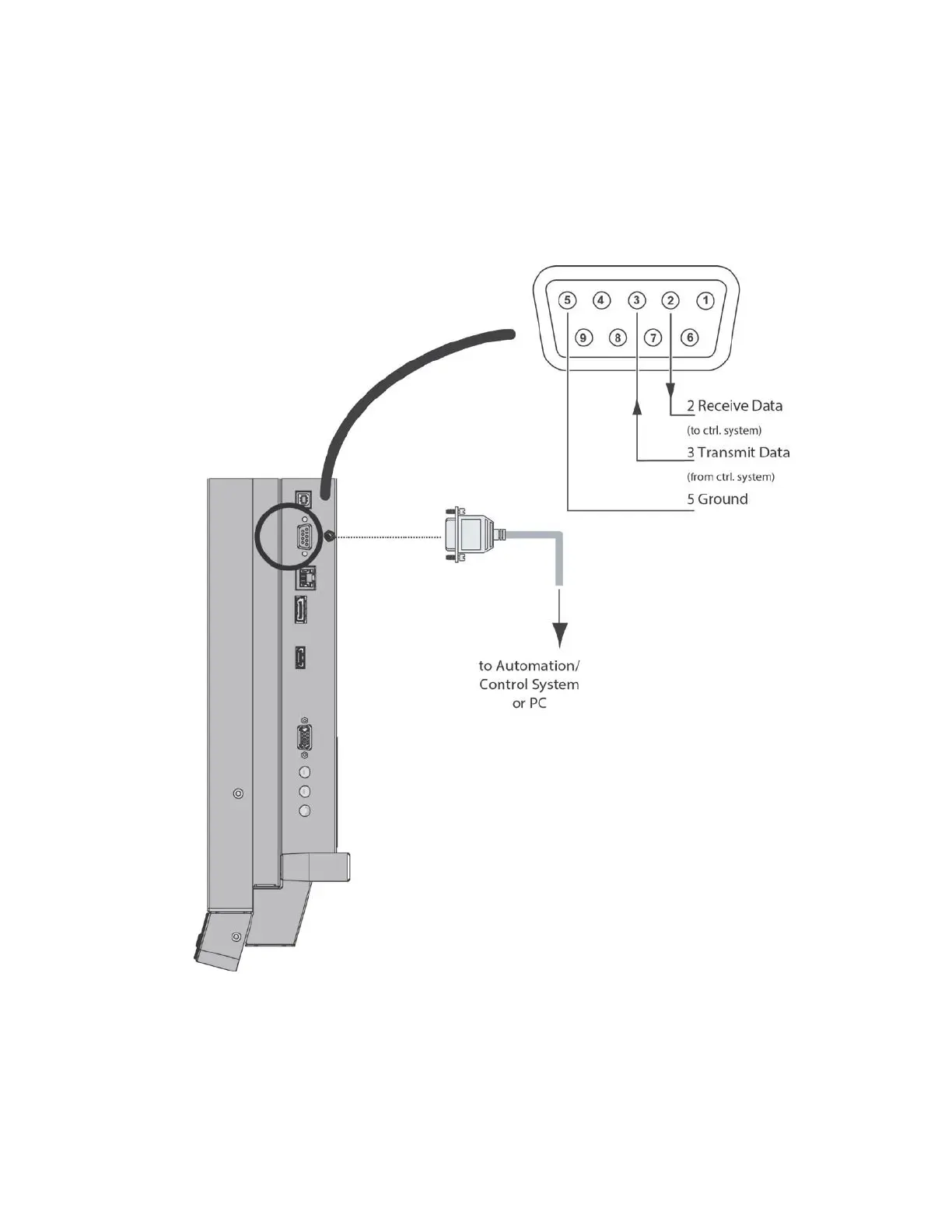
Use a straight-through RS-232 cable with a 9-pin male connector to connect a PC or control/ automation system (if
present) to the RS-232 port on the display; see Figure 3-2.
For more information about using this connection, refer to External Control on page 50.
Figure 3-2. RS-232 Control System Connection



 To Next Page