PAGE 19
TECHNICAL DATA
Technical data
Model: Avoury One
S
V, 50/60 Hz
Output: 1,400 watts
Protection class: I
Weight: 3.9 kg
Dimensions
(H × W × D):
32 × 34 × 22 cm
Item number: 6000329 (white),
6000331 (cream),
6000332 (black)
Disposal
(Applicable in the European Union and
other European states with systems
for the separate collection of reusable
waste materials)
Old devices must not be
disposed of in the household
waste!
If the tea maker can no
longer be used, all consum-
ers are required by law to dispose of
old devices separately from household
waste, for example at a collection
point provided by their local commu-
nity/district authority. This ensures
that old devices are recycled in a
professional manner and also rules
out negative consequences for the en-
vironment. For this reason, electrical
equipment is marked with the symbol
shown here.
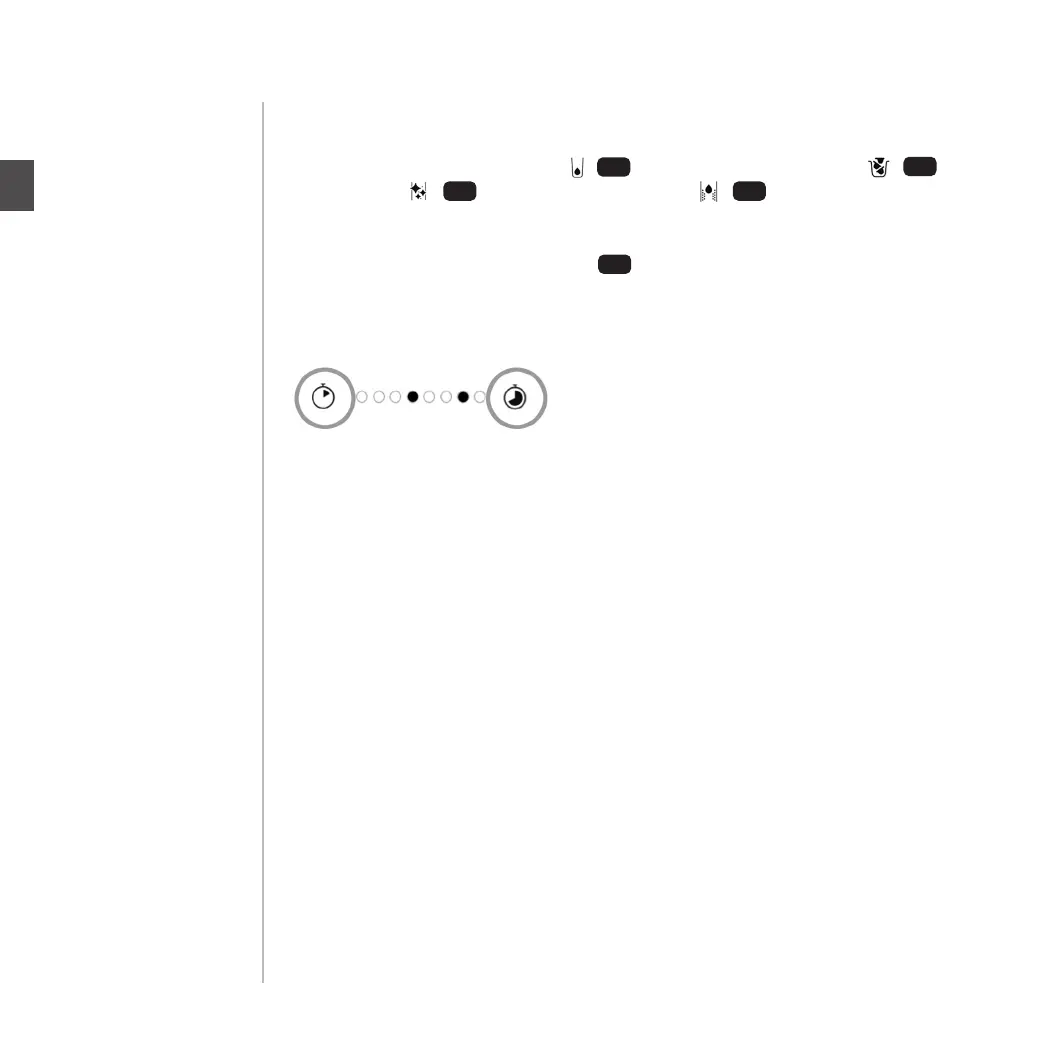
If the 4 LEDs “water tank empty” / , “empty capsule container” / , “carry
out cleaning” / and “carry out descaling” / all ash at the same time
this indicates a system error. This may have a number of dierent causes, some of
which you can solve yourself. The error code indicates the cause of the error. This
code is shown in the “brewing time” display. Each LED that is lit up white stands
for “0”. Each LED that ashes stands for “1”. The display should be read from left to
right. Example: black = ashing | white = lit up
“00010010”
To nd out the cause of the error and possible ways of solving the problem yourself,
call our customer service number 00800 7000 6000 or see the website www.Avoury.
com
If a problem exists with the tea maker that is not listed above, or cannot otherwise be
rectified with the solution described, please contact our After Sales Support without
delay by visiting www.Avoury.com or by calling 00800 7000 6000.
Error Codes
16
1312
11
10
TROUBLESHOOTING
EN
PAGE 40


 To Next Page