PAGE 14
CLEANING AND MAINTENANCE
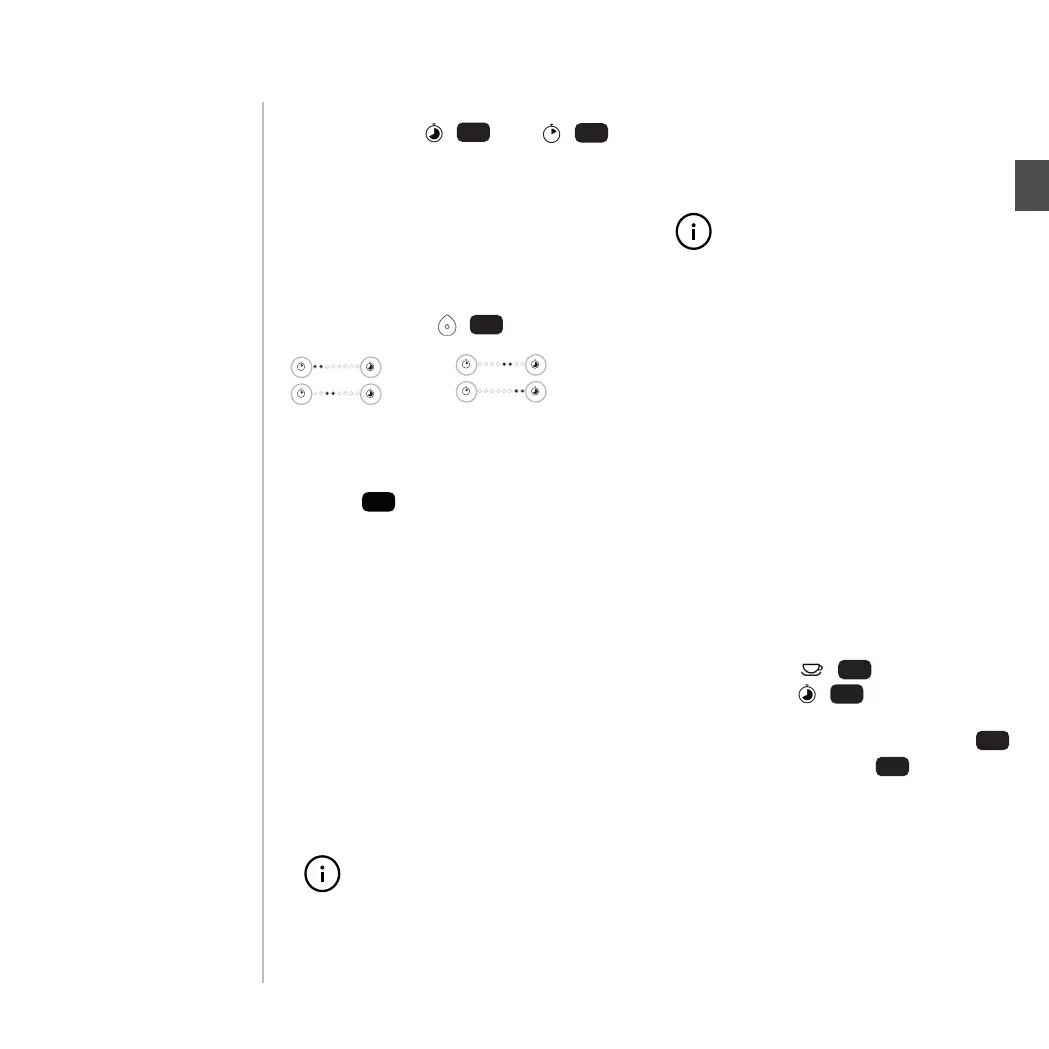
3. To set the water hardness level,
press the +/– buttons for the brew-
ing time.
If the LEDs on the left of the display
are illuminated, it is set for hard
water. If the LEDs on the right of the
display are illuminated, it is set for
soft water.
4. Conrm the settings by pressing the
On/O button
9
.
Using a water lter
You can insert a water lter into the wa-
ter tank
4
. This lters limescale and
particles out of the water. This improves
the enjoyment of the tea and extends
the service life of the tea maker.
1. Place the water lter with one of
the two at sides into the tea maker
pointing towards the valve in the
water tank.
2. Fill the water tank with tap water as
usual.
3. The water lter must be changed
every two months to prevent exces-
sive contamination from microor-
ganisms.
The water lter must be re-
moved before carrying out the
descaling programme.
Cleaning and
maintenance
The cleaning and descaling
programme must be complet-
ed once started. Stopping this
process prior to completion,
e.g. as a result of an interrup-
tion in the power supply, causes
the programme to restart or
may lead to error notications
in exceptional cases (all four
info LEDs are ashing).
Carrying out the clean-
ing programme
If the “Clean machine” LED
12
is
illuminated, you need to clean the
machine using a cleaning pod. The
programme lasts for approximately 15
minutes.
1. Switch on the tea maker.
2. Fill the water tank
4
with tap
water.
3. Open the pod compartment
2
,
remove the sealing lm and insert a
cleaning pod.
The “Clean machine” LED begins
to ash and the On/O button
9
illuminates.
4. Press the On/O button to start the
cleaning programme.
PAGE 14
CLEANING AND MAINTENANCE
3. To set the water hardness level,
press the +/– buttons for the brew-
ing time.
If the LEDs on the left of the display
are illuminated, it is set for hard
water. If the LEDs on the right of the
display are illuminated, it is set for
soft water.
4. Conrm the settings by pressing the
On/O button
9
.
Using a water lter
You can insert a water lter into the wa-
ter tank
4
. This lters limescale and
particles out of the water. This improves
the enjoyment of the tea and extends
the service life of the tea maker.
1. Place the water lter with one of
the two at sides into the tea maker
pointing towards the valve in the
water tank.
2. Fill the water tank with tap water as
usual.
3. The water lter must be changed
every two months to prevent exces-
sive contamination from microor-
ganisms.
The water lter must be re-
moved before carrying out the
descaling programme.
Cleaning and
maintenance
The cleaning and descaling
programme must be complet-
ed once started. Stopping this
process prior to completion,
e.g. as a result of an interrup-
tion in the power supply, causes
the programme to restart or
may lead to error notications
in exceptional cases (all four
info LEDs are ashing).
Carrying out the clean-
ing programme
If the “Clean machine” LED
12
is
illuminated, you need to clean the
machine using a cleaning pod. The
programme lasts for approximately 15
minutes.
1. Switch on the tea maker.
2. Fill the water tank
4
with tap
water.
3. Open the pod compartment
2
,
remove the sealing lm and insert a
cleaning pod.
The “Clean machine” LED begins
to ash and the On/O button
9
illuminates.
4. Press the On/O button to start the
cleaning programme.
Activate care mode
1. Turn on the tea maker. Activate the
care mode by pressing the lling
capacity – / and brewing time
buttons + / simultaneously
and holding them down for about 3
seconds. When the rst LED at
and the last LED at are continu-
ously lit up the mode is activated.
IMPORTANT: Care mode is deactivated
when:
- The tea maker is turned o / turns
o automatically
- A tea capsule is being prepared
- The cleaning / descaling
programme has run
16
17
Before putting in a capsule for
cleaning or descaling the care
mode must be activated. If care
mode is deactivated the capsule
will be ejected.
The cleaning and descaling
programme must be complet-
ed once started. Stopping this
process prior to completion,
e.g. as a result of an interrup-
tion in the power supply, causes
the programme to restart or
may lead to error notications
in exceptional cases (all four info
LEDs 10, 11, 12 & 13 are ashing).
Remember to set the water
hardness to ‘water lter’.
HARD
MEDIUM
SOFT
WATER FILTER
3. To set the water hardness level,
press the + / and – /
buttons for the brewing time.
If the LEDs on the left of the display
are illuminated, it is set for hard
water. If the LEDs on the right of the
display are illuminated, it is set for
soft water.
4. Conrm the settings by pressing the
Start-Button / .
14
15
9
14
18
EN
PAGE 35


 To Next Page
 Loading...