■ RS-232 Configuration
RS2-32 can be used to pass control signals bi-directionally to & from any RS-232 compatible device. This is
commonly used to route control signals in the following way:
1. Control System --> Display/Projector (ie, Power On/Off)
2. Display/Projector --> Control System (ie, Display Status, Volume Status etc...)
3. When ultra long-range serial communication is needed at (think concerts, live events). Use the extender.
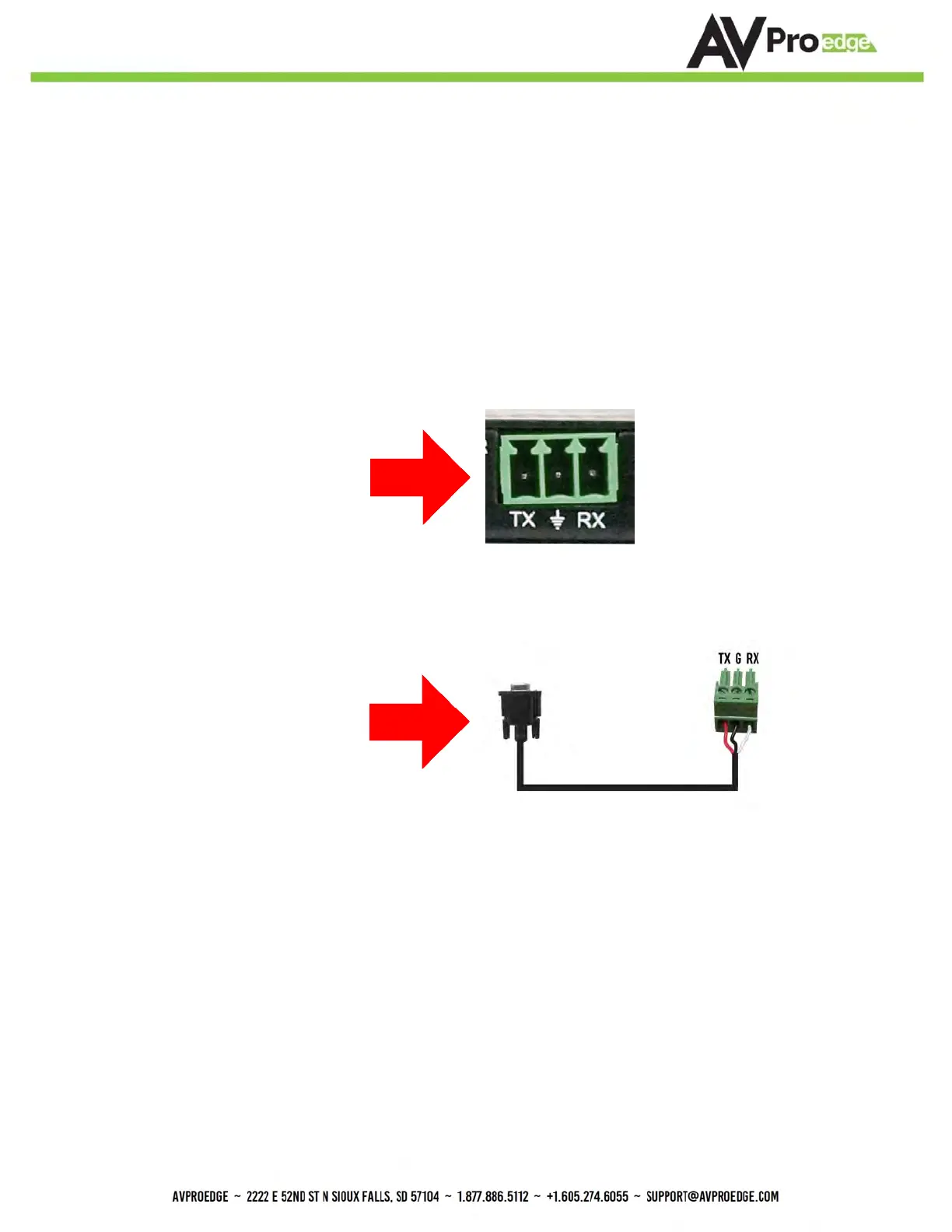
The unit comes with 3 pin
connectors to allow for any wire
an integrator would like. The
pin out configuration Left=TX,
Center=Ground, Right=RX and
looks like this:
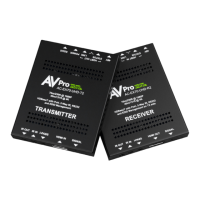
This is how the cable should
look. If using the AC-CABLE-3.5-
DB9F (Female) or AC-
CABLE-3.5-DB9M (Male), the
colors will be the same. With
any other cable, please follow
Tx, G, Rx as shown above. A
RS-232 cable preparation
diagram is on the next page.


 To Next Page